


Best AI Campaign Builders for Shopify Stores (2026)

Compare advertising tools and AI store builders to find the right fit for your next Shopify launch.

Disclosure: AdScale publishes this guide and is one of the products compared. Recommendations are based on documented capabilities and pricing, not a hands-on performance test.

For Shopify stores running Google and Meta ads, this guide recommends AdScale for store-based campaign planning and management. Adwisely offers optional expert support, Madgicx focuses on Meta workflows, and AdRoll supports broader retargeting. Shopify AI Store Builder, Atlas, CreateMyStore, Dropmagic, and Instant build stores or pages rather than advertising campaigns.

The best AI campaign builders for Shopify stores help turn products, business goals, and customer information into campaigns you can review and launch. Choosing one starts with identifying the work you need help doing.

A store design, a landing page, and a live advertising campaign are different outputs. This guide compares the tools behind them, including their advantages, limitations, and costs.

For the creation process itself, read What Is an AI Campaign Builder? A Shopify Guide.

Key Takeaways

  • Choose a store builder for store design, a page builder for landing pages, and an advertising tool for campaigns.
  • AdScale connects Shopify-based planning with Google and Meta campaign management.
  • Adwisely offers optional expert management, Madgicx emphasizes Meta workflows, and AdRoll supports broader retargeting.
  • Compare software fees, media spend, plan limits, and paid extras at your actual budget.
  • A page builder and an advertising platform can work together in the same marketing setup.

AdScale vs. Shopify AI Store Builder, Atlas, CreateMyStore, Dropmagic, and Instant

AdScale helps advertise an existing store. The other five tools focus on creating or improving that store and its pages. This table compares where each fits in a Shopify launch.

This comparison focuses on AI campaign builders for eCommerce businesses that sell through Shopify and need to turn their product catalogs into advertising campaigns.

ToolWhat it buildsMain advantageLimitation to consider
AdScaleAdvertising campaigns for Google and MetaConnects store data with campaign planning and managementPaid advertising software; it does not replace your store or page builder
Shopify AI Store BuilderStore designs from a business descriptionFree design generation within Shopify’s ecosystemA generated design still needs your products, content, and business setup
Atlas: AI Store BuilderStores and product pages from product linksCombines page generation with bundle and cart upsell toolsThe base plan has usage limits; additional capacity can cost more
CreateMyStoreA new Shopify store with product content and conversion toolsCombines store creation with Vitals toolsIts store builder is for new stores; the bundled Vitals access begins with a trial
Dropmagic: AI Store BuilderShopify stores and pages from product informationProduct import, copy, imagery, and page creation togetherThe free offer covers building and previewing; publishing requires upgrading
Instant AI Page BuilderShopify landing pages, product pages, and sectionsFocused page creation for specific offers and collectionsPublishing allowances and AI usage depend on the plan

The capabilities above come from each vendor’s linked product information. Advertising details for AdScale also appear in its Shopify listing; Instant’s plan limits are listed in its Shopify listing.

For example, a merchant could build a collection landing page with Instant and use AdScale to prepare Google and Meta campaigns that send shoppers there. The tools address different parts of the same customer journey.

How These Shopify Advertising Tools Were Compared

For eCommerce teams, the key questions are how each tool uses store data, supports product advertising, and helps manage campaigns within the available budget.

The comparison covers five practical questions:

  1. Campaign output: Does the tool prepare and launch ads, or mainly provide recommendations?
  2. Shopify fit: How does it connect with store products, customers, or reporting?
  3. Channel coverage: Which advertising platforms can it manage?
  4. Ongoing work: What happens after campaigns launch?
  5. Total cost: What do software, media, support, and extras cost together?

AdScale, Adwisely, Madgicx, and AdRoll offer different approaches to creating, launching, and managing advertising campaigns for Shopify stores. A reporting integration is not treated as proof of campaign creation. Recommendations reflect each tool’s documented scope and the merchant needs it addresses.

Shopify AI Tools: Pricing Comparison

Prices and terms checked September 22, 2026. All amounts are USD. Advertising spend and Shopify subscriptions are separate from software fees unless stated otherwise. These tools perform different jobs, so compare both price and scope.

Tool or planPublished priceWhat the price coversTrial or free option
AdScale Basic$169/monthAdvertising software for up to $1,000 monthly ad spend14-day trial
AdScale Growth$249/monthAdvertising software for up to $2,000 monthly ad spend14-day trial
AdScale Elite$329/monthAdvertising software for up to $3,000 monthly ad spend14-day trial
Adwisely Self-Serve10% of managed ad spend; $49/month minimumGoogle and Meta automation; $3,250 monthly fee cap7-day trial
Adwisely Concierge10% of managed ad spend; $249/month minimumAutomation plus dedicated experts; $3,250 monthly fee cap7-day trial
MadgicxPriced by ad spend and billing period; obtain a current quoteSelected advertising software plan; Tracking Pro is a separate $49/month add-on7-day trial
AdRollFree installation; campaigns require at least $5/dayPaid media; package and add-on costs need a separate checkFree installation
Shopify AI Store BuilderFree design generationInitial store design; operating the store costs extraFree design generation
Atlas All-in-One$39/month, with additional chargesStore/page builder, bundles, and cart tools within applicable limits7-day trial
CreateMyStore / VitalsFree build; Vitals $1 for the first paid month, then $29.99/monthStore creation and the ongoing Vitals suite; Shopify costs extra7-day Vitals trial
Dropmagic Premium$79/monthPaid store-building and publishing planFree generation cannot publish to Shopify
Instant AI Page BuilderStarter $39, Pro $99, Business $249 per monthPage-building features and usage allowances by tierFree development-store plan; Starter lists a 7-day trial

Instant prices above use monthly billing on Shopify. Its listing also offers discounted annual billing. Dropmagic calls its paid plan Premium on Shopify and Pro on its own website; the table follows the Shopify listing.

AdScale: Best for Connecting Shopify Data With Google and Meta Campaigns

Best for: Merchants who want one workflow for planning, creating, and managing advertising across Google and Meta.

AdScale’s AI campaign builder uses store data to help prepare a media plan, audiences, and ads. For a Shopify merchant, the appeal is continuity: products and customer information help inform the campaign setup, then ongoing management supports the work after launch.

That makes AdScale worth considering when coordinating two advertising platforms has become a recurring task for your team.

Advantages

  • Google and Meta coverage. The Shopify listing includes Google Search and Performance Max, plus Facebook and Instagram advertising.
  • Creative and optimization tools together. AI image and video creation sit alongside automated bid and budget management.
  • A store-based planning workflow. Review proposed products, audiences, creative, and budgets in the context of what your store sells.

The first two capabilities are documented in AdScale’s Shopify App Store listing. The broader workflow is explained in the campaign builder guide.

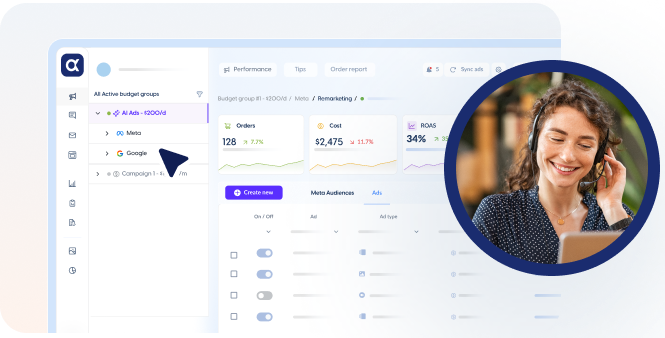
Adscale campaign plan
Illustrative campaign-planning mockup showing product selection, AI creative previews, and proposed Google and Meta budgets. Not a live product screenshot.

Disadvantages

  • The subscription matters at smaller budgets. A monthly software fee takes a larger share of total marketing costs when media spend is low.
  • Channel coverage is focused. Merchants seeking TikTok, Pinterest, or a broader programmatic advertising platform will need another solution for those channels.
  • A proposed plan still needs business judgment. Your team must check margins, stock, offers, and creative before approving spend.

Pricing

AdScale lists Basic at $169/month, Growth at $249/month, and Elite at $329/month. Their monthly ad-spend limits are $1,000, $2,000, and $3,000, respectively. All three list a 14-day free trial. Media spend is additional. AdScale Shopify plans.

Choose the tier for your planned spend and check creative allowances. For budgets above the listed limits, consult AdScale pricing for the applicable plan.

Recommendation

Try AdScale when your priority is bringing Google and Meta campaign work into a store-based workflow. Its fit is strongest when you need help with both campaign setup and the ongoing decisions that follow.

Adwisely: Best for Automation With Optional Expert Management

Best for: Eligible Shopify stores that want Google and Meta campaigns, with the option to add dedicated advertising expertise.

Adwisely combines automated campaign management with two service levels. Self-Serve provides automation and support, while Concierge adds expert involvement. Its Shopify listing describes prospecting, retargeting, and performance reporting across Google and Meta.

Advantages

  • Two ways to work. Choose automated campaigns with email and chat support, or a plan with dedicated experts.
  • Both acquisition and retargeting. The platform supports reaching new shoppers and returning visitors.
  • Defined expert support. Concierge lists ten hours of monthly expert work, split between Google and Meta. Adwisely plans.

Disadvantages

  • New stores may not qualify. Adwisely requires an active Shopify store with either 100 or more online orders in the last 90 days or at least $10,000 in monthly online revenue. Tracking must also be installed. Stores close to qualifying can request manual review. Adwisely eligibility requirements.
  • The entry price is a minimum. Fees rise with managed ad spend until the published cap applies.
  • Dedicated expert time belongs to Concierge. Self-Serve includes email and chat support, but not the same expert management allowance.

Pricing

Self-Serve costs 10% of managed ad spend, with a $49 monthly minimum. Concierge uses the same percentage with a $249 monthly minimum. Both list a $3,250 monthly fee cap and a seven-day free trial. Media spend is separate. Adwisely pricing.

For example, $3,000 in managed monthly ad spend produces a $300 fee under either plan. The minimum is not added on top of that amount. Adwisely billing explanation.

Recommendation

Adwisely deserves a place on the shortlist when expert involvement is a priority. Confirm eligibility first, then compare the service level and total fee at your actual budget.

Madgicx: Best for Meta Creative Testing and Optimization

Best for: Shopify teams whose main advertising workload involves Facebook and Instagram creative, launches, and account analysis.

Madgicx focuses its core advertising workflow on Meta. Its tools cover creative generation, account analysis, optimization, and ad launch. This makes it relevant when your bottleneck is developing and managing the next round of Meta ads.

Advantages

  • Creative production and launch tools. Madgicx offers AI ad generation and tools for deploying creative into campaigns. Madgicx AI Ads.
  • Reuse of existing assets. Ad Launcher combines creative and copy, and can turn Facebook and Instagram posts into ads. Madgicx Ad Launcher.
  • Reporting beyond Meta. One-Click Report supports sources including Google Ads, Shopify, and Google Analytics 4. Madgicx reporting details.

Disadvantages

  • Reporting coverage is broader than the verified launch workflow. The documented Ad Launcher centers on Meta. If Google campaign creation is essential, request a demonstration of that specific capability.
  • Tracking can add to the bill. The pricing page lists Tracking Pro as a separate add-on.
  • It suits an active testing process. The creative and analysis tools are most useful when someone owns the decisions about what to test next.

Pricing

Madgicx uses a pricing selector based on monthly ad spend and billing period. It advertises a seven-day trial and lists Tracking Pro at $49 per month as an add-on. Use the live selector for the main subscription quote. Madgicx pricing.

Recommendation

Choose Madgicx for a Meta-centered workflow, particularly when creative testing needs more structure. For a combined Google and Meta builder, verify the exact Google actions available before choosing it.

AdRoll: Best for Retargeting and Broader Advertising Reach

Best for: Shopify merchants expanding into product retargeting and advertising across websites, apps, and other inventory.

AdRoll Marketing & Advertising combines campaign-building and optimization with access to broader advertising inventory. Its Shopify integration connects a product feed, installs its pixel, and creates audiences from shopping behavior. Social advertising and cross-channel attribution are add-ons to the self-service Ads offering. AdRoll packages.

Advantages

  • Product-based retargeting. Dynamic ads can show shoppers products they viewed or added to their cart.
  • Shopify audience connections. Store behavior and Shopify customer segments can inform advertising audiences. AdRoll’s Shopify integration.
  • Broader inventory. Its Shopify listing includes display, native, mobile app, video, and connected TV advertising, supported by AI bidding. AdRoll’s Shopify listing.

Disadvantages

  • Some capabilities cost extra. Social advertising and cross-channel attribution are add-ons to the self-service Ads offering.
  • Its focus differs from a Google Search and Meta builder. Open-web reach is valuable if that is your goal. It does not, by itself, establish support for the Google campaign types you need.
  • Retargeting needs an audience. A store with little existing traffic has fewer visitors to re-engage, so retargeting alone cannot replace acquisition.

Pricing

AdRoll’s Shopify app is free to install, with a listed minimum campaign budget of $5 per day. Its main pricing page describes pay-as-you-go advertising, with additional packages and add-ons. Free installation does not mean free advertising. Shopify listing, AdRoll pricing.

Recommendation

Consider AdRoll when you want to extend your advertising reach and build a broader retargeting program. Compare its channel mix and full package cost with your specific launch requirements.

When Should You Choose One of the Store Builders Instead?

If the store or landing page is your immediate bottleneck, the five tools below deserve a closer look. Their advantages concern the shopping experience and setup process. They are not being ranked against AdScale on advertising performance.

Shopify AI Store Builder: For an Initial Store Design

Advantage: Generate design options from a short business description without buying a separate design-generation app. Shopify lets you generate multiple designs for free.

Disadvantage: Design generation covers only part of a launch. You still need to review the content and complete your store setup, including products and delivery information.

Cost: Design generation is free. Budget separately for operating the Shopify store. Shopify AI Store Builder.

Choose it when: You are starting a store and need a design to work from.

Atlas: AI Store Builder for Product-Based Launches

Advantage: Atlas turns product links into stores or product pages and includes bundle and cart upsell features. That combination suits merchants building a shopping experience around selected products.

Disadvantage: The base subscription includes limits on published pages, bundle revenue, and cart orders. A growing store should price the capacity it needs.

Cost: Shopify lists All-in-One at $39 per month, with additional charges and a seven-day trial. Review the applicable usage limits before subscribing. Atlas Shopify pricing.

Choose it when: You need product pages and merchandising features together.

CreateMyStore: For a New Store With Conversion Tools

Advantage: CreateMyStore combines store design, product content, and access to Vitals tools such as reviews, bundles, and pop-ups.

Disadvantage: Its full store builder is intended for new Shopify stores. Free store creation also does not mean every included service remains free: Vitals starts with a seven-day trial.

Cost: Building the store is free. The vendor advertises a seven-day Vitals trial, then $1 for the first paid month and $29.99 per month afterward. Shopify’s subscription is separate. CreateMyStore’s published offer.

Choose it when: You are creating a new store and want several conversion tools in the initial setup.

Dropmagic: AI Store Builder for Product-Based Stores

Advantage: Dropmagic brings product import, generated copy, imagery, and page design into one workflow.

Disadvantage: The free tier is for building and previewing a store. Publishing and expanded use require a paid plan, so the free preview is not the full ongoing cost.

Cost: Shopify lists Premium at $79 per month. Its Free generation plan cannot publish to Shopify. Dropmagic Shopify plans.

Choose it when: You want to build around a product and review the generated store before paying to publish.

Instant AI Page Builder: For Campaign Landing Pages

Advantage: Instant focuses on Shopify pages and sections, making it relevant when an offer needs a dedicated destination. Its plans also offer page analytics and, at higher tiers, testing features.

Disadvantage: Publishing allowances, templates, AI credits, and testing capacity differ by plan. Price the pages and experiments you intend to run.

Cost: Shopify lists Starter at $39/month, Pro at $99/month, and Business at $249/month. The free Developer plan is for development stores; Starter lists a seven-day trial. Instant Shopify plans.

Choose it when: You already have a store and need pages for specific products, collections, or promotions.

A store builder and an ad platform can both earn their place. Choose each for the work it performs, and include both subscriptions in your marketing costs.

Do You Need a Third-Party Builder at All?

Start by considering your existing tools. Google already provides AI across Performance Max bidding, targeting, and creative. Shopify documents creating Performance Max campaigns through Merchant Center, accessible from its Google & YouTube channel. Google Performance Max overview, Shopify setup guidance.

Meta also provides its own advertising tools and a Shopify integration for Facebook and Instagram.

If your current setup is manageable, a new subscription needs a clear justification. Add a builder when it solves a recurring problem, such as preparing campaigns across both platforms or connecting store information with advertising decisions.

Example: Choosing Tools for a Shopify Collection Launch

Imagine an apparel store preparing an autumn collection. It needs a collection page, new product advertising on Google, and fresh Meta creative.

This is an illustrative planning example, not a customer case study or a performance test.

The merchant first reviews the shopping experience. If the current Shopify theme already presents the collection well, another page builder may add little. If the offer needs a dedicated landing page, a tool such as Instant can help prepare it.

Next comes advertising. The merchant can evaluate AdScale using the same collection: review proposed products, audiences, creative, and budgets across Google and Meta. A team mainly seeking expert management could also assess Adwisely. A Meta-focused creative team might prioritize Madgicx, while a broader retargeting brief could justify AdRoll.

The decision becomes clearer when each subscription has a defined job. For this merchant, the question is whether the combined workflow makes the next launch easier to prepare, approve, and measure.

How to Evaluate a Builder Before Committing

Use the same brief for every vendor: one collection, one business goal, and a fixed spending limit.

  1. Ask to see the campaign output. Inspect products, copy, images, destinations, and campaign settings. Distinguish a suggested plan from campaigns ready to publish.
  2. Check the budget rules. Establish the opening spend, who can change it, and how existing campaigns affect the total.
  3. Review account ownership. Confirm what happens to campaigns and assets if you cancel. Also identify which existing campaigns the tool will change.
  4. Calculate the full cost. Add software, media, creative extras, tracking, and any service fees. Compare quotes at the same expected spend.
  5. Choose a business measure. Track time saved alongside acquisition cost and contribution after advertising costs. Use a consistent attribution approach when comparing results.

A short trial can reveal workflow quality and setup problems. It may not provide enough sales data to establish a reliable performance difference.

Frequently Asked Questions

What Is the Best AI Campaign Builder for Shopify Stores?

AdScale is this guide’s recommendation for Shopify merchants seeking campaign planning and management across Google and Meta. Adwisely suits stores seeking optional expert involvement. Madgicx focuses on Meta workflows, while AdRoll fits broader retargeting needs. Choose according to the channels, support, and campaign tasks your store needs.

Is AdScale an Alternative to Atlas, Dropmagic, or Instant?

AdScale complements these store and page builders by handling advertising. Atlas and Dropmagic focus on stores and pages, while Instant focuses on pages and sections. AdScale helps create and manage advertising campaigns. A Shopify merchant can use a page builder for the ad destination and AdScale for Google and Meta advertising.

Can I Use Both AdScale and Native Google or Meta Automation?

Yes, AdScale can create campaigns that use native platform automation. For example, AdScale’s Shopify listing includes Performance Max. The builder manages its supported workflow, while Google or Meta delivers the ads. Confirm the campaign types and controls available in your plan. AdScale listing.

Which Tool Should I Choose If My Shopify Store Already Exists?

AdScale and Adwisely suit existing Shopify stores that need Google and Meta campaign management. Consider Madgicx for Meta creative work or AdRoll for broader retargeting. If your landing page needs improvement, start with a page builder before adding more advertising tools.

Can an AI Campaign Builder Guarantee Better ROAS?

No campaign builder can guarantee a particular return for every Shopify store. Results depend on the offer, margins, creative, tracking, customer demand, and site experience. Evaluate setup quality first, then assess performance over a suitable period using consistent reporting and enough sales data to make a useful comparison.

Why Try AdScale First for Google and Meta?

AdScale suits eCommerce teams that want product advertising, AI image and video creation, and ongoing campaign optimization in one platform.

If your store is ready and your next task is advertising it, AdScale is a practical place to start. Its appeal is bringing Shopify products, customer information, and Google and Meta campaign work together.

Choose a store or page builder when the shopping experience needs work. Choose your advertising platform for the campaigns you need to launch and manage. For many stores, those decisions complement each other.

AdScale connects campaign planning with ongoing work. Assess its campaign builder alongside AdScale’s optimization tools and order attribution, then decide whether the combined workflow improves your process.

Start with a real collection and your actual budget. Review the proposed ads and campaign plan against what you would launch yourself.

Explore AdScale’s AI campaign builder and see how it handles your store’s next campaign.

Keep Learning

What Is an AI Campaign Builder? A Shopify Guide (2026)

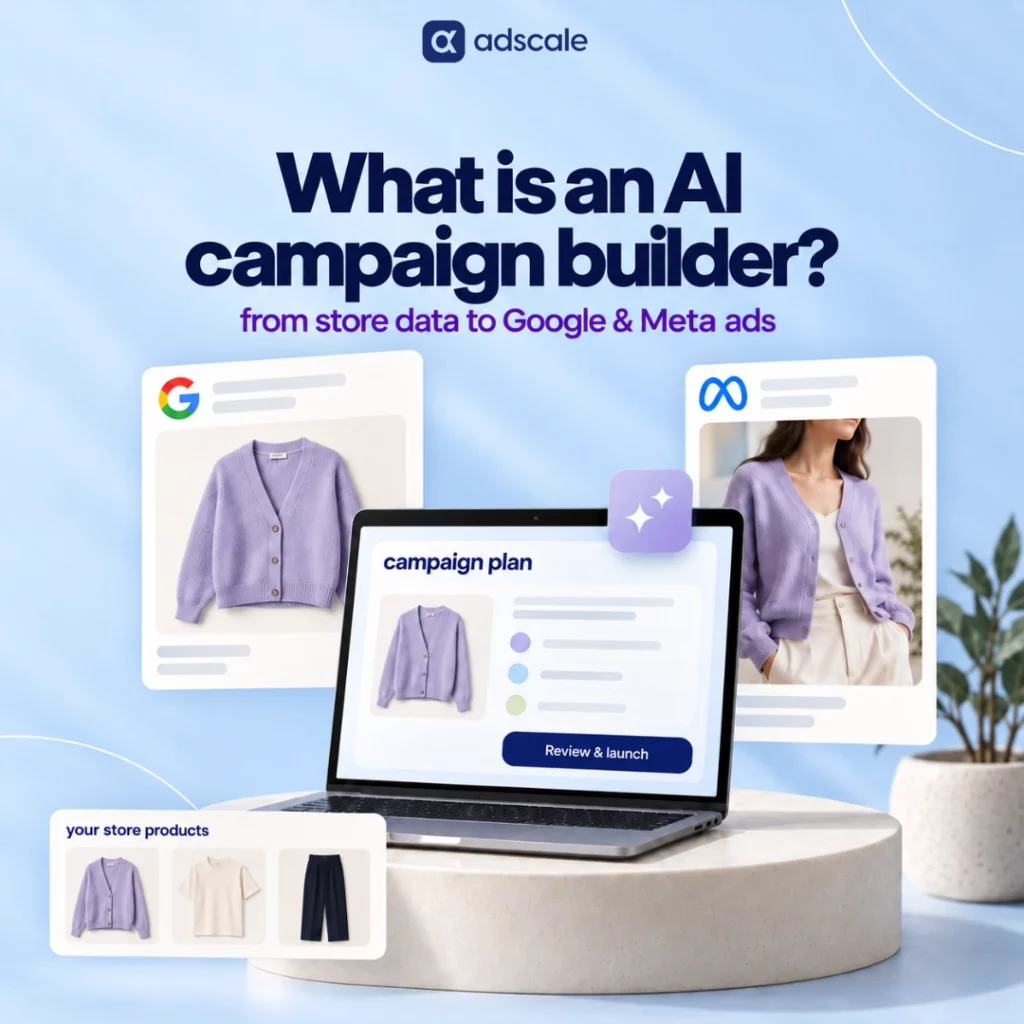
What Is an AI Campaign Builder?

An AI campaign builder uses artificial intelligence to turn business goals and marketing inputs into advertising campaigns. It automates parts of setup, such as campaign structure, audience selection, creative, and budgets. Ecommerce builders apply this process to store products and customer data, with connected tools also publishing campaigns.

For Shopify merchants, the appeal is practical. Your products live in one place, while your Google and Meta campaigns need separate setups. A builder can bring those decisions into one workflow, so you spend less time setting up each campaign by hand.

Capabilities differ across vendors: check supported platforms, store integrations, creative features, and direct publishing. This guide focuses on eCommerce builders for Shopify merchants advertising on Google and Meta.

Key Takeaways

  • An AI campaign builder helps turn products, business goals, and available data into new advertising campaigns.
  • Some eCommerce builders use Shopify catalog and order data to plan campaigns across Google and Meta.
  • Performance Max and Advantage+ sales campaigns provide automation within their respective platforms.
  • Campaign creation, optimization, and measurement serve different purposes, although one product may offer all three.
  • Review the proposed ads, budget, tracking, and account access before launch.
AI campaign builder workflow

How Does an AI Campaign Builder Work?

An AI campaign builder turns your inputs into a proposed campaign setup. For an eCommerce store, the workflow moves from account connections and product selection to creative, budgets, and launch review.

1. Connect Your Store and Ad Accounts

First, authorize the tool to access the store and ad accounts it needs. Check the permissions and confirm who owns each account.

Shopify also offers native sales channels. For example, its Google & YouTube channel connects store products with Google Merchant Center. Ask the builder whether it uses those existing connections or requires a separate setup.

2. Choose Goals and Products

Next, decide what the campaign should achieve. You might want new customers, sales for a seasonal collection, or repeat purchases.

Product details, stock levels, and past sales give the builder evidence for product recommendations. However, revenue alone cannot reveal which products you should prioritize. Also consider margins, returns, and stock you need for the coming weeks.

3. Prepare Campaigns and Audiences

The builder proposes a structure for the campaign types it supports. Review the product groups, locations, audience approach, and bidding goals against your business objective.

For instance, a store could use purchase history to identify repeat customers. How that segment affects delivery depends on the campaign type. An audience signal can guide a platform’s AI without strictly limiting who sees an ad.

4. Create Ads and Set Budgets

Creative preparation includes generating new copy or visuals and assembling existing product assets into ads. Check which steps your chosen builder handles.

Review the wording because product claims, prices, and offers must stay accurate. Then check the opening budget and any rules that allow it to change.

5. Review and Launch

Finally, confirm the destination pages, conversion tracking, and spend limits. With direct publishing enabled, the builder creates campaigns in your connected accounts. Otherwise, complete the launch in the ad platform.

Campaign creation can be quick once connections work. However, catalog issues, policy reviews, or tracking problems can delay delivery. Generating a campaign and serving its first ad are separate milestones.

How AdScale Applies This Process

For example, AdScale’s campaign builder uses store data to help prepare a media plan, audiences, and ads for Google and Meta. It brings those campaign decisions into one workflow, connecting what the store sells with how it advertises.

For a Shopify merchant, that means reviewing the proposed products, creative, and budget split together. The starting point is the store’s own catalog and customer data. AdScale’s store and advertising integrations connect that information with the advertising accounts.

Example: A Shopify Apparel Store Launches a Collection

Consider a Shopify store launching a new collection of summer dresses. It has product images, purchase history, and connected Google and Meta accounts. However, stock varies by size, and its existing campaigns still promote last season’s products.

The table below shows an illustrative planning workflow. It is not a customer case study, a performance claim, or a promise that every builder supports these steps.

Store InputPossible Campaign DecisionWhat the Merchant Reviews
New dresses with available sizesSelect eligible products for launchStock depth, margins, and priority styles
Product photos and descriptionsAssemble catalog ads and draft copyAccurate details, brand voice, and image quality
Past purchases from the dress categoryPropose a customer segmentWhether the goal is acquisition or repeat sales
Existing Google and Meta resultsSuggest an opening budget splitTotal spend and overlap with current campaigns
Collection and product pagesChoose ad destinationsMobile experience, size guidance, and shipping details

For example, the merchant may exclude a popular dress because only one size remains. They can also choose a lifestyle image that shows how the dress fits.

Those choices show where human review adds value. Automation can prepare the launch, while the merchant checks that the plan reflects the store’s actual offer.

AI Campaign Builder vs. Performance Max vs. Advantage+

Performance Max is a Google Ads campaign type. Advantage+ sales campaigns use Meta’s automation. A third-party builder that connects to both platforms coordinates campaign setup across Google and Meta.

Google already automates parts of setup and creative production. Its Performance Max documentation describes asset generation, audience signals, and budget recommendations during setup. Native automation therefore supports both building and running campaigns.

Meta also automates ad creation and creative variations within its own advertising tools. Its overview of native ad automation explains these capabilities. The practical distinction is platform coverage: Meta’s tools do not create Google campaigns alongside Meta ads.

The builder column below focuses on eCommerce tools offering Google and Meta setup. Confirm the listed capabilities during a demonstration.

CapabilityPerformance MaxAdvantage+ Sales CampaignseCommerce Builder for Google and Meta
Campaign coverageGoogle inventoryMeta inventorySetup across both connected ad platforms
Store data inputsProduct feeds, conversion data, and audience signalsProduct catalogs, purchase events, and customer audiencesCatalog and order data through a store connection, plus ad account history
Creative workflowGenerates and combines assets for Google adsAutomates creative variations for Meta adsGenerates or assembles assets for supported formats on each platform
Budget scopeBudget within a Google campaignBudget within Meta campaignsOpening plan across Google and Meta
Merchant controlsGoals, budget, assets, and campaign settingsGoals, budget, creative, and campaign settingsPlan review and controls exposed by the builder
Relationship to other toolsCan form part of a builder’s outputCan form part of a builder’s outputCreates supported campaigns that use native platform automation

If native tools already meet your needs, another subscription may add little value. However, a builder may help when coordinating two platforms consumes time or requires skills your team lacks.

What Data Does an AI Campaign Builder Use?

For an eCommerce AI campaign builder, five input types matter:

  • Product data: Titles, images, prices, variants, and stock help determine which ads to create.
  • Order history: Products purchased, purchase frequency, and order value can inform customer segments and product choices.
  • Ad account history: Previous results provide evidence for campaign settings and budget suggestions.
  • Conversion events: Purchase and browsing events support tracking and platform optimization.
  • Business inputs: Goals, locations, offers, and budget limits define what the tool should work toward.

Google and Meta can receive store information through their integrations. For example, Shopify documents sending purchase events to Meta through the Conversions API. The data shared depends on your setup and permissions. Shopify’s data-sharing guide.

Ask the vendor to show how each data input affects its campaign recommendations. Also check whether it accounts for returns and margins before treating revenue reports as profit reports.

Campaign Creation, Optimization, and Attribution

These functions answer different questions:

FunctionQuestion It AnswersTypical Output
Campaign creationWhat should launch?Campaign settings, ads, audiences, and opening budgets
OptimizationWhat should change as results arrive?Budget changes, tests, and adjustments within platform limits
AttributionWhich marketing activity receives credit for sales?Reports connecting orders with channels or campaigns

One platform may combine all three. As a result, you should compare the full workflow when reviewing vendors.

Alongside campaign creation, AdScale offers ongoing optimization and order attribution. Check which functions your proposed plan includes and how each affects your connected accounts.

How to Choose an AI Campaign Builder for Shopify

Start with your current bottleneck. If setup takes too long, focus on creation and review. If campaigns already exist, first check whether optimization, creative quality, or measurement needs more attention.

Use these questions during a trial or demonstration:

  1. What can it launch? Ask for the exact Google and Meta campaign types it supports.
  2. What data does it use? Check whether product choices and segments use catalog data, orders, or only platform events.
  3. What can you approve? Review ads, offers, budgets, and destinations before spend starts.
  4. What happens to existing campaigns? Confirm whether the tool imports, edits, duplicates, pauses, or leaves them running.
  5. How does it control spend? Check opening budgets, later adjustments, and the controls available to you.
  6. What does it cost? Separate software fees from media spend. Also ask about usage charges and paid creative features.
  7. What happens if you leave? Confirm account ownership, campaign access, asset access, and cancellation terms.

Request a walkthrough using your store’s products. A plan built around your catalog makes it easier to judge whether the tool solves your problem.

When Should You Wait Before Automating Campaigns?

Fix a broken product feed or purchase event before adding more campaigns. Otherwise, automation may repeat those problems at greater scale.

A small store can still use an AI campaign builder. However, limited sales history provides less evidence for its recommendations. Avoid spreading a small budget across many campaigns simply because the software can create them.

Also review the store itself. Unclear shipping costs, missing size information, or a difficult checkout can weaken results even when campaign setup works correctly.

Before launch, confirm that purchases record correctly, promoted products are available, and the proposed campaign structure fits your budget. These checks provide a practical starting point. Platform learning requirements concern ad delivery; they do not define what a campaign builder is.

Frequently Asked Questions

Is Performance Max an AI Campaign Builder?

Performance Max is a Google Ads campaign type with AI-powered setup and delivery features. It runs across Google’s inventory. A third-party campaign builder is software that creates campaigns, which can include Performance Max. A builder supporting Google and Meta can coordinate setup across both platforms.

How Is an AI Campaign Builder Different From an Optimizer?

An AI campaign builder creates new campaigns. An optimizer adjusts live campaigns using performance data, for example by changing budgets or testing creative. These are distinct functions, but one product can provide both. Check whether your subscription covers initial setup, ongoing management, or the full workflow.

Can an AI Campaign Builder Run Google and Meta Ads Together?

Yes. Builders with Google and Meta integrations can create campaigns across both platforms from one workflow. Each platform still serves its own ads. Check the supported campaign types and confirm whether the software coordinates only the opening budget or also adjusts spending after launch.

Do You Still Need a Media Buyer?

A builder reduces setup work; it does not remove the need for account oversight. You can handle that review yourself if you have the time and skills. For complex accounts, a media buyer can manage testing, creative direction, and strategy while the software handles supported tasks.

How Much Does an AI Campaign Builder Cost?

Calculate the total cost as software fees plus Google and Meta media spend, then add any paid extras. Ask whether the subscription changes with ad spend or usage. Get a quote for your planned budget, including creative features and support, before comparing vendors.

Will It Replace Your Existing Campaigns?

Check the tool’s onboarding plan before connecting an active account. It should identify which campaigns it will import, edit, pause, or leave running, and which it will create. Then review the combined budget and any audience or product overlap. Do not assume your current campaigns will stop automatically.

Review the Plan Before You Launch

An AI campaign builder earns its place when it reduces setup work and gives you a useful plan you can review. Choose it for the decisions and account work you need help with.

Start with a product collection and a clear goal. Then inspect the proposed ads, audience approach, budget, and destination pages. For an AdScale walkthrough, explore how the platform plans campaigns and compare the workflow with your current process.

The best launch plan is one you understand well enough to approve.

Why Is Creative Production Becoming Ecommerce Advertising’s Biggest Bottleneck?

Meta rebuilt how it decides which ads get seen. The math on how fast brands need new creative changed with it. Most production pipelines haven’t caught up.

Ecommerce teams keep hearing the same advice: refresh your ad creative more often. Fewer are hearing the part that actually matters. Most of them physically can’t keep pace with what the algorithm now demands.

Meta finished rolling out Andromeda, its rebuilt ad-retrieval engine, globally in October 2025. Meta’s own engineering team described the system in the technical announcement that introduced it. It’s a ground-up rebuild that reads the creative itself: the image, the product, the composition. That’s how it decides which ads even get a shot at the auction. Audience settings still matter, but they no longer carry most of the weight. The same announcement reported one measurable result. Advertisers who turned on Advantage+ creative’s AI-driven features saw a 22% increase in ROAS. Meta wants more creative variety feeding the system, and it is already rewarding brands that supply it.

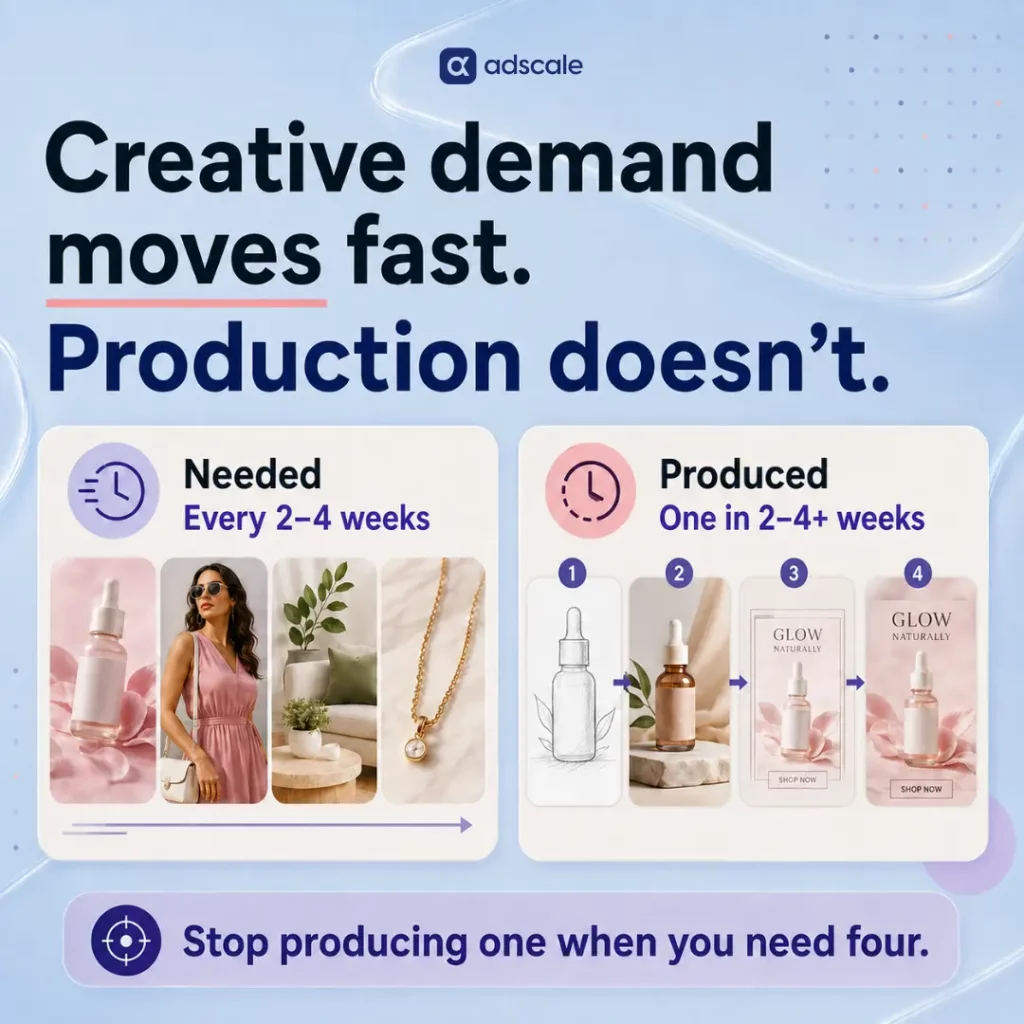
In short: creative production has become ecommerce advertising’s biggest bottleneck. Meta’s Andromeda system now needs a genuinely new creative concept every two to four weeks to keep performing. Most in-house or agency production cycles haven’t sped up to match. They still take two to four weeks or longer to turn one idea into a single finished, ad-ready asset. Those two clocks used to have slack between them. Now they don’t, and the gap is where performance quietly leaks out.

The strategic advice to “diversify your creative” is easy to give and hard to execute. A genuinely new concept is not a new headline on the same shot. Producing one still takes a designer, sometimes a photoshoot, and a revision round. For a small or mid-size ecommerce team, that cycle often runs two to four weeks per concept. That’s true even when things are going well. That’s not a strategy gap. It’s a throughput gap. That’s the real story behind why creative has quietly become the most constrained resource in ecommerce advertising.

Key Takeaways

  • Meta’s Andromeda system, live globally since October 2025, evaluates creative content directly. It groups visually similar variations into a single retrieval entity. Cosmetic refreshes don’t reset fatigue the way a genuinely new concept does.
  • An analysis by Confect, covering 3,014 ecommerce advertisers through the 2025 rollout, found effective creative lifespan compressing fast. It fell from roughly six to eight weeks down to two to four weeks. Most production cycles still run on the old, slower timeline.
  • A controlled test found a single ad set running 25 genuinely distinct creatives beat a fragmented five-ad-set structure. It produced 17% more conversions at 16% lower cost. That’s evidence concept volume decides outcomes more than launch frequency does.
  • Meta needs new concepts faster than most teams can produce them. That’s a production problem, not an ideas problem. It’s why AI-assisted creative generation has moved from a nice-to-have into working infrastructure for lean ecommerce teams.
  • AdScale’s own creative tool is one example of closing that gap. It generates ad-ready images from a store’s live product and sales data. That happens inside the same workflow already used to manage targeting and budget.

Why Meta’s Andromeda Update Sped Up Ad Creative Fatigue

Before Andromeda, Meta’s retrieval stage narrowed tens of millions of ad candidates down to a few thousand real contenders. It relied heavily on rule-based logic and the audience parameters an advertiser set: interests, lookalikes, retargeting lists. Creative mattered, but targeting carried most of the weight. The Meta Andromeda update breakdown on this site covers that shift in more detail.

Andromeda replaced that stage with deep neural networks that read the creative content directly. Interest targeting still exists, but it now behaves more like a soft suggestion than a hard filter. The practical effect is that creative now does the job targeting used to share with it. It also does that job on a shorter clock. The same system that rewards genuine diversity also groups visually or conceptually similar variations into a single entity. Ten near-identical versions of one ad still register as one shot at the auction, not ten.

That’s the part most refresh advice skips. A brand can update creative every two weeks and still be feeding Andromeda the same entity over and over. That happens when the update is a new headline or a recolored background rather than a new concept. The algorithm’s clock sped up. For most teams, the production clock that turns an idea into a finished, distinct, ad-ready asset did not.

The Data Behind the Ad Creative Production Gap

The clearest picture of how much Andromeda changed the pace comes from a study Confect ran, a Meta catalog-ads platform. It covered more than $834 million in tracked ad spend and 115.7 billion impressions. Effective creative lifespan compressed hard, from six to eight weeks pre-Andromeda down to two to four weeks post-rollout. The system’s precision matching finds the best-fit audience for a concept quickly. Then it exhausts that audience just as fast.

The same study pointed to a controlled test, run by agency Five Nine Strategy, isolating genuine diversity from simple volume. A single ad set running 25 meaningfully different creatives produced 17% more conversions at 16% lower cost. That beat a traditional structure spread across five separate ad sets. Furniture retailer Bed Kingdom, working with agency Connective3, cut cost per acquisition by 58%. They ran multiple genuinely distinct catalog ad variants at once, instead of one polished template stretched across the whole feed.

Meta’s own reporting points the same direction. Advertisers who adopted Advantage+ creative’s automated variation features saw a 22% lift in ROAS, according to Meta’s engineering team. The platform is not neutral on this question. It is actively rewarding the advertisers who can keep genuinely new concepts flowing. Through entity clustering, it penalizes the ones who can’t.

The Real Bottleneck Is Production Throughput, Not Creative Ideas

Most ecommerce marketers don’t lack a point of view on what their next ad should say. What they lack is a way to turn ideas into finished assets fast enough. A price-led angle, a lifestyle scene, a social-proof design, an unboxing clip, a plain product shot: five different concepts. Each one still has to become a finished, ad-ready asset before its moment passes.

That’s a useful way to separate a real refresh from a cosmetic one. Would this new asset change the hook, the format, or the proof point? Or is it the same concept in a different outfit? Only the first kind resets fatigue under Andromeda’s clustering. The second kind is where most production time quietly goes. A small revision is faster to execute than an entirely new shoot. But the algorithm treats it as nothing new at all.

Closing the Ad Creative Production Gap With AI-Assisted Generation

A growing category of tools addresses this directly. They generate multiple ad-ready creative concepts from a store’s own product and sales data. There’s no full design cycle behind each one. AdScale built one of these directly into its advertising platform, called Agentic Ad Creatives. It’s a useful concrete example of what closing the gap actually looks like in practice.

The tool connects to a store’s existing data through what AdScale calls Smart Store Sync. Trending products, active promotions, seasonal patterns, and current inventory feed directly into what gets generated. That way, a new concept reflects what’s actually happening in the business, rather than a generic template. Building a new ad starts with three questions: which product, what’s the offer, what’s the vibe. That replaces a prompt-engineering exercise. The resulting images are production-ready for feed, story, and carousel formats. Adjustments happen conversationally: “make it feel more summery,” “put more focus on the product.” There’s no full revision brief needed. The tool sits inside the same platform used to manage targeting and budget. That means a finished creative publishes into an existing campaign, not a new workflow built from a downloaded file.

None of this replaces a brand’s judgment about what its ads should say. What it removes is the delay between deciding on a concept and having it live. That’s the specific delay Andromeda’s shortened attention span no longer tolerates. Readers who want the full walkthrough can find it in the Agentic Ad Creatives feature breakdown.

How to Fix the Ad Creative Production Bottleneck on Your Account

  1. Time your current concept-to-launch cycle honestly. From idea approval to going live, how many days does it actually take today?
  2. Compare that number to the two-to-four-week decay window. If concept-to-launch takes longer than the window itself, the account is structurally behind before a single ad goes live.
  3. Separate ideas from shipped assets. Count only concepts that would pass the change-the-hook-or-format test. A headline swap or recolor doesn’t count, no matter how it feels on the production calendar.
  4. Pilot AI-assisted generation on the lowest-stakes format first. Static feed ads are a lower-risk starting point than a full video campaign. They surface whether the workflow fits before wider rollout.
  5. Feed the tool real store signals, not generic prompts. Bestsellers, live promotions, and current inventory produce more relevant creative than a blank prompt box ever will.
  6. Keep a human check on brand voice before anything publishes. Faster production is only useful if what ships still sounds like the brand.
  7. Track concepts shipped per month as the real KPI. Hours saved is a nice side effect. Genuinely new concepts in market is the number that actually predicts whether the account keeps up.

Frequently Asked Questions

Why is ad creative production suddenly such a big bottleneck for ecommerce brands?

Meta’s Andromeda update compressed effective creative lifespan from six to eight weeks down to two to four weeks. Most production cycles, designer time, photoshoots, revision rounds, still run on the older, slower timeline. The gap between those two speeds is what creates the bottleneck.

Does AI-generated ad creative actually perform as well as designer-made creative?

Performance depends more on whether a concept is genuinely distinct than on how it was produced. Meta’s own reporting found a 22% ROAS increase from advertisers using AI-driven creative variation features. That suggests the platform rewards relevant variety, regardless of production method.

How is AI-assisted creative generation different from just using a generic image generator?

Tools built into an advertising platform, like AdScale’s Agentic Ad Creatives, pull directly from a store’s live data. Outputs reflect what’s currently selling, rather than a generic prompt. Standalone image tools have no connection to that live store context.

Do small ecommerce teams really need to produce new creative every two to four weeks?

For static and video ads, yes, that’s the window where independent data shows performance measurably declining under Andromeda. Catalog and dynamic product ads have more breathing room, since the product feed itself supplies some rotation. The design template around them still needs refreshing periodically.

Does using AI to generate ad creative replace the need for a creative strategy?

No. It removes the production delay between deciding on a concept and having it live. It doesn’t remove the judgment about what the concept should be. A brand’s point of view on hooks, offers, and audiences still has to come from the team. The tool just executes it faster.

The Ads That Keep Up

The old competitive edge in Meta advertising was a sharper audience list. The new one is a shorter distance between having an idea and having it live. Andromeda didn’t punish brands for lacking creativity. It punished the gap between deciding what to say and actually saying it.

Close that gap, and the refresh question mostly answers itself.

Keep Learning

Why Do Lifestyle Images Outperform Product Cutouts in Google Discovery Ads?

A review of AdScale’s Discovery campaign data shows why a white background is the fastest way to get scrolled past.

Open the YouTube Home feed or the Google app on any given evening and count how many ads register as ads before the second glance. Most don’t, until a plain product shot on a white background breaks the pattern and gives itself away. That flash of recognition is the moment a Discovery ad loses.

The lifestyle vs cutout images question has a clear answer in Google Discovery campaigns: lifestyle wins, and it isn’t close. Discovery is not a shopping destination. It is an interruption channel, built to look and feel like the organic content around it. A studio product shot reads as commercial the instant it appears, so the scroll-through user categorizes and skips it before the offer ever registers. A lifestyle image, by contrast, borrows the visual grammar of the feed itself and earns the click before it is recognized as an ad at all. Treating Discovery like a shopping feed built for Search or Shopping, where clinical product shots work well, functions as a quiet tax on Return on Ad Spend (ROAS).

AdScale’s creative audits run into this same pattern constantly: two accounts with near-identical budgets and targeting, producing very different results, and the difference traces straight back to which folder the assets came from.

Key Takeaways

  • Lifestyle imagery outperformed product cutouts across every Discovery campaign in this review, on both Click-Through Rate (CTR) and Conversion Rate (CVR).
  • A white-background product shot reads as “advertisement” inside the Discovery feed, which is built to feel native and editorial, not transactional.
  • The gap is not just about clicks. Lifestyle creative appears to qualify traffic more effectively, because a lifestyle image sells a use case, not just a SKU.
  • Brand-recognition arguments for cutouts hold up in retargeting, not in prospecting, and Discovery is almost entirely a prospecting channel.
  • An asset-mix audit is the fastest fix: if product-on-white makes up more than 30% of a Discovery asset library, that ratio is likely working against the account.

Why Does a White Background Hurt Performance in a Feed Environment?

Anyone who has run both Search and Discovery campaigns out of the same asset library has felt this friction firsthand. Search rewards clarity. A shopper typing a query has already decided to look, so a clean, high-contrast product shot answers the query efficiently and converts well. Discovery works on the opposite assumption: nobody opened the YouTube Home feed or the Google app looking for a product. They opened it to be entertained, informed, or mildly distracted.

That mismatch is easy to miss because the two channels often get planned, budgeted, and creatively resourced together. Product-on-white assets get built once for Shopping and Performance Max, then reused across every other placement because the asset already exists and reusing it is fast. It is a completely understandable shortcut. It is also the single most common reason Discovery campaigns underperform their Search and Shopping counterparts inside the same account.

The feed does not grade ads on production value. It grades them on fit. A studio shot on a seamless white backdrop has no native equivalent anywhere in a content feed, so it stands out instantly, and not in the way an advertiser wants. The interruption it causes is negative: the user’s brain flags “ad” and moves on before the offer is even read.

What Does the Data Show About Lifestyle Images Versus Product Cutouts?

AdScale’s research team reviewed a sample of Discovery campaigns across the AdScale ecosystem that had run structured A/B tests between two creative types: lifestyle imagery (real-world settings, human presence, or contextual backgrounds) and product cutouts (studio shots on white or transparent backgrounds). Metrics were normalized for spend and aggregated across both creative buckets.

The gap held consistently across categories:

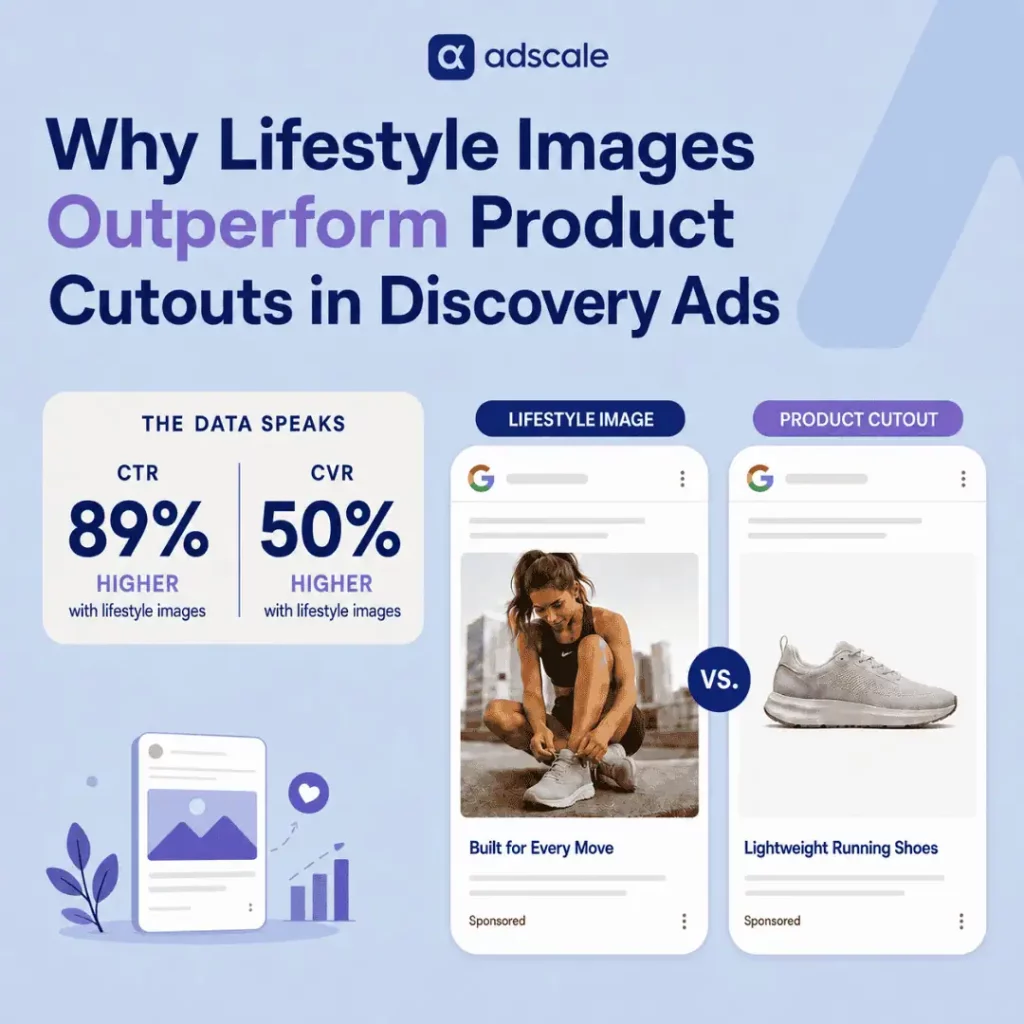
  • Lifestyle images: 1.34% CTR, 2.1% CVR
  • Product cutouts: 0.71% CTR, 1.4% CVR

That works out to roughly an 89% lift in CTR and a 50% lift in CVR for lifestyle creative over cutouts. The CVR gap is the more interesting number of the two. A higher CTR alone could just mean lifestyle images are better at generating curiosity clicks that do not convert. A higher CVR on top of that suggests the opposite: lifestyle creative is pulling in users who are more qualified by the time they land, not just more numerous.

The pattern showed up in the audits behind this review before the numbers ever confirmed it. Reviewers could often flag the likely top-performing asset in a Discovery ad set just by glancing at the thumbnail, then check the metrics afterward and find the guess held.

The Feed Trust Gap: Why Context Beats Clarity in Prospecting

Here is the reframe worth sitting with. A white-background product shot sells a thing. A lifestyle image sells a use case. Call it the Feed Trust Gap: the distance between an image that looks like an ad and one that looks like it belongs in the feed the user chose to open. Every point of that gap gets paid for. Either in wasted impressions on cutouts that get scrolled past, or in a stronger CVR on lifestyle assets that already pre-qualified the click before the landing page even loaded.

AdScale’s creative reviewers end up with a shorthand for this after enough accounts: the cutout sells the object, the lifestyle shot sells the moment, and a feed only ever rewards the moment. A sneaker on a white background is a commodity photo. The same sneaker on a runner mid-stride, laces catching the light, is a narrative. Narratives are what Discovery’s placements are built to carry, and nothing else in the auction competes with them on those terms.

A user who clicks the runner photo has already bought into a story before they land on the product page. A user who clicks the white-background shot usually just clicked out of habit, curiosity, or a moment of inattention. Same click. Completely different shopper. That is the entire gap, and it is why the fix is almost never more budget. It is a different photo.

How Should Merchants Apply This to Their Own Discovery Campaigns?

This is where the asset-mix audit AdScale runs with clients typically starts, and it is simpler than most advertisers expect. Pull every active Discovery asset into one view and sort by background type. Accounts that lean heavily on product-on-white almost always trace back to the same root cause: creative built once for Shopping or Performance Max and recycled into Discovery because it already existed.

The brand-recognition objection deserves a fair hearing here, because it is not wrong, it is just misapplied. Product cutouts do provide faster SKU recognition, and that matters in retargeting, where the shopper already knows the product and just needs a nudge. Discovery is a different job. It is a prospecting channel, meant to introduce a product to someone who was not looking for it. In that context, relevance beats clarity. A commodity shot has nothing to say to a cold audience. A narrative does.

The fix is not a full creative rebuild. It is a reallocation. Most accounts already have lifestyle assets sitting somewhere in an Instagram feed or a UGC folder that were never repurposed into Discovery because nobody thought to look there first.

Practical Steps to Rebalance a Discovery Asset Mix

The accounts that fix this fastest never start by commissioning new photography. They start by finding out how bad the ratio already is.

  1. Pull an asset-type inventory. List every active Discovery creative and tag each one as lifestyle or cutout. This single spreadsheet usually reveals the imbalance before any new number gets pulled.
  2. Flag any account over the 30% cutout threshold. If more than three in ten active assets are product-on-white, that ratio is a likely drag on both CTR and CVR.
  3. Raid existing lifestyle content first. Check organic Instagram and TikTok libraries, UGC submissions, and past photoshoots for usable real-world shots before commissioning anything new.
  4. Brief new photography for context, not just clarity. Ask for the product in a hand, in motion, or in a room, not centered on a seamless backdrop.
  5. Run a controlled A/B split before reallocating full budget. Test lifestyle against cutout within the same campaign structure to confirm the pattern holds for the specific vertical and audience.
  6. Keep cutouts in reserve for retargeting. Don’t retire white-background assets entirely. Route them to remarketing and Shopping, where clarity still does the heavy lifting.
  7. Re-audit every 60 to 90 days. Creative fatigue affects lifestyle assets too, so treat the mix as something to maintain, not fix once.

Frequently Asked Questions

Does this apply to Performance Max and Meta Advantage+ campaigns too?

Directionally, yes. Both systems increasingly rely on automated placement across feed-like surfaces, so the same “does this look native or does this look like an ad” test applies. The cutout-versus-lifestyle gap has not been isolated specifically for those channels in this review, so treat it as a hypothesis to test, not a confirmed benchmark.

Isn’t a plain product shot always clearer, so it should convert better?

Clarity helps once a shopper already wants the product, which is the case in retargeting or on a search results page. In a prospecting feed like Discovery, clarity is not the bottleneck. Relevance is. A clear photo of something nobody was looking for still gets scrolled past.

What actually counts as a “lifestyle image” versus a “cutout”?

A cutout is a studio shot on a white, gray, or transparent background with no environment around it. A lifestyle image shows the product in a real-world setting, in use, or with a person interacting with it. The test is whether the image could plausibly appear in an organic post, not just an ad.

How many lifestyle assets does a Discovery campaign actually need?

There is no fixed number, but accounts that keep at least four to six distinct lifestyle concepts in rotation tend to avoid the fatigue that comes from repeating the same one or two shots. Variety in setting and human presence matters more than raw volume.

How is “Google Discovery” still a real campaign type in Google Ads?

Not by that name. Google renamed Discovery campaigns to Demand Gen in October 2023, expanding them to include YouTube Shorts and in-stream video. The placements and mechanics carry over, so if you’re building a new campaign in Google Ads today, look for Demand Gen, not Discovery.

The Takeaway

On a slide, the gap between a 0.71% and a 1.34% CTR looks small. In your account, it is the difference between a campaign that scales past the learning phase and one that gets paused for inefficiency before it ever gets the chance to prove itself.

So look at your own Discovery asset library before you look at anything else. Not the targeting. Not the bids or the budget caps. The photos. Discovery was never a shopping feed wearing an ad format. It is a content feed that happens to carry ads, and the assets that win there are the ones that forget to look like ads at all.

Keep Learning

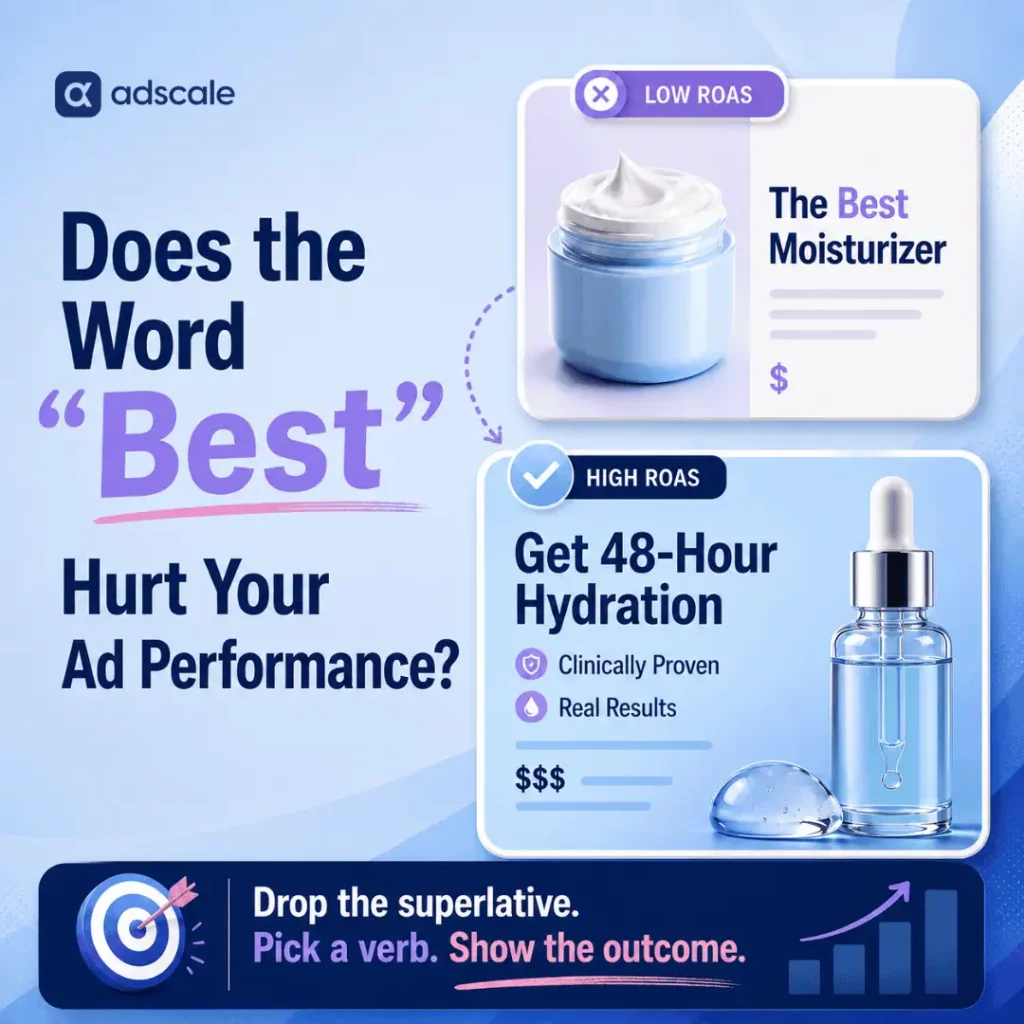
Does the Word “Best” Hurt Your ROAS?

AdScale’s creative language analysis keeps flagging the same word in underperforming ads. Here is what the data shows about “best” and ROAS, and what to test instead.

Open any eCommerce feed and count how many ads promise the best. The best leggings. The best moisturizer. The best coffee for your mornings. Superlatives in ad copy feel safe, which is exactly why they are everywhere. But when AdScale’s data science team ran ad copy through a creative language analysis and segmented campaigns by ROAS, “best” surfaced as one of the most over-represented words in the lowest-performing cohort. The pattern held across eCommerce verticals.

So the short answer is yes: the word “best” hurts your ROAS more often than it helps it. It is a reliable red flag in performance ad copy. AdScale’s analysis of creative metadata across thousands of eCommerce campaigns in its production data warehouse shows the same thing again and again. After filtering out brand names and common stop words, “best” appears far more often in low-ROAS creative than in high-ROAS creative. This is a correlation, not proof of causation, and that distinction matters. Still, when a single word keeps showing up at the bottom of the performance table in Beauty, in Fashion, and in Home Goods, it stops being a coincidence. It becomes a pattern worth acting on.

The creative that outperforms it does something structurally different. It drops the adjective and picks up a verb.

Key Takeaways

  • AdScale’s creative language analysis flags “best” as a top-tier outlier in low-ROAS ad copy across eCommerce verticals, after normalizing for stop words and brand names.
  • The relationship is correlational. “Best” does not mechanically lower ROAS, but it reliably marks creative that underperforms.
  • Independent research supports the pattern: Nielsen Norman Group found objective language beat promotional language on measured usability, and a large patent study linked promotional wording to worse evaluation outcomes.
  • High-ROAS creative in AdScale’s dataset leans on short action verbs such as “get” and “try.” Treat any specific replacement word as a hypothesis to A/B test, not a guarantee.
  • The fix is structural: replace status claims about the brand with outcome statements about the customer, then measure the delta properly.

Why Do Ecommerce Ads Rely on Superlatives?

“Best” is the default word of a brand that has not finished its positioning homework. It feels safe. It compresses an entire value proposition into four letters. Moreover, nobody gets fired for approving it in a creative review meeting.

The problem sits on the other side of the screen. A shopper scrolling Instagram sees “best” a dozen times an hour. Every competitor claims it. None of them can all be right, and shoppers know it. As a result, the word carries zero new information. The brain treats it like white noise: filter and move on. Worse, “best” appears almost exclusively in advertising. It therefore works as a visual marker that says “this is an ad,” which accelerates scroll-past behavior before the product ever gets evaluated.

AdScale has watched this play out across thousands of eCommerce accounts. Brands with genuinely strong products keep restating their category, such as “best skincare for dry skin.” Meanwhile, their specific and testable advantages sit unused in a product spec sheet. The superlative is not just weak copy. It is a symptom of unextracted value.

What Does the Data Say About Superlatives in Ad Copy?

Three separate bodies of evidence point the same direction.

AdScale’s creative language analysis. The data science team ingested ad copy metadata from campaigns across AdScale’s production database. Campaigns were segmented into ROAS quintiles by vertical. Next, the team normalized for brand names and common stop words (the, and, a). Then it looked for words over-represented in the bottom quintiles relative to the top. “Best” surfaced as a top-tier outlier in the low-performance cohort across verticals including Beauty, Fashion, and Home Goods. Two honest limits apply. First, raw function words still have higher absolute counts, so “best” is not literally the single most frequent word in bad ads. Second, without controlled split tests, the finding is a cross-vertical correlation rather than a causal law. Even so, as a directional signal about which creative habits cluster with wasted spend, it is one of the most consistent patterns in the dataset.

Nielsen Norman Group’s usability research. In NN/g’s foundational web writing studies, users tested five versions of the same site content. The objective, non-promotional version measured 27% better on usability than the promotional “marketese” version. Users actively disliked boastful subjective claims. Jakob Nielsen’s explanation was that promotional language imposes a cognitive burden. Readers must filter hyperbole to reach the facts, and credibility drops when the exaggeration is visible. That is a near-perfect description of what “best” does inside an ad.

Promotional language in high-stakes evaluation. A 2026 analysis of 2.7 million US patent applications found that a higher density of promotional words was associated with a lower probability of a patent being granted. The gap in success rate between the lowest and highest promotional-density groups was 5.5 percentage points. Different arena, same human reaction: evaluators discount claims wrapped in hype.

Ad copy, website copy, patent filings. Three contexts, one consistent finding: superlative language costs trust.

What Is the Superlative Tax in Advertising?

Here is the frame AdScale uses internally. Every empty superlative in an ad charges a tax, and the tax gets paid twice.

The first payment is attention. The shopper’s brain must process the word, recognize it as unverifiable puffery, and discard it. That filtering happens in milliseconds. However, in a feed environment where the entire purchase consideration may last two seconds, spending any of them on a throwaway word is expensive.

The second payment is credibility. Once a shopper flags one claim as inflated, every following claim inherits the discount. The “best moisturizer” headline does not just fail on its own. It also makes the shopper trust the “clinically tested” line below it a little less.

Specific, verifiable language pays no tax. “Get smoother skin in 14 days” can be evaluated, remembered, and acted on. “Best skin cream” can only be believed or ignored, and the data suggests most shoppers choose ignored. That is the Superlative Tax: vague claims do not merely add nothing, they subtract from everything around them.

What Should Replace “Best” in Ad Copy?

The honest answer: there is no single magic replacement word. Any vendor claiming otherwise is selling the same puffery this article warns against. What AdScale’s data does show is a directional pattern. Creative in the top ROAS quintiles leans noticeably harder on short, high-velocity action verbs, with “get,” “try,” and “now” among the recurring elements. A separate AdScale analysis of 30 high-performing words in apparel ad copy found the same tilt toward concrete, action-oriented language over status adjectives.

The strongest working hypothesis is the “Get” pivot: replacing a static status adjective with a possession verb plus a specific outcome. Three reasons this structure keeps appearing in winning creative:

  1. Direct possession. “Get” moves the sentence’s subject from the brand to the customer. “Best coffee” is about the company. “Get more from your mornings” is about the person paying.
  2. Low cognitive load. A three-letter command initiates a mental transaction instead of demanding a judgment call about an unverifiable claim.
  3. Specific utility. “Get smoother skin” hands the shopper a roadmap. “Best skin cream” hands them a boast and asks for faith.

Treat this as a testable creative hypothesis, not a benchmark. The correct way to know whether “get” beats “best” for a specific store is a controlled split test, covered in the next section. The wrong way is copying a universal claim from any blog post, including this one.

How Do You Remove Superlatives From Ad Copy?

  1. Count the “best” instances. Export active headlines and primary text from Meta and Google ad sets. Search for “best” and other empty superlatives (top, greatest, ultimate, #1). Any primary headline built on one is a refresh candidate.
  2. Extract the buried specifics. For each flagged ad, pull the product spec, review data, or guarantee the superlative was standing in for. “Best leggings” usually hides something like “squat-proof, tested through 100 washes.” The specific claim was there all along.
  3. Write verb-first variants. Rebuild each flagged headline around an action verb plus a concrete outcome. “The best coffee for mornings” becomes “Get more from your mornings.” Keep everything else identical so the test isolates the copy.
  4. Run a real split test. A trustworthy result needs a controlled A/B split with a statistically meaningful sample, ideally 1,000 or more conversions per variant. That washes out confounders like audience overlap and seasonality. Anything smaller is a directional read, not a verdict.
  5. Judge on ROAS and CPA, not clicks. Verb-led copy can inflate CTR by attracting curiosity clicks. The metrics that settle the question are cost per acquisition and return on spend over the full test window.
  6. Systematize the rotation. Creative fatigue guarantees today’s winner decays. Therefore, build the superlative audit into every refresh cycle, or let an automated system such as AdScale’s Agentic Ad Creatives generate and rotate verb-led variants continuously across Google and Meta.

Frequently Asked Questions

Does using the word “best” always lower ad performance?

No. The AdScale finding is a correlation: “best” is heavily over-represented in low-ROAS creative, making it a reliable warning sign rather than a guaranteed cause of failure. Some ads containing “best” perform well. The pattern says superlative-led copy underperforms often enough that it deserves an audit and a test.

Is there proof that “get” converts better than “best”?

Not as a universal law. High-ROAS creative in AdScale’s dataset over-indexes on short action verbs, including “get,” but no single replacement word wins across all categories. Confirming a lift for a specific store requires a controlled A/B test with roughly 1,000 or more conversions per variant.

Why do superlatives in ad copy hurt trust with shoppers?

Because they are unverifiable. Nielsen Norman Group found that promotional language forces readers to filter hyperbole to reach facts, which burns attention and damages credibility. When every competitor claims to be the best, the word carries no information, so shoppers discount it and the claims surrounding it.

Does this apply to brand awareness campaigns too?

The strongest evidence covers performance campaigns, where ROAS data is direct. That said, independent research on promotional language, from web usability studies to patent evaluations, shows evaluators discount hype in every context tested. Specific, benefit-led language is the safer default at any funnel stage.

What is the fastest way to find superlatives in my ads?

Export all active headlines and primary text from your Meta and Google accounts into a spreadsheet, then search for “best,” “top,” “ultimate,” “greatest,” and “#1.” Flag every ad where a superlative anchors the primary headline. That flagged list is your creative refresh queue, prioritized by spend.

Stop Claiming. Start Promising.

Go back to that feed full of “best” ads. Every one of them asks the shopper to do the brand a favor: take our word for it. The data, both internal and independent, says shoppers decline that favor millions of times a day. The bill shows up as quiet, compounding wasted spend.

The alternative costs nothing but honesty. Find the specific thing the product actually does, put a verb in front of it, and hand the customer an outcome instead of a ranking. Then test it properly, because real confidence comes from split tests, not slogans.

Stop telling customers you are the best. Start telling them what they get.

Keep Learning

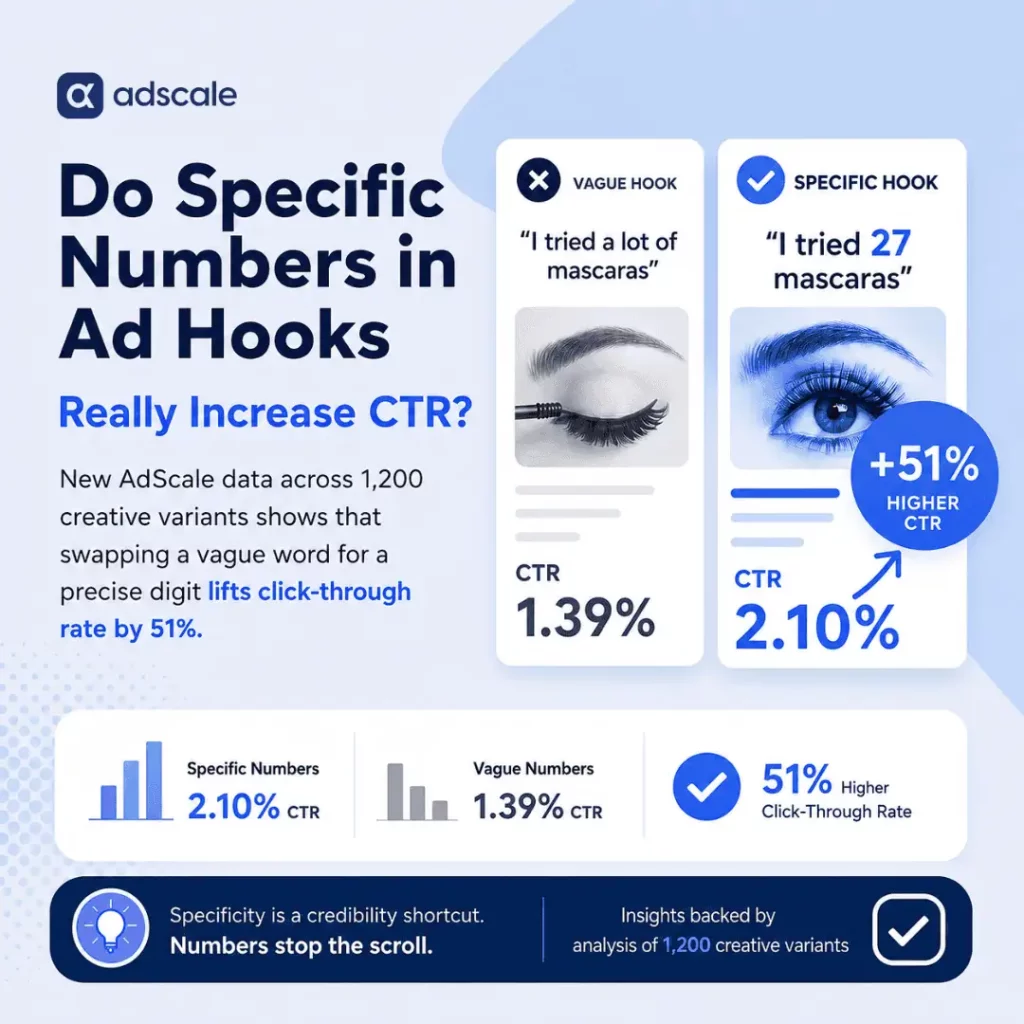
Do Specific Numbers in Ad Hooks Really Increase CTR?

New AdScale data across 1,200 creative variants shows that swapping a vague word for a precise digit lifts click-through rate by 51%.

Yes. Specific numbers in ad hooks lift click-through rate by 51% compared with vague quantity words, according to an AdScale analysis of 1,200 creative variants. In other words, “I tried 27 mascaras” beats “I tried a lot of mascaras” by a wide, measurable margin. Hooks with a specific number averaged a 2.1% CTR, while their vague counterparts trailed at 1.39%.

The mechanism is simple: specificity is a credibility shortcut. In the roughly 1.8 seconds a user spends deciding whether to stop a scroll, a precise digit reads as a verified proof point. Meanwhile, a vague descriptor gets filtered out as marketing noise. The brain processes “27” as the factual result of an action someone actually took. However, it processes “a lot” as a claim, and claims require mental effort to verify. In a feed environment, nobody spends that effort. They keep scrolling.

This post breaks down the full dataset behind that 51% gap. It also covers a secondary finding about odd versus round numbers, the methodology, the one place where bigger numbers backfire, and exactly how to apply this in your next creative brief.

Key Takeaways

  • Specific numbers in ad hooks achieve a 2.1% average CTR versus 1.39% for vague hooks, a 51% lift.
  • Odd numbers (7, 13, 27) outperform round numbers (5, 10, 20) by an additional 6% in CTR.
  • The performance sweet spot sits between 3 and 37, because very high numbers can raise curiosity yet dent conversion rate if they feel hyperbolic.
  • The findings held across five major verticals with a p-value below 0.01, so this is not seasonal noise.
  • The fastest application: replace “many,” “countless,” and “thousands” in your ad copy with the real integer.

Why Do Numbers in Ad Hooks Beat Vague Copy?

Every advertiser has written some version of the vague hook. “We helped thousands of customers”. “After testing dozens of routines”. “Most brands get this wrong”. The copy feels safe because it rounds reality into something smooth and impressive.

The problem is that audiences have been trained by years of exactly this language. As a result, vague quantity words trigger the mental filter people use to ignore advertising. Readers never reject the hook. They never evaluate it at all.

Specific numbers in ad hooks break that pattern. A precise figure carries the texture of a real event: somebody counted. In direct-response environments, where the entire decision happens before conscious deliberation kicks in, that texture is the difference between a stop and a scroll-past.

What Does the AdScale Data Show?

AdScale’s research team analyzed the performance of creative hooks across a sample of 1,200 ad variants. Specifically, the analysis isolated the quantity variable: ads using specific integers versus ads using qualitative descriptors like “many”, “dozens”, or “a lot”.

The results were binary. Hooks using specific numbers achieved an average click-through rate of 2.1%. Vague hooks trailed at 1.39%. That is a 51% lift in efficiency from swapping a word for a digit, with no change to the offer, the audience, or the budget.

Furthermore, the gap held across verticals and carried a p-value below 0.01. In short, the result is statistically significant rather than a product of seasonal variance or a few outlier accounts.

Why Do Odd Numbers Beat Round Numbers?

Within the specific-number cohort, the data revealed a secondary lever: the composition of the number itself. While any specific figure outperformed a vague descriptor, odd numbers in ad hooks (7, 13, 27) outperformed round numbers (5, 10, 20) by an additional 6% in CTR.

The prevailing theory in behavioral economics is that round numbers read as approximations. For example, when a founder says they tested “10 versions” of a product, the audience hears “about 10”. When they say “11 versions”, the specificity implies someone kept a rigorous log. Peer-reviewed research on numerical precision points the same direction: precise numbers draw attention and are judged as credible and accurate. Precision signals authenticity, and authenticity is exactly what a scroll-stopping hook is trying to prove in under two seconds.

How Did AdScale Calculate the 51% Lift?

AdScale’s data science team pulled a cohort of 1,200 creative variants from the AdScale data warehouse, which tracks over 98 million orders and their associated ad spend. It is the same order-level dataset behind AdScale’s clothing industry Google vs Meta benchmarks. The methodology ran in three stages.

  1. Categorization. First, Natural Language Processing tagged every hook into one of two buckets: “Specific Quantity” (containing a non-rounded integer) and “Vague Quantity” (containing descriptors like “most,” “several,” or “thousands”).
  2. Normalization. Second, to keep high-performing industries from skewing the lift, the team normalized the data across five major verticals: Beauty, Apparel, Home & Garden, Health, and Electronics.
  3. Significance testing. Finally, the 2.1% versus 1.39% gap held a p-value below 0.01, confirming statistical significance.

Is There a Ceiling? When Do Big Numbers Backfire?

The obvious assumption is that higher numbers make stronger hooks. However, the data says otherwise, and this is where the finding gets nuanced.

Very high numbers (“I tried 142 skincare routines”) drive strong initial curiosity. Yet they occasionally show a drop-off in conversion rate once the click happens. When a number feels unattainable or hyperbolic, the credibility that specificity earned at the hook stage erodes at the consideration stage.

Therefore, the sweet spot identified in the research falls between 3 and 37. Numbers in this range are high enough to imply real effort but low enough to remain relatable. Above all, the hook needs to sound like something a person actually did, not something a copywriter invented to impress.

How Do You Apply Specific Numbers in Ad Hooks?

Putting specific numbers in ad hooks costs nothing to implement, and the tactical shift is immediate. Here is the sequence for growth leaders and creative directors.

  1. Audit your current winners. Pull your top-performing how-to and listicle ads. If a hook says “5 Tips”, launch a variant with “7 Tips” or “9 Tips” and let the test run. This slots directly into a broader creative strategy built for Meta’s Andromeda update, because hook-level variation is what the algorithm rewards.
  2. Ban vague quantity words in copy briefs. Add “many”, “countless”, “various”, and “thousands” to the banned list. From now on, every quantity claim in a brief must arrive as an integer.
  3. Find the real number. If the brand has helped “thousands” of customers, pull the actual figure from the order data. “4,821 customers” outperforms “thousands of customers” precisely because nobody would bother making it up.
  4. Default to odd. When drafting hooks, reach for the odd number first. It is a zero-cost optimization with a 6% performance floor in the data.
  5. Stay inside the 3 to 37 range for effort claims. If the true number is enormous, anchor the hook to a relatable subset (“the 9 that actually worked”) and save the big number for the body copy.
  6. Re-test quarterly. Creative patterns decay as audiences adapt. So log which numeric hooks won, and refresh the integers as the underlying data grows. Treat it like any other efficiency gap in the account, the same way the best time of day to run ecommerce ads hides in spend data most budgets never examine.

Frequently Asked Questions

Do specific numbers in ad hooks work in every vertical?

The 51% CTR lift held after normalizing across five major verticals: Beauty, Apparel, Home & Garden, Health, and Electronics. The gap was consistent enough to reach a p-value below 0.01, which indicates the effect is a general principle of hook psychology rather than a quirk of one industry.

Should ad hooks always use odd numbers instead of round ones?

As a default, yes. Odd numbers outperformed round numbers by 6% in CTR in AdScale’s dataset because round numbers read as approximations while odd numbers imply exact counting. If the true figure is round, use it honestly, but never round an odd real number up or down for aesthetics.

Is a bigger number always a better hook?

No. Very high numbers raise curiosity at the hook stage but can reduce conversion rate if they feel hyperbolic or unattainable. The sweet spot in the data sits between 3 and 37, where the number implies genuine effort while remaining believable and relatable to the consumer.

Can made-up numbers be used if the real figure is unknown?

Never. The entire mechanism behind the lift is credibility, and fabricated figures destroy it along with advertiser trust and platform compliance. Pull the real number from order data, analytics, or testing logs. If no verifiable figure exists, restructure the hook around a claim that can be proven.

How large was the dataset behind these findings?

AdScale’s data science team analyzed 1,200 creative variants drawn from a data warehouse tracking over 98 million orders and their associated ad spend. The team normalized results across five verticals and ran significance tests, with the core CTR gap holding a p-value below 0.01.

The Takeaway

Precision is not a stylistic choice. It is a performance requirement.

Every vague quantity word in an ad is a small act of rounding, and audiences can feel the rounding even when they cannot articulate it. In contrast, specific numbers in ad hooks do what no adjective can: they prove, in a single glance, that the work behind the claim actually happened.

In an era of AI-generated fluff, the exact number is the hallmark of the operator who did the work. Count it, then say it.


Keep Learning

How Many Ad Creatives Should You Run Per Ad Set on Meta?

AdScale analyzed 1,200+ eCommerce ad accounts to find the exact point where creative testing stops helping and starts raising your CPMs.


Brands testing 4 or more creatives per ad set see a 22% higher CTR than those running 1-2. After 7, the returns invert.

The short answer: Run 4 to 6 active creatives per ad set. That is the range where Meta’s delivery system has enough variety to test hooks and formats without splitting your budget so thin that the algorithm never exits the learning phase. Beyond 7, AdScale’s data shows CTR plateaus while CPMs climb 8% to 12%.

The prevailing wisdom in performance marketing says creative volume is the only lever left in a post-iOS14 world, and Meta’s Andromeda update seemed to confirm it. The logic sounds linear: more assets, more chances for the algorithm to find a match. But AdScale’s analysis of 1,200+ eCommerce ad accounts reveals a structural ceiling to this strategy, and Andromeda did not remove it. It made it stricter.

Key Takeaways

  • Ad sets with 4-6 active creatives generate a 22% CTR lift over those running 1-2, based on AdScale account-level data.
  • Beyond 7 active creatives, CTR plateaus and CPMs rise 8-12% as budget fragmentation traps ad sets in “Learning Limited.”
  • Meta’s Andromeda update rewards creative diversity but collapses near-duplicate assets, so 15 variations of one concept count as one ad.
  • Friday creative refreshes trigger weekend learning-phase resets, producing 12% higher CPMs during the highest-intent hours of the week.
  • To test new concepts, replace your weakest creative instead of stacking on top of winners.

How AdScale Calculated This

AdScale analyzed account-level data across 1,200+ eCommerce entities, filtering for ad sets with a minimum monthly spend of $5,000 to ensure statistical significance. The analysis correlated the number of active creatives per ad set against three primary KPIs: click-through rate (CTR), cost per mille (CPM), and the frequency of learning-phase triggers. The findings identify a clear inflection point where asset volume begins to cannibalize return on ad spend.

Where Performance Peaks: 4 to 6 Creatives

The data confirms that moving from 1-2 creatives to a cluster of 4-6 generates a 22% lift in CTR. At this volume, the algorithm has enough variance to test different hooks and formats, such as static versus UGC video, without diluting the budget.

In this range, Meta’s delivery system effectively identifies winners and allocates the majority of budget to the top 20% of assets while maintaining healthy secondary spend on the rest. This provides natural protection against creative decay without destabilizing the ad set’s presence in the auction. The same principle shows up in AdScale’s apparel ad copy analysis: concentrated signals outperform scattered ones.

Why Does Performance Drop After 7 Creatives?

Once an ad set exceeds 7 active creatives, the performance gains do not merely slow down. They reverse. AdScale’s research shows that beyond this number, CTR plateaus and a more damaging trend emerges: CPMs rise by 8% to 12%.

The cause is structural rather than creative. When too many assets are live, the available budget per asset drops below the threshold required for the algorithm to exit the learning phase. Meta’s system requires roughly 50 conversion events per week per ad set. By spreading spend across 8, 10, or 15 creatives, brands fragment their data.

This fragmentation forces the ad set into a state of permanent “Learning Limited.” The auction penalizes this instability with higher CPMs, because the system lacks the confidence to predict user response accurately. You are effectively paying a complexity tax to the platform.

Doesn’t Meta’s Andromeda Update Reward More Creatives?

This is where most advertisers are misreading the moment. Meta’s Andromeda update rebuilt ad retrieval around creative signals instead of audience targeting, and Meta’s own guidance encourages advertisers to feed the system diverse creative. Some recommendations run as high as 15-20 active ads. On the surface, that contradicts everything above.

It doesn’t. Andromeda rewards creative diversity, but it also collapses duplicates. Under the new retrieval system, five product shots with slightly different copy are not five creatives. Meta treats them as one ad, split five ways. Advertisers who stack variations are not giving Andromeda more signals to work with. They are fragmenting delivery across assets the algorithm has already decided are the same, while paying the learning-phase cost of every launch.

Read together, the two findings resolve cleanly: Andromeda wants 4-6 genuinely different concepts, not 15 versions of one idea. Volume is not diversity. Andromeda did not make creative volume the strategy. It made sameness expensive.

Why Friday Creative Refreshes Cost You the Weekend

The data highlights a specific operational failure: the Friday creative refresh. Many growth teams launch new batches of 5+ creatives on Friday mornings to capture weekend traffic. And the traffic is real. AdScale’s analysis of US eCommerce ordering patterns shows exactly when high-intent purchase windows cluster, which is why so many teams target them.

The problem is what a Friday launch does to delivery. Introducing a high volume of new assets late in the week frequently triggers a learning-phase reset. Instead of entering the high-intent Saturday and Sunday window with a stable, optimized bid, the ad set spends the weekend in exploration mode. The result is 12% higher CPMs during the most expensive auction hours of the week, neutralizing the potential gains of the new creative.

Does the Rule Apply to High-Spend Accounts?

A common rebuttal is that high-spend accounts ($100k+ per month) require more creative to stave off frequency fatigue. While spend volume does allow for more assets, the 7-asset ceiling remains remarkably consistent, a pattern that echoes across AdScale’s clothing industry ad benchmarks. Even in high-spend environments, consolidating spend into 5 high-performing hero assets outperforms spreading it across 20 mediocre ones.

The goal should be creative velocity, the speed at which you test and iterate, rather than creative volume, the number of items live at one moment. Andromeda’s duplicate detection only strengthens this case: a large account producing 20 near-identical assets gets less credit from the algorithm than a small account running 5 distinct concepts.

What Should Media Buyers Do Differently?

  1. Cap active assets at 6 per ad set. To test a new concept, pause the lowest-performing asset first. Replace, don’t stack.
  2. Stagger launches. Avoid bulk-uploading 10 creatives at once. Introduce 2 new assets into a winning ad set and monitor the learning status before adding more.
  3. Move refreshes to midweek. Launch new creatives on Tuesday or Wednesday. This gives the algorithm 48-72 hours to stabilize before the weekend liquidity surge.
  4. Audit for fake diversity. Before adding an asset, ask whether Andromeda would see it as a new concept or a duplicate. A new hook, format, or story counts. A new headline on the same visual does not. For a concrete example of a concept-level change, see how adding a country name to apparel ad titles lifted ROAS 3x.
  5. Consolidate to escape Learning Limited. If an ad set is stuck, the solution is rarely more creative. It is usually reducing the count to 3 or 4 to force-feed the remaining assets more data. Teams that struggle to produce genuinely distinct concepts at this pace can lean on agentic ad creative generation to build concept variety without inflating asset counts.

Efficiency in the modern auction is not about giving the algorithm more choices. It is about giving it better signals.

Frequently Asked Questions

How many ad creatives should you run per ad set on Meta?

Run 4 to 6 active creatives per ad set. AdScale’s analysis of 1,200+ eCommerce ad accounts found this range delivers a 22% CTR lift over 1-2 creatives, while keeping enough budget per asset for Meta’s algorithm to exit the learning phase and stabilize delivery.

Does Meta’s Andromeda update mean you need more creatives?

No. Andromeda rewards creative diversity, but it collapses near-duplicate assets and treats them as a single ad. Adding 15 variations of one concept fragments your budget without adding signals. Four to six genuinely different concepts outperform a high volume of similar variations.

Why do CPMs increase when you add more creatives?

Each additional creative splits the ad set’s budget and conversion data thinner. When assets fall below roughly 50 conversion events per week, the ad set enters “Learning Limited,” and Meta’s auction charges higher CPMs because it cannot confidently predict user response.

When is the best time to launch new ad creatives?

Tuesday or Wednesday. Launching new assets on Friday triggers a learning-phase reset heading into the weekend, and AdScale’s data shows this produces 12% higher CPMs during Saturday and Sunday, typically the highest-intent and most expensive auction hours of the week.

Does the 4-6 creative rule apply to large ad accounts?

Yes. Even in accounts spending $100k+ per month, the 7-asset inversion point holds. Consolidating spend into 5 strong hero assets consistently outperforms spreading it across 20 mediocre ones. Higher spend supports faster creative rotation, not a higher number of simultaneous assets.

Fewer Creatives, Stronger Signals

Creative testing did not stop working. Unmanaged creative testing did. The advertisers winning under Andromeda are not the ones producing the most assets. They are the ones disciplined enough to run fewer, replace their weakest concept instead of adding an eighth, and launch on Tuesday instead of Friday.

Cap your creative count, and your best assets finally get the budget to scale.

Apparel Ad Copy That Converts: What 30 High-Performing Words Reveal

The 30 highest-converting words in apparel ad copy are 80% nouns. Adjectives, the words copywriting theory tells brands to lean on, barely show up at all.

Eighty percent of the highest-converting words in apparel ad copy are nouns. Not adjectives. Nouns.

A high-volume analysis of apparel creative was run to test what modern copywriting theory takes for granted: that “magnetic” adjectives like premium, stunning, or essential drive desire. The data says otherwise. The highest-converting terms turned out to be almost aggressively boring. Specific, concrete, functional nouns.

So here’s the direct answer, before going further: apparel ad copy that converts leans on specific nouns instead of descriptive adjectives, because nouns let the shopper’s brain do the imagining instead of asking them to trust a claim.

Key Takeaways

  • The top 30 converting words in apparel ad copy were roughly 80% nouns and close to 0% adjectives.
  • Adjectives like “premium” or “stunning” function as claims, and claims require the shopper to mentally verify them before trusting the ad.
  • The highest-performing nouns clustered into three types: geography (Chicago, Coast, Street), seasonality (Winter, Mesh, Linen), and identity (Runner, Founder, Parent).
  • The moment a headline added a superlative, click-through rate stayed roughly stable, but conversion rate dipped.
  • Differentiation still matters, but it lives in product and visual choices, not in adjective-heavy copy.

Why Nouns Outperform Adjectives in Apparel Ads

Adjectives are subjective. When a brand labels a shirt as “comfortable” or “luxury,” the consumer’s brain treats it as a claim that requires verification. That creates a micro-friction point in the customer journey, exactly the kind of friction good ad copy guidelines try to eliminate before a shopper even reaches the product page.

Nouns, by contrast, represent objective reality. The top-performing creative in the Apparel & Accessories vertical leans heavily on three specific noun clusters: geography, seasonality, and identity.

Geographic nouns. Terms like Chicago, Coast, or Street outperformed lifestyle descriptors. They anchor the product in a specific physical context.

Seasonal nouns. Instead of “warm,” top ads used Winter or Solstice. Instead of “lightweight,” they used Mesh or Linen.

Identity nouns. Words that define who the wearer is, such as Runner, Founder, or Parent, outperformed words that describe how they look, such as Stylish or Chic.

How Was This Apparel Ad Data Calculated?

The analysis covered 2.4 million ad creatives across the Apparel & Accessories vertical, drawing on a database of eCommerce orders large enough to isolate genuine patterns from noise. Individual tokens within ad copy and headlines were isolated with a Creative Word Miner, then correlated against Conversion Rate (CVR) and Return on Ad Spend (ROAS).

The “Top 30” list was filtered for statistical significance, requiring a minimum threshold of 50,000 impressions per word to ensure the performance wasn’t an anomaly of small sample sizes. The surviving words were then categorized by part of speech. The result: a 4:1 ratio of nouns to any other word type.

Why Does “Cotton” Convert Better Than “Soft”?

Why does a noun like Cotton convert better than an adjective like Soft?

In an era of peak advertising, consumers have developed a “subjectivity filter.” They’re trained to ignore flowery language as marketing fluff. When an ad uses a specific noun, like Corduroy, it conveys a sensory experience without the brand having to “sell” it. The consumer’s brain fills in the texture, the weight, the use case.

The moment an apparel brand adds a superlative (e.g., “the most amazing fit”), the click-through rate (CTR) may remain stable, but the conversion rate often dips. The adjective over-promises; the noun simply informs.

Does Removing Adjectives Hurt Brand Differentiation?

Critics of data-driven copywriting argue that stripping ads of adjectives leads to a “bland-ification” of the brand. If every brand uses the same concrete nouns, how do you differentiate?

The data suggests differentiation happens at the product and visual level, not through descriptive modifiers. High-growth brands in this dataset used nouns to build “knowledge-based trust.” By naming the specific weave of a fabric or the specific city of a design’s origin, they signaled expertise. Adjectives signal a need for approval; nouns signal authority.

How Do You Audit Your Own Apparel Ad Copy?

For growth leaders and creative directors, the directive is clear: audit current top-performing ads and count the adjectives. If headlines lean on “Beautiful” or “Premium,” there’s likely margin being left on the table. This is also where AI-generated ad creative can help, since testing word-level variations at scale is exactly the kind of repetitive optimization automation handles well.

  • Move from Quality to Material. Replace “high-quality” with the specific material noun, such as Leather, Silk, or Denim.
  • Move from Vibe to Location. Replace “summer vibes” with Beach or Island.
  • Move from Praise to Utility. Replace “versatile” with the specific setting, such as Office, Gym, or Commute.

Creative performance is no longer a dark art. It’s a linguistic architecture where the most stable foundations are built on nouns.

Frequently Asked Questions

Do nouns really outperform adjectives in all eCommerce ad copy, or just apparel?

This finding is specific to the Apparel & Accessories vertical. Other categories may show different patterns, since the “specificity premium” depends on whether the product has tangible, easily-visualized attributes like fabric or fit.

Should I remove every adjective from my ad headlines?

No. The goal is replacing vague, subjective adjectives (“premium,” “stunning”) with specific nouns where possible, not eliminating description entirely.

Why does a word like “Cotton” convert better than “Soft”?

Won’t using the same concrete nouns make every apparel brand sound the same?

Possibly, if differentiation only lives in the copy. The data suggests differentiation is shifting toward product specificity and visual identity, not toward more inventive adjectives.

How many ad creatives were analyzed for this study?

The analysis covered 2.4 million apparel and accessories ad creatives, requiring a minimum of 50,000 impressions per word for statistical significance.

The Takeaway

Every adjective in apparel ads is a small bet that the shopper will trust the brand’s word for it. Every specific noun is a bet that the shopper will trust their own imagination instead. The data says bet on the imagination. Stop describing the shirt. Name the fabric, the place, the person who’d wear it, and let the shopper do the rest.

How to Scale Ad Creative with AI for eCommerce

Updated: September 2026

Turn product images into distinct ad concepts, refine them in plain language, and build a repeatable workflow for Google and Meta campaigns.

Your next campaign is ready. The product is in stock, the offer is set, and the budget is available. The creative is still waiting for another revision.

AI can shorten that process. But creating more images only helps if those images communicate different reasons to buy, represent your products accurately, and reach the right campaigns.

To scale ad creative with AI, start with accurate product images and a clear offer. Generate distinct concepts, review them against your brand and product details, adapt the approved assets to each placement, and test them against a defined business goal. Use the results to decide what to create next.

For eCommerce teams, connecting those steps can be as valuable as speeding up image generation. AdScale Agentic Ad Creatives brings image creation and chat-based editing into the same platform that manages Google and Meta advertising. It gives merchants a shorter path from a product in their store to an ad they can review and publish.

Key Takeaways

  • Scale starts with a repeatable process for briefing, creating, reviewing, and testing ads.
  • Distinct concepts let you test different buying motivations. Small visual edits answer narrower questions.
  • Product, promotion, and inventory data help keep creative relevant to what your store can sell.
  • An integrated creative tool can reduce the work between generating an image and publishing an ad.
  • Human review and campaign results should guide what you approve, change, and create next.

What Does It Mean to Scale Ad Creative with AI?

Scaling ad creative means increasing the number of useful ads you can produce and test without increasing manual work at the same rate.

That includes more than generating images. A workable process also covers product selection, messaging, revisions, placement formats, approvals, and measurement.

For a store with a growing catalog, the challenge is keeping those steps connected. A new image is only one part of the job. Someone still needs to check that it shows the right product, uses the correct offer, and sends shoppers to a matching page.

An AI ad creative generator helps with production. An integrated advertising platform can also connect creation with campaign management. The value depends on which parts of your current workflow need the most attention.

If revisions and handoffs are slowing launches, our guide to the ad creative production bottleneck in eCommerce explores that problem in more detail.

Why Creative Variety Matters for eCommerce Advertising

Different customers can buy the same product for different reasons. A travel bag might appeal because it fits under an airline seat, keeps work items organized, or makes a useful gift. Each motivation gives you a different concept to test.

Research supports taking creative quality seriously. In its 2023 analysis of nearly 450 consumer packaged goods campaigns, NCSolutions attributed 49% of incremental sales to advertising creative. That finding concerns the campaigns studied, rather than a guaranteed result for eCommerce stores or AI-generated ads.

Platform capabilities also make creative variety relevant. Meta describes Andromeda as an ad retrieval system designed to handle a growing volume of eligible ads and improve personalization. Its explanation highlights the potential value of greater ad diversity.

The practical lesson is to create variations with a purpose. Changing a background color can test a design choice. Showing the product in a different use case can test a different reason to buy.

Neither guarantees better results. Both become useful when you know what question the variation is supposed to answer.

How to Create Ad Creative Variations from Product Images

Use this six-step workflow to move from a product image to a manageable creative test.

1. Choose a product with a clear reason to advertise it

Start with a product or collection that fits a current business goal. That might be a new launch, a seasonal category, or a product you want to introduce to more customers.

Check availability, the landing page, and any offer conditions before generating creative. Speed is useful when the campaign is ready to support the promise in the ad.

2. Give the AI a specific brief

A useful brief identifies the product, the offer, the customer need, and the visual direction. It should also explain which details must stay accurate, such as packaging, color, shape, or included accessories.

AdScale’s no-prompt wizard starts with three questions: which product, what is the offer, and what is the vibe? You supply the direction without needing to write a detailed image-generation prompt.

3. Build distinct concepts before making small variations

Choose a few different messages or settings worth testing. Keep the first batch small enough to review properly and support with your available budget.

For example, an eCommerce store selling a travel bag could plan the following concepts. This is an illustrative brief, not a customer case study or performance claim.

ConceptVisual directionQuestion to test
Product detailA clear view of the bag and its actual compartmentsDoes showing the organization help shoppers understand its value?
Everyday useThe bag in a realistic commuting settingDoes an everyday context make the product more relevant?
Short tripThe bag alongside a plausible weekend packing setupDoes a travel use case attract more qualified interest?

Use only features the real product has. If a generated scene adds a pocket, changes the size, or includes an accessory that is not sold with it, correct the image before approving it.

4. Refine the image with specific feedback

Once a concept works, improve the execution. AdScale’s chat-based editing lets you describe changes in plain language.

Useful requests include:

  • Make the background less busy.
  • Give the product more space in the composition.
  • Adjust the lighting to match the reference image.
  • Remove the extra props.

Review the revised output each time. A change that improves the composition can still introduce an inaccurate product detail.

5. Prepare assets for the actual campaign format

Check the crop, text readability, and product visibility for each placement. A composition that works in a square image may need a different layout for a vertical placement.

Google and Meta also use assets differently across campaign types. For example, Google’s responsive display ads combine supplied images, headlines, logos, and descriptions. The image is one component of the ad, so review how the assets work together rather than assuming one finished social graphic fits every campaign.

6. Publish with a clear testing question

Decide what you want to learn before launch. You might compare a product-detail concept with a lifestyle concept while keeping the offer consistent.

Evaluate clicks alongside conversions, acquisition cost, and revenue. An image that attracts attention may still bring visitors who do not buy. Use the campaign’s business goal to judge the result.

How Does Store Data Improve AI-Generated Ad Creative?

Store data gives creative production a practical starting point. Your catalog describes what you sell. Promotions identify the current offer. Inventory helps you decide which products to feature. Seasonal patterns can suggest relevant themes.

AdScale’s Smart Store Sync connects store information with its creative workflow. The feature uses inputs such as products, promotions, seasonal signals, and inventory to inform creative direction and output.

That connection helps reduce the gap between a visual idea and the store’s current offer. It also makes the merchant’s review more focused: is this the right product, is the offer accurate, and does the image fit the campaign?

Keep two capabilities separate when evaluating any tool. Using catalog data to generate an image is different from automatically using performance results to decide what image to generate next. Check which actions the platform actually supports and which decisions remain with your team.

What Is Agentic AI Ad Creation?

Agentic AI ad creation connects multiple actions in a creative workflow, such as using product context, generating an asset, refining it, and handing it into a campaign. The level of automation and the need for approval vary by system.

The useful question is what happens between your initial brief and the published ad. Which steps does the system perform? Where do you review the output? What happens after the ad starts running?

In AdScale, Agentic Ad Creatives brings image generation and editing into an advertising platform that also manages targeting and budgets. Merchants can create and refine an image within that environment, then publish through the integrated workflow.

That connection reduces separate production and campaign-management steps. You still need to decide whether the creative accurately represents your product and supports the offer you want to make.

Agentic AI vs. Template-Based Creative Automation

These approaches can overlap. The following comparison describes typical workflows, rather than fixed capabilities shared by every tool.

ApproachHow it worksWhere it can help
Template-based automationPlaces product images, prices, and offer text into predefined layoutsConsistent catalog output and recurring promotional formats
Standalone AI generationCreates or edits imagery from instructions and reference assetsExploring visual concepts and producing new image assets
Integrated agentic workflowConnects generation with other actions, such as editing and campaign publishingReducing handoffs between creative production and advertising execution

Templates can be useful when consistency is the priority. Generative tools offer more flexibility in the imagery. Integrated workflows address how the assets move into campaigns. Choose based on the task you need to complete.

How Do You Keep AI-Generated Ads On-Brand at Scale?

Set a small set of shared creative rules before increasing output. Include your visual style, tone, acceptable product settings, and examples of images you would approve.

For each creative, check:

  • Product accuracy: shape, color, labels, materials, proportions, and accessories.
  • Offer accuracy: price, discount, dates, and relevant conditions.
  • Brand consistency: visual direction, language, and logo treatment where used.
  • Placement fit: crop, readability, and visibility of the product.
  • Landing-page match: the ad and destination describe the same product and offer.

Keep an approved reference alongside the generated versions. This gives reviewers a consistent basis for feedback and helps prevent repeated corrections.

Specific feedback also makes editing easier. Identify what needs changing and what should stay intact, then check that the revised output follows both instructions.

How to Manage and Test AI Ad Creative at Scale

As output grows, organization becomes part of the creative process. Record the product, concept, offer, format, and version for each approved asset. A shared sheet can work if your platform does not provide the labels you need.

Keep drafts, approved assets, and live ads distinguishable. Record what each test was intended to establish so you can connect performance back to the original idea.

There is no single creative count that fits every account. A small budget spread across too many ads can leave you with little evidence about each one. Match the batch size to your review capacity and the amount of meaningful testing your budget can support.

When a concept performs well, identify what may be worth exploring next. Was the product clearer? Did the setting explain a use case? Did the message address a buying concern? Treat those as hypotheses for the next test, rather than assuming every detail caused the result.

A decline in results also deserves investigation. Consider changes in audience exposure, spend, competition, the offer, and the website before concluding that the image alone needs replacing.

For the broader campaign workflow, see our comparison of AI campaign builders for Shopify stores.

Where AdScale Fits in the Creative Workflow

AdScale combines creative production with Google and Meta advertising management. Agentic Ad Creatives adds product-based image generation and chat-based revisions within that platform.

For an existing user, the starting point is to create a new ad and select the AI Image feature. Choose the product, offer, and visual direction, review the generated result, and refine it before publishing.

The practical advantage is fewer handoffs. Creating an asset in a separate tool can require additional export, upload, and campaign-assembly steps. Working inside the advertising platform can shorten that route.

For a Shopify or WooCommerce merchant evaluating the workflow, begin with one real product and one real campaign brief. Compare the time and effort required to reach an approved ad, including revisions. Then assess campaign performance separately from production efficiency.

For additional background on Meta’s delivery system, read our guide to the Meta Andromeda update.

Frequently Asked Questions

How do I automate ad creative variations from product images?

Start with accurate product images and a brief covering the offer, audience, and visual direction. Use an AI ad creative generator to produce distinct concepts, then review product details and brand consistency. Adapt approved assets to the campaign format and publish them through your advertising workflow.

Can AI create on-brand ad creatives without prompting skills?

Yes. Guided tools can collect the information needed without requiring a detailed prompt. AdScale’s wizard asks about the product, offer, and visual direction. You can refine the image through chat. Consistent brand references and a final human review remain useful for keeping the approved output accurate and recognizable.

What is the difference between template-based ads and agentic AI ad creation?

Template-based tools populate predefined layouts with assets such as product images, prices, and offers. Agentic workflows connect several actions, which may include generation, editing, and publishing. Some platforms combine both approaches. Compare their actual controls and integrations, because the label alone does not establish how much work is automated.

Does creating more AI ad variations improve ROAS?

More variations can give you additional ideas to test, but they do not guarantee better ROAS. Results also depend on the product, offer, audience, budget, and shopping experience. Prioritize meaningful differences between concepts and assess conversions and revenue alongside engagement before deciding which ads deserve more investment.

Can I use AdScale to create ads for Google and Meta?

AdScale combines AI creative tools with advertising management for Google and Meta. Its Agentic Ad Creatives workflow lets merchants generate and refine images inside the platform. Prepare assets for the selected campaign type and placement, then review the creative, offer, and destination before publishing through the integrated workflow.

Start with One Product and a Better Creative Process

Choose a product you are ready to advertise. Define a few distinct reasons someone might buy it. Create the concepts, review them carefully, and launch a test that can teach you something useful.

AI makes production easier to repeat. Your product knowledge, judgment, and campaign results give that production direction.

Explore AdScale to bring creative generation, editing, and Google and Meta campaign management into one workflow.

Keep Learning

Why Your eCommerce Ad Agency Is Costing You More Than You Think

You’re paying your monthly retainer. Your Facebook and Google ads are running. Your agency sends you reports every week.
But something feels off.

Your ROAS is hovering around 2–3x while competitors in your space seem to be scaling more efficiently. You’re asking questions that take three days to get answered. And every time you want to test a new product or audience, there’s another setup fee.

This is a common experience for many mid-sized eCommerce store owners, not because agencies are ineffective, but because execution models don’t always scale with growing complexity.

The Hidden Costs Traditional Agencies Don’t Talk About

When eCommerce brands evaluate agency relationships, they usually focus on ad spend and headline results. But the true cost of outsourced ad management often includes several layers that aren’t always obvious up front.

For many mid-sized ecommerce brands, a typical agency setup, often priced as a percentage of ad spend, includes more than just media buying.

In addition to ad spend itself, brands commonly pay for ongoing management, campaign setup or testing work, creative development, and various tools or platform-related costs.

The result is a layered cost structure where total monthly investment can extend well beyond media spend alone, before assessing whether performance is improving proportionally to that investment.

For many brands, the challenge isn’t the cost itself. It’s whether that cost structure still makes sense as campaigns grow more complex and optimization needs increase.

What You’re Actually Losing

1. Speed

Markets move fast. Your competitor launched a Valentine’s Day campaign weeks ago. You submitted your campaign brief, waited for copy, waited for approvals, and by the time your campaign goes live, the moment has passed.

This isn’t about incompetence; it’s about approval cycles, competing priorities, and limited bandwidth. In competitive markets, speed itself becomes a growth lever.

2. Control

You know your business better than anyone. Your Shopify data shows patterns in repeat purchases, like customers who buy Product A often returning within 30 days, creating clear opportunities for smarter retargeting and cross-sells.

But your agency runs standard remarketing campaigns. Not because they don’t care, but because deeply customized strategies often require more time, tooling, and analysis than most retainers realistically allow. Even when insights exist, activating them can take weeks.

3. Transparency

“Your ROAS is 3.2x this month.”

Great. But what does that mean for your actual business? Which products are driving that ROAS? Which audiences? Which creative angles? At what times of day? On which days of the week?

Most agency reports provide aggregated metrics that look polished but don’t always give operators the clarity needed to make confident next-step decisions.

4. Opportunity Cost

While you’re paying for ongoing campaign management, your agency may be managing dozens of other accounts. Your brand might receive a few focused hours per month of strategic attention.

Compare that to what AI can support operationally: analyzing large datasets continuously, testing combinations at scale, and adjusting bids and budgets far more frequently than manual workflows allow.

This doesn’t replace strategy, but it does change how execution can happen.

The Agency Model That Made Sense (Until It Started to Strain)

Ten years ago, hiring an agency was the only viable option for eCommerce brands.

Facebook and Google ad platforms were complex. Targeting options required deep expertise. Creative testing was manual and time-intensive. And most importantly, there were limited alternatives.

But three fundamental shifts have changed the game:

1. First-party data became more valuable than third-party data

Your store data, who bought what, when, and how often, is now more predictive than broad interest targeting. Many agencies still rely on standardized targeting approaches, not because they’re unaware, but because deeply activating first-party data requires tooling and workflows that aren’t always built into traditional retainers.

2. AI optimization is often more effective than manual optimization at scale

A talented media buyer can manage a limited number of campaigns effectively, checking in once or twice per day. AI systems can monitor far more campaigns simultaneously and make incremental adjustments throughout the day based on real-time performance signals.

3. Platform automation reduced the value of manual execution

Campaign setup, bidding, and testing, once highly manual, are now partially automated by ad platforms themselves. As a result, the greatest value agencies provide has increasingly shifted from execution to strategy and guidance.

What Modern eCommerce Brands Are Doing Instead

The most successful eCommerce brands we’ve seen recently aren’t ditching advertising expertise.

They’re restructuring how it’s applied.

Here’s what this looks like in practice:

  • AI analyzes store data to understand customer personas, buying patterns, seasonal trends, and product relationships
  • AI supports campaign creation and optimization across Google and Meta using real customer data
  • AI continuously adjusts budgets, bids, and testing frameworks
  • Humans remain involved in strategy, creative direction, brand positioning, and growth planning

This model delivers a more balanced approach: automation for scale, human judgment for direction.

The Real Question: What Could You Reinvest in Your Business?

If you’re currently paying ongoing management fees for advertising execution, it’s worth asking what portion of that work could be automated, at least partially.

Even modest shifts in how execution is handled can free up resources that can be reinvested directly into improving ad performance, such as:

  • Producing more ad creative to test messaging, formats, and offers
  • Expanding testing across new audiences, products, or geographies
  • Giving your team more time to focus on strategy, creative direction, and growth planning

The question isn’t whether agencies are “good” or “bad.”
It’s whether your cost structure reflects how advertising operates today.

How to Transition Without Blowing Up Your Advertising

If you’re reading this and thinking “this makes sense, but I’m nervous about changing anything,” you’re not alone.

The good news is you don’t need to make a dramatic change overnight.

Start by auditing what you’re actually getting for your agency investment:

  • What work are they doing each month?
  • How much time is spent on execution vs strategy?
  • Which decisions require human judgment vs routine optimization?
  • What would a small, parallel test look like?

Then test an AI-powered alternative alongside your agency for a short period. Compare not just ROAS, but speed, visibility, and control.

Many brands find this clarifies where automation helps and where human expertise remains essential.

The Bottom Line

Traditional agencies aren’t inherently bad, they’re often optimized for a version of digital advertising that required more manual execution. Today, many mid-sized eCommerce brands are finding that AI-powered execution can deliver comparable or stronger results at a lower cost by automating routine optimization work and operating continuously.

The future of eCommerce advertising isn’t agencies versus AI. It’s using technology where it’s more efficient, and human expertise where judgment and creativity matter most.

If you want to understand whether AdScale’s AI could deliver better efficiency and lower operational costs for your store, a free benchmark analysis is a low-risk place to start.