




On this page
- What Is an AI Campaign Builder?
- Key Takeaways
- How Does an AI Campaign Builder Work?
- How AdScale Applies This Process
- Example: A Shopify Apparel Store Launches a Collection
- AI Campaign Builder vs. Performance Max vs. Advantage+
- What Data Does an AI Campaign Builder Use?
- Campaign Creation, Optimization, and Attribution
- How to Choose an AI Campaign Builder for Shopify
- When Should You Wait Before Automating Campaigns?
- Frequently Asked Questions
- Review the Plan Before You Launch
What Is an AI Campaign Builder?#
An AI campaign builder uses artificial intelligence to turn business goals and marketing inputs into advertising campaigns. It automates parts of setup, such as campaign structure, audience selection, creative, and budgets. Ecommerce builders apply this process to store products and customer data, with connected tools also publishing campaigns.
For Shopify merchants, the appeal is practical. Your products live in one place, while your Google and Meta campaigns need separate setups. A builder can bring those decisions into one workflow, so you spend less time setting up each campaign by hand.
Capabilities differ across vendors: check supported platforms, store integrations, creative features, and direct publishing. This guide focuses on eCommerce builders for Shopify merchants advertising on Google and Meta.
Key Takeaways#
- An AI campaign builder helps turn products, business goals, and available data into new advertising campaigns.
- Some eCommerce builders use Shopify catalog and order data to plan campaigns across Google and Meta.
- Performance Max and Advantage+ sales campaigns provide automation within their respective platforms.
- Campaign creation, optimization, and measurement serve different purposes, although one product may offer all three.
- Review the proposed ads, budget, tracking, and account access before launch.
How Does an AI Campaign Builder Work?#
An AI campaign builder turns your inputs into a proposed campaign setup. For an eCommerce store, the workflow moves from account connections and product selection to creative, budgets, and launch review.
1. Connect Your Store and Ad Accounts#
First, authorize the tool to access the store and ad accounts it needs. Check the permissions and confirm who owns each account.
Shopify also offers native sales channels. For example, its Google & YouTube channel connects store products with Google Merchant Center. Ask the builder whether it uses those existing connections or requires a separate setup.
2. Choose Goals and Products#
Next, decide what the campaign should achieve. You might want new customers, sales for a seasonal collection, or repeat purchases.
Product details, stock levels, and past sales give the builder evidence for product recommendations. However, revenue alone cannot reveal which products you should prioritize. Also consider margins, returns, and stock you need for the coming weeks.
3. Prepare Campaigns and Audiences#
The builder proposes a structure for the campaign types it supports. Review the product groups, locations, audience approach, and bidding goals against your business objective.
For instance, a store could use purchase history to identify repeat customers. How that segment affects delivery depends on the campaign type. An audience signal can guide a platform’s AI without strictly limiting who sees an ad.
4. Create Ads and Set Budgets#
Creative preparation includes generating new copy or visuals and assembling existing product assets into ads. Check which steps your chosen builder handles.
Review the wording because product claims, prices, and offers must stay accurate. Then check the opening budget and any rules that allow it to change.
5. Review and Launch#
Finally, confirm the destination pages, conversion tracking, and spend limits. With direct publishing enabled, the builder creates campaigns in your connected accounts. Otherwise, complete the launch in the ad platform.
Campaign creation can be quick once connections work. However, catalog issues, policy reviews, or tracking problems can delay delivery. Generating a campaign and serving its first ad are separate milestones.
How AdScale Applies This Process#
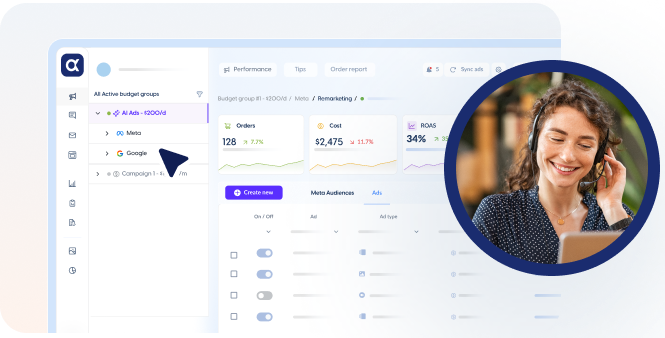
For example, AdScale’s campaign builder uses store data to help prepare a media plan, audiences, and ads for Google and Meta. It brings those campaign decisions into one workflow, connecting what the store sells with how it advertises.
For a Shopify merchant, that means reviewing the proposed products, creative, and budget split together. The starting point is the store’s own catalog and customer data. AdScale’s store and advertising integrations connect that information with the advertising accounts.
Example: A Shopify Apparel Store Launches a Collection#
Consider a Shopify store launching a new collection of summer dresses. It has product images, purchase history, and connected Google and Meta accounts. However, stock varies by size, and its existing campaigns still promote last season’s products.
The table below shows an illustrative planning workflow. It is not a customer case study, a performance claim, or a promise that every builder supports these steps.
| Store Input | Possible Campaign Decision | What the Merchant Reviews |
|---|---|---|
| New dresses with available sizes | Select eligible products for launch | Stock depth, margins, and priority styles |
| Product photos and descriptions | Assemble catalog ads and draft copy | Accurate details, brand voice, and image quality |
| Past purchases from the dress category | Propose a customer segment | Whether the goal is acquisition or repeat sales |
| Existing Google and Meta results | Suggest an opening budget split | Total spend and overlap with current campaigns |
| Collection and product pages | Choose ad destinations | Mobile experience, size guidance, and shipping details |
For example, the merchant may exclude a popular dress because only one size remains. They can also choose a lifestyle image that shows how the dress fits.
Those choices show where human review adds value. Automation can prepare the launch, while the merchant checks that the plan reflects the store’s actual offer.
AI Campaign Builder vs. Performance Max vs. Advantage+#
Performance Max is a Google Ads campaign type. Advantage+ sales campaigns use Meta’s automation. A third-party builder that connects to both platforms coordinates campaign setup across Google and Meta.
Google already automates parts of setup and creative production. Its Performance Max documentation describes asset generation, audience signals, and budget recommendations during setup. Native automation therefore supports both building and running campaigns.
Meta also automates ad creation and creative variations within its own advertising tools. Its overview of native ad automation explains these capabilities. The practical distinction is platform coverage: Meta’s tools do not create Google campaigns alongside Meta ads.
The builder column below focuses on eCommerce tools offering Google and Meta setup. Confirm the listed capabilities during a demonstration.
| Capability | Performance Max | Advantage+ Sales Campaigns | eCommerce Builder for Google and Meta |
|---|---|---|---|
| Campaign coverage | Google inventory | Meta inventory | Setup across both connected ad platforms |
| Store data inputs | Product feeds, conversion data, and audience signals | Product catalogs, purchase events, and customer audiences | Catalog and order data through a store connection, plus ad account history |
| Creative workflow | Generates and combines assets for Google ads | Automates creative variations for Meta ads | Generates or assembles assets for supported formats on each platform |
| Budget scope | Budget within a Google campaign | Budget within Meta campaigns | Opening plan across Google and Meta |
| Merchant controls | Goals, budget, assets, and campaign settings | Goals, budget, creative, and campaign settings | Plan review and controls exposed by the builder |
| Relationship to other tools | Can form part of a builder’s output | Can form part of a builder’s output | Creates supported campaigns that use native platform automation |
If native tools already meet your needs, another subscription may add little value. However, a builder may help when coordinating two platforms consumes time or requires skills your team lacks.
What Data Does an AI Campaign Builder Use?#
For an eCommerce AI campaign builder, five input types matter:
- Product data: Titles, images, prices, variants, and stock help determine which ads to create.
- Order history: Products purchased, purchase frequency, and order value can inform customer segments and product choices.
- Ad account history: Previous results provide evidence for campaign settings and budget suggestions.
- Conversion events: Purchase and browsing events support tracking and platform optimization.
- Business inputs: Goals, locations, offers, and budget limits define what the tool should work toward.
Google and Meta can receive store information through their integrations. For example, Shopify documents sending purchase events to Meta through the Conversions API. The data shared depends on your setup and permissions. Shopify’s data-sharing guide.
Ask the vendor to show how each data input affects its campaign recommendations. Also check whether it accounts for returns and margins before treating revenue reports as profit reports.
Campaign Creation, Optimization, and Attribution#
These functions answer different questions:
| Function | Question It Answers | Typical Output |
|---|---|---|
| Campaign creation | What should launch? | Campaign settings, ads, audiences, and opening budgets |
| Optimization | What should change as results arrive? | Budget changes, tests, and adjustments within platform limits |
| Attribution | Which marketing activity receives credit for sales? | Reports connecting orders with channels or campaigns |
One platform may combine all three. As a result, you should compare the full workflow when reviewing vendors.
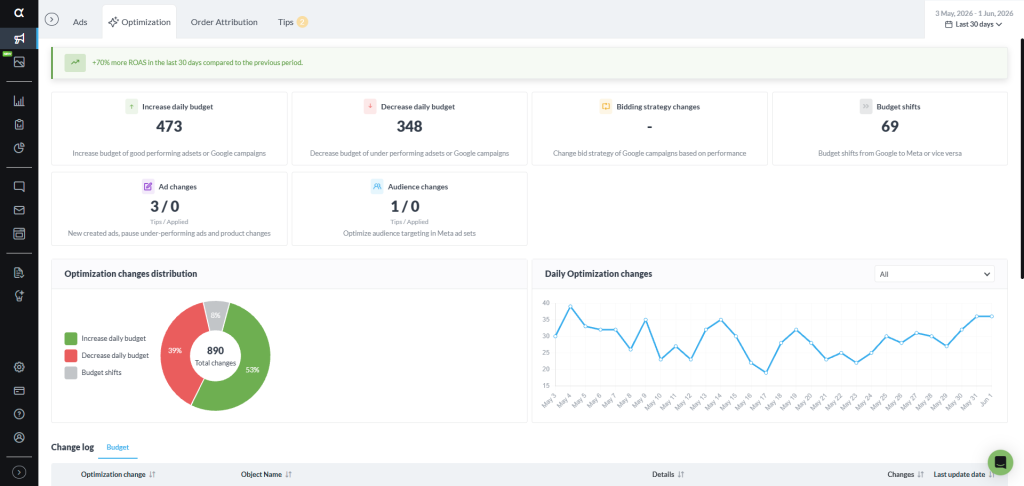
Alongside campaign creation, AdScale offers ongoing optimization and order attribution. Check which functions your proposed plan includes and how each affects your connected accounts.
How to Choose an AI Campaign Builder for Shopify#
Start with your current bottleneck. If setup takes too long, focus on creation and review. If campaigns already exist, first check whether optimization, creative quality, or measurement needs more attention.
Use these questions during a trial or demonstration:
- What can it launch? Ask for the exact Google and Meta campaign types it supports.
- What data does it use? Check whether product choices and segments use catalog data, orders, or only platform events.
- What can you approve? Review ads, offers, budgets, and destinations before spend starts.
- What happens to existing campaigns? Confirm whether the tool imports, edits, duplicates, pauses, or leaves them running.
- How does it control spend? Check opening budgets, later adjustments, and the controls available to you.
- What does it cost? Separate software fees from media spend. Also ask about usage charges and paid creative features.
- What happens if you leave? Confirm account ownership, campaign access, asset access, and cancellation terms.
Request a walkthrough using your store’s products. A plan built around your catalog makes it easier to judge whether the tool solves your problem.
When Should You Wait Before Automating Campaigns?#
Fix a broken product feed or purchase event before adding more campaigns. Otherwise, automation may repeat those problems at greater scale.
A small store can still use an AI campaign builder. However, limited sales history provides less evidence for its recommendations. Avoid spreading a small budget across many campaigns simply because the software can create them.
Also review the store itself. Unclear shipping costs, missing size information, or a difficult checkout can weaken results even when campaign setup works correctly.
Before launch, confirm that purchases record correctly, promoted products are available, and the proposed campaign structure fits your budget. These checks provide a practical starting point. Platform learning requirements concern ad delivery; they do not define what a campaign builder is.
Frequently Asked Questions#
Performance Max is a Google Ads campaign type with AI-powered setup and delivery features. It runs across Google’s inventory. A third-party campaign builder is software that creates campaigns, which can include Performance Max. A builder supporting Google and Meta can coordinate setup across both platforms.
An AI campaign builder creates new campaigns. An optimizer adjusts live campaigns using performance data, for example by changing budgets or testing creative. These are distinct functions, but one product can provide both. Check whether your subscription covers initial setup, ongoing management, or the full workflow.
Yes. Builders with Google and Meta integrations can create campaigns across both platforms from one workflow. Each platform still serves its own ads. Check the supported campaign types and confirm whether the software coordinates only the opening budget or also adjusts spending after launch.
A builder reduces setup work; it does not remove the need for account oversight. You can handle that review yourself if you have the time and skills. For complex accounts, a media buyer can manage testing, creative direction, and strategy while the software handles supported tasks.
Calculate the total cost as software fees plus Google and Meta media spend, then add any paid extras. Ask whether the subscription changes with ad spend or usage. Get a quote for your planned budget, including creative features and support, before comparing vendors.
Check the tool’s onboarding plan before connecting an active account. It should identify which campaigns it will import, edit, pause, or leave running, and which it will create. Then review the combined budget and any audience or product overlap. Do not assume your current campaigns will stop automatically.
Review the Plan Before You Launch#
An AI campaign builder earns its place when it reduces setup work and gives you a useful plan you can review. Choose it for the decisions and account work you need help with.
Start with a product collection and a clear goal. Then inspect the proposed ads, audience approach, budget, and destination pages. For an AdScale walkthrough, explore how the platform plans campaigns and compare the workflow with your current process.
The best launch plan is one you understand well enough to approve.


 Shopify
  WooCommerce
  PrestaShop
  Magento
  BigCommerce
  Opencart
  Wix
Wix 



 ,
,