






Shopify SMS Marketing: Check Out the 21 Best Apps!
Shopify SMS marketing is one of the most direct and effective ways...
views
78 articles about General.
Shopify SMS marketing is one of the most direct and effective ways...

Creating an attractive and functional eCommerce site is just the tip of...

Social media dashboard tools are what you need to monitor any kind...

Outsourcing is the process of engaging a third party to execute services...

For your business to be fully optimized and, consequently, provide a high...

When it comes to marketing, there's no room for guesswork. Every eCommerce...

The success of retail businesses has always depended on their connection with...

Choosing a business point-of-sale platform (POS) is essential for any online e-commerce...

For a clear analysis of today's success in online trade, it is...
 See AdScale In Action
Select your ecommerce platform:

We sent you an email
Check your inbox for the installation instructions of AdScale for your WooCommerce Store
If it hasn’t, click here.
How to install the AdScale Plugin:
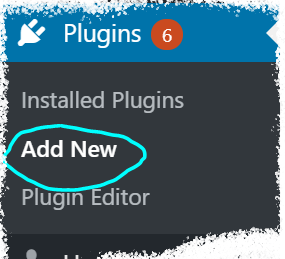
On your Woo store admin, go to
Plugins > Add New
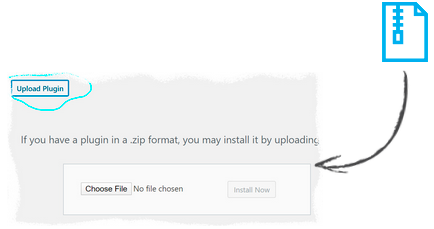
Upload the Plugin file and
click on Install Now
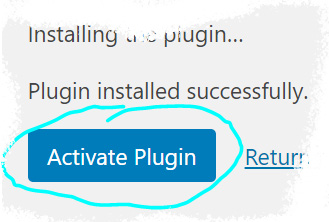
Click on Activate Plugin
We sent you an email
Check your inbox for the installation instructions of AdScale for your WooCommerce Store

If it haven’t, click here.
How to install the AdScale Plugin:
On your PretaShop admin, go to
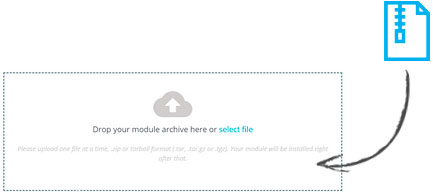
Modules > Module Manager > Upload Module
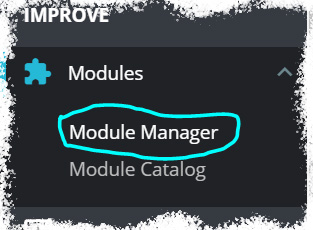
Upload the module file
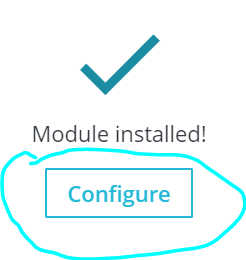
Click on Configure
We sent you an email
Check your inbox for the installation instructions of AdScale for your WooCommerce Store

We sent you an email
Check your inbox for the installation instructions of AdScale for your WooCommerce Store


If it haven't, click here.
How to install the AdScale Plugin on Magento 1.9
Extract the plugin file, and using your FTP tool Upload the folder to the Magento Directory.
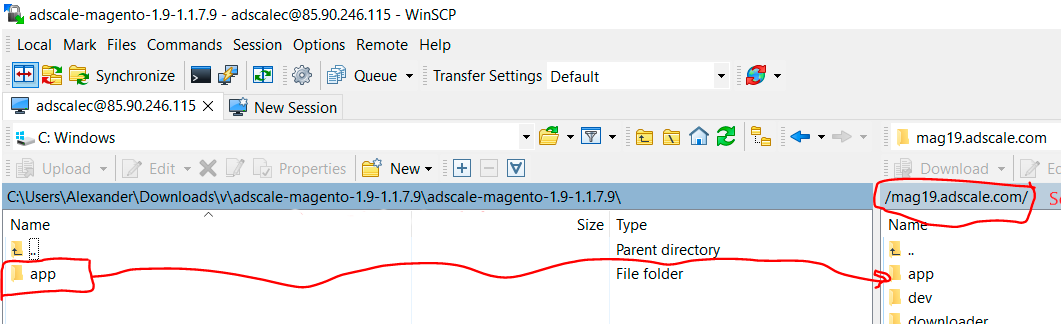
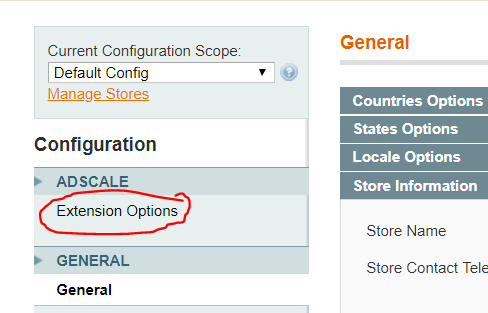
Go to Magento Admin Panel > System > Configuration
Under AdScale, click on Extension Options
Having troubles? Contact our support team
If it haven't, click here.
Extract the plugin file, and using your FTP tool Upload the folder to the Magento Directory.
Run the following commands in PHP:
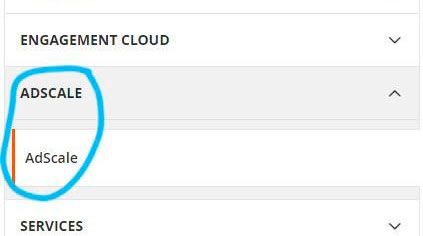
Go to Magento Admin > Stores > Configuration and Click on AdScale > Enable
Having troubles? Contact our support team
If it haven't, click here.
Extract the plugin file, and using your FTP tool Upload the folder to the Magento Directory.
Run the following commands in PHP:
Go to Magento Admin > Stores > Configuration and Click on AdScale > Enable
Having troubles? Contact our support team
If it haven't, click here.
Extract the plugin file, and using your FTP tool Upload the folder to the Magento Directory.
Run the following commands in PHP:
Go to Magento Admin > Stores > Configuration and Click on AdScale > Enable
Having troubles? Contact our support team
We sent you an email
Check your inbox for the installation instructions of AdScale for your WooCommerce Store
Your download will strat in a few seconds.
If it haven’t, click here.
How to install the AdScale Plugin:
On your OpenCart admin, go to Extensions > Installer
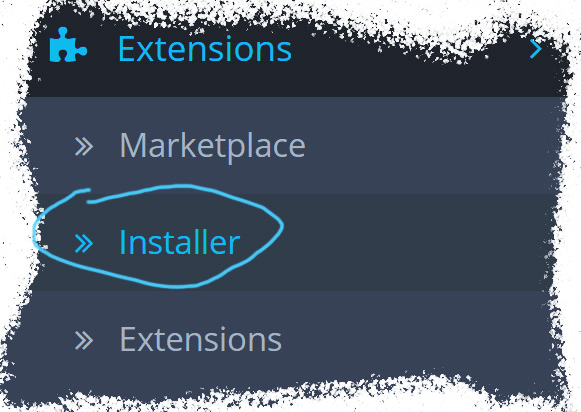
Upload the plugin file
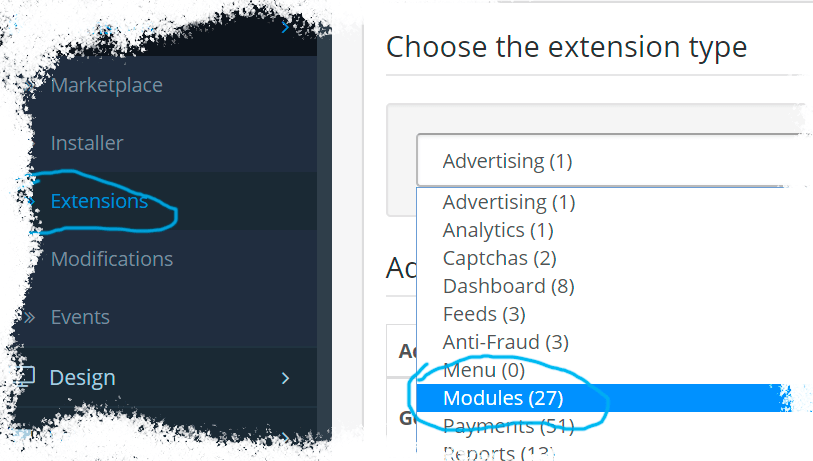
Go to Extensions & pick Modules (under Extension Type)
Next to AdScale,
click:  ,
,
and then 
We sent you an email
Check your inbox for the installation instructions of AdScale for your WooCommerce Store
We sent you an email
Check your inbox for the installation instructions of AdScale for your WooCommerce Store
 Shopify
  WooCommerce
  PrestaShop
  Magento
  BigCommerce
  Opencart
  Wix
Wix