




On this page
- Key takeaways
- What is the difference between audience and customer segmentation?
- What is the difference between static and dynamic segmentation?
- What are the benefits of dynamic audience segmentation?
- What AdScale data shows about high-value audiences
- How does dynamic audience segmentation work?
- Dynamic audience segmentation examples for eCommerce
- Using dynamic audiences on Google and Meta
- A practical audience segmentation strategy
- How to create and activate an audience segment in AdScale
- How do you measure dynamic segmentation performance?
- Frequently asked questions
- Start with the customer change that matters
- Related reading
How automatically updated audiences help you match Google and Meta campaigns to changing shopping behavior.
Dynamic audience segmentation is the automatic updating of audience groups as customer behavior and data change. In eCommerce, rules based on purchases, product interest and time determine who enters a segment, who leaves it and which advertising action becomes relevant.
A shopper leaves a pair of shoes in their cart, then buys them the next morning. A dynamic abandonment audience removes them once the purchase is recorded and processed. Your next campaign can reflect their new relationship with the store.
The rule might stay the same: “Added to cart in the past seven days without a subsequent purchase.” The people who qualify keep changing.
That is the practical value of dynamic segmentation: connecting a change in customer behavior with a change in your advertising.
Key takeaways#
- Dynamic audience segments update their membership as people meet or stop meeting the rules.
- Define every segment with an entry rule, an exit rule and a specific advertising action.
- Spending, purchase frequency and recency describe different customer behaviors; combine them when the campaign requires it.
- An audience signal guides automation; it does not always restrict who can see an ad.
- Evaluate results against the campaign objective, including new customers, repeat purchases and contribution after advertising costs.
What is the difference between audience and customer segmentation?#
Audience segmentation divides people into groups with shared characteristics or actions so you can make more relevant marketing decisions. A group might contain visitors who viewed a product, customers who bought from a collection or shoppers who have placed several orders.
Customer segmentation usually focuses on people who have already bought from you. Audience segmentation can also include visitors and prospective customers. For a broader introduction to grouping existing buyers, see our guide to customer segments in eCommerce.
Dynamic describes how membership is maintained. A rolling time window can change that membership even without a new visit: a customer whose last purchase was 29 days ago can qualify for a “30 days since purchase” audience tomorrow.
What is the difference between static and dynamic segmentation?#
A static segment preserves a selected group of people. A dynamic segment recalculates who qualifies using current data and rules. Both can be useful, depending on what you need to do.
| Feature | Static segment | Dynamic segment |
|---|---|---|
| Membership | A fixed snapshot until someone changes it | Recalculated as qualifying data changes |
| Example | Customers included in a completed launch campaign | Customers with one order and no second purchase |
| Maintenance | Refresh or replace the list manually | Maintain the rules and data connection |
| Useful for | Fixed cohorts and one-time selections | Ongoing lifecycle and behavior-based campaigns |
| Main risk | The list stops reflecting current behavior | Incorrect rules keep updating an incorrect audience |
A fixed cohort is useful when you want to study everyone who made their first purchase in a particular month. You want that group’s membership to remain stable while you observe later purchases.
An ongoing campaign for first-time buyers needs different logic. Someone should leave that audience when they make a second purchase. Keeping them in it would blur the campaign’s purpose and measurement.
What are the benefits of dynamic audience segmentation?#
Dynamic segmentation helps keep marketing decisions aligned with customer behavior. Its practical benefits come from the decisions those updates support:
- Keep purchase exclusions current. A completed order can change eligibility for an abandonment campaign, reducing the chance of showing an outdated message.
- Match the message to the relationship. First-time buyers, repeat customers and lapsed buyers may need different products or reasons to return.
- Reduce manual list maintenance. Connected rules can update membership without repeatedly exporting, sorting and uploading customer lists.
- Make timing more relevant. Time since purchase can help define a replenishment or win-back window using the store’s own buying patterns.
These benefits depend on sound rules and campaign execution. A fresh audience cannot fix an unsuitable offer or a landing page that fails to answer a shopper’s questions.
What AdScale data shows about high-value audiences#
High spending does not automatically mean loyalty. AdScale’s customer revenue analysis, covering October 1, 2025, through September 30, 2026, illustrates why those attributes deserve separate rules.
| Finding | Reported result | Audience planning implication |
|---|---|---|
| Revenue from the top 10% of customers | 34.4% in the median store | Investigate spending concentration in your own store |
| Revenue from the top 20% | 50.4% in the median store | Test the familiar 80/20 assumption against actual orders |
| Repeat-purchase share among top customers | Median store result of 60% | A top spender may still have placed only one order |
Customers were ranked by total order value over the measured year. The top groups overlap and should not be added together.
For campaign planning, distinguish a high-spending first-time buyer from a high-spending repeat customer. The first group might need a relevant second-purchase offer. The second might suit a collection connected to an established category preference. Review membership as further orders change the relationship.
How does dynamic audience segmentation work?#
Dynamic segmentation connects a data source, a rule and an advertising action. Each part needs to work for the audience to be useful.
1. Collect the relevant store and behavior data#
Start with the information required for the decision. A repeat-customer segment needs order counts. A category-based audience needs product or collection information. Cart retargeting requires the relevant shopping events and purchase exclusions.
This is where first-party data in advertising becomes useful: your own order history can distinguish a new customer from someone who has bought repeatedly.
Store records and advertising events do different jobs. An order database records purchases. Website events help record actions such as product views and cart additions. Available audience data depends on your integrations, tracking setup and customer permissions.
2. Set entry rules and exit rules#
An audience rule should explain both who belongs and when they should leave.
Consider this illustrative cart audience:
- Entry: Added to cart within the last seven days.
- Exclusion: Completed a purchase since that cart activity.
- Exit: Purchased, or the qualifying cart activity becomes older than seven days.
“Added to cart” alone leaves an important question unanswered. Does the audience still include people who have already bought?
3. Update membership and make the audience available#
As new data arrives, the system reevaluates who meets the conditions. Supported audience connections then make that group available for advertising.
Automatic updates do not mean every advertising platform recognizes every change instantly. Data processing, matching and platform refresh cycles affect when changes become usable. Google explicitly recommends regularly refreshing Customer Match lists, including through supported continuous syncing.
Test the full sequence: qualifying event, segment membership and campaign use. A successful data connection alone does not establish that a campaign applies the intended inclusion or exclusion.
Dynamic audience segmentation examples for eCommerce#
These illustrative rules show how entry, exit and advertising decisions fit together. Choose time windows using your own buying patterns.
| Segment | Example qualification | Advertising decision | Exit or exclusion |
|---|---|---|---|
| Recent cart abandoners | Cart activity in the past seven days without a subsequent purchase | Address delivery, sizing or another buying question | Subsequent purchase or expired window |
| First-time buyers | Exactly one completed order | Introduce a relevant second purchase | Second order or end of the campaign window |
| Customers due for replenishment | Purchased a replenishable product within a selected past interval | Remind them about the product they bought | Reorder or expiration of the interval |
| Lapsed repeat customers | At least two orders, with no recent purchase | Test a reason to return | New order or end of the win-back window |
| High-value customers | Meets a defined spending and purchase-frequency threshold | Promote a relevant collection or benefit | No longer meets the rolling criteria |
Cart abandonment without automatic discounting#
A customer adds a jacket to their cart but leaves before buying. An ad explaining the fit or showing the jacket in use may address the concern that stopped the order.
A discount is one possible test. It should not be the automatic next step for every abandoner. Otherwise, you may give away margin on orders that needed reassurance about delivery or returns.
After a purchase, remove the buyer from the abandonment audience where the campaign supports that exclusion. Decide separately whether a complementary product makes sense and when to introduce it.
Repeat-purchase timing based on observed orders#
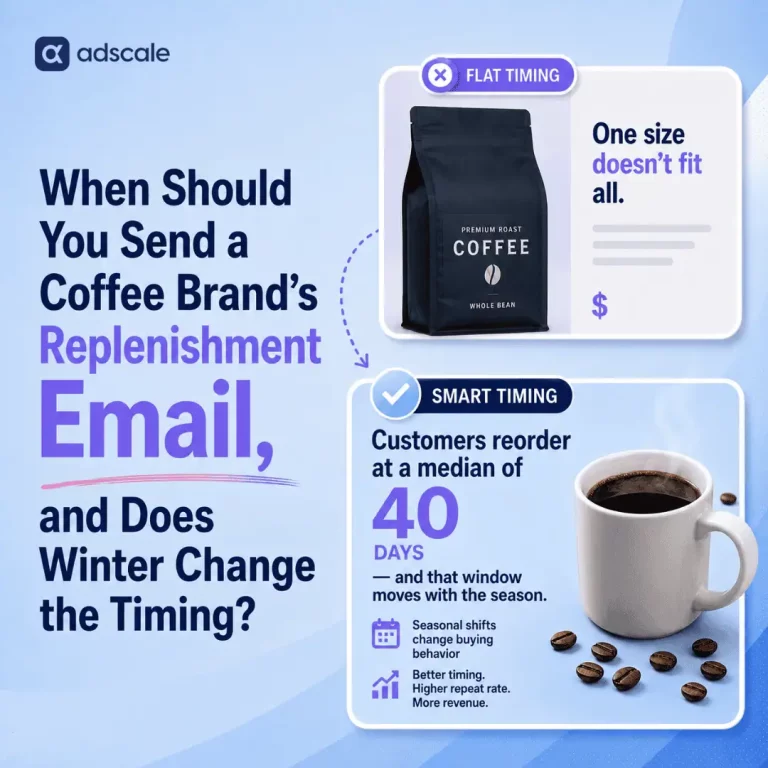
AdScale’s September 2026 repeat-purchase analysis followed 2,503,863 customers across 1,003 shops. Customers’ first observed orders were placed between July 2024 and June 2025, with subsequent orders observed through June 2026.
Among customers who reordered, the median time to a second order was 41 days. Across the full first-time-customer cohort, 8.1% reordered within 30 days. Those figures have different denominators: the median among repeat buyers does not mean that most new customers buy again in six weeks.
Use your own order intervals to choose a test window. A replenishment campaign should also account for the product and quantity purchased. When a customer reorders, update their eligibility so the next reminder reflects the new purchase date.
This research describes purchasing behavior; it does not establish that an advertising or email campaign caused the orders.
Winning back a valuable repeat customer#
A furniture customer who has not bought in 90 days may be behaving normally. A customer who usually buys pet food monthly may warrant a different approach after the same gap.
Define inactivity in the context of the category and prior behavior. Then test a relevant reason to return, such as a replenishment reminder or a collection connected to previous purchases.
Using dynamic audiences on Google and Meta#
An audience can have different roles across campaigns. It might define a retargeting group, provide a source for finding similar shoppers or supply a signal to an automated campaign.
Google Ads#
Google Customer Match uses customer information to match eligible customers with Google users. Website data segments support other uses based on how people interacted with your business.
For Performance Max, the distinction between a signal and a restriction is especially important. Google explains that audience signals are suggestions. Performance Max can show ads beyond those audiences when its system identifies other relevant people.
A repeat-buyer signal therefore does not make a Performance Max campaign exclusive to repeat buyers. Choose settings and measurement that match the intended acquisition or retention objective.
Meta Ads#
On Meta, distinguish the people in a retargeting audience from the people you want to acquire. Using an existing customer group to inform acquisition serves a different objective from advertising directly to those customers.
AdScale’s audience guide documents using segments for remarketing and as the basis for new-traffic audiences. Select the use that matches the campaign goal, then review the available inclusion, exclusion and expansion settings in the connected campaign.
Use consistent business definitions across platforms, then check how each campaign applies them. Reachable audience sizes and delivery can differ.
A practical audience segmentation strategy#
Before building another audience, write three lines: Entry. Exit. Action.
| Check | Question to answer | Example |
|---|---|---|
| Entry | What makes someone qualify? | Exactly one order, placed 30 to 60 days ago |
| Exit | What makes them stop qualifying? | A second order or passing the 60-day window |
| Action | What changes in the campaign? | Promote a complementary product for a second purchase |
That final question prevents unnecessary complexity. If two groups receive the same product, message and offer at the same time, combining them may be more useful than managing separate campaigns.
Use this process to start:
- Choose one business objective. Decide whether you want more first purchases, more second orders or a better return from a specific retention activity. Give the audience a measurable job.
- Write the rules in plain language. For example: “Customers with exactly one order, placed 30 to 60 days ago.” Confirm that your data can identify those people.
- Define the exit. A second purchase should remove someone from that example. Decide what happens when the person passes the end of the time window.
- Match the product and message. A first-time buyer may need a reason to explore another category. A replenishment customer may need a reminder about a familiar product.
- Check audience size and overlap. A segment that makes sense for your business may be too small to support its own campaign. Combine similar groups when that preserves the purpose and gives the campaign enough reach.
- Test and review. Check membership, campaign use and results. Adjust one meaningful element at a time so you can understand what changed.
Start with a few audiences that lead to distinct decisions. Expand when the results or customer behavior justify another split.
How to create and activate an audience segment in AdScale#
AdScale connects eCommerce store data with advertising on Google and Meta. Its AI Segments capability uses purchase behavior, product interest and engagement signals to group shoppers by characteristics such as frequency, value and lifecycle stage.
For a custom audience, AdScale’s documented segment-creation workflow provides a concrete starting point:
- Open the Segments dashboard and choose New Segment.
- Select the purchase conditions relevant to the audience. An illustrative win-back group could contain customers with at least two purchases and no purchase in the past 90 days.
- Combine required conditions with AND. Use OR when either condition should qualify a customer.
- Review the resulting segment size, then give the audience a clear name and description.
- Make the segment available for ads and, where useful, BI dashboards. Choose how to use the segment when setting up your campaign.
AND requires both conditions; OR accepts either. In the win-back example, OR would also admit recent repeat buyers or inactive one-time buyers, changing the campaign’s purpose.
AdScale’s AI Campaign Builder connects first-party store insights with audience and product selection in campaign creation across Google and Meta. That helps turn the segment into a campaign with relevant products and messaging.
Keep audience logic separate from creative choices. A lapsed repeat buyer may already know the brand; the ad needs a useful reason to return. Test that reason and evaluate the resulting purchases.
How do you measure dynamic segmentation performance?#
A high retargeting ROAS deserves a closer look. People returning to a cart may already be closer to purchasing than someone discovering your brand for the first time. Comparing those groups’ ROAS alone cannot establish which campaign adds more value.
Match the measurement to the objective:
| Objective | Measures to review |
|---|---|
| Acquire customers | New customer count, acquisition cost and first-order contribution |
| Encourage second orders | Second-purchase rate, time to second order and campaign cost |
| Support replenishment | Reorder rate, order interval and contribution after advertising |
| Reactivate customers | Returning purchasers, discount cost and resulting contribution |
Where feasible, compare an eligible group receiving the campaign with a comparable holdout group. Keep other marketing activity as consistent as possible. This helps investigate how many purchases the campaign adds beyond those that would have happened anyway.
Check audience quality alongside campaign results. Common setup mistakes include:
- Using OR where both conditions are required, creating a broader audience than intended.
- Treating high spend as repeat behavior, giving first-time buyers the wrong follow-up.
- Splitting audiences without changing the campaign, adding complexity without a distinct purpose.
If results are weak, our guide to diagnosing low ROAS also covers creative, landing pages and budget allocation.
Frequently asked questions#
Does dynamic audience segmentation require AI?#
No. Dynamic audience segmentation can use straightforward rules, such as customers with two orders who have not purchased in 90 days. The defining feature is automatically updated membership. AI can help identify patterns or inform campaign decisions, but a segment does not need AI to be dynamic.
How often do dynamic audience segments update?#
Update frequency depends on the data source, integration and advertising platform. Some changes become available quickly; others require processing or matching before campaigns can use them. Check both the segment’s membership and its connected audience. Automatic updating should not be treated as a guarantee of instant ad suppression.
Can a small eCommerce store use dynamic segmentation?#
Yes, but a small store should begin with a few meaningful groups. Recent non-buying visitors and existing customers may provide a useful starting point when enough data is available. Splitting a limited audience into many groups can leave campaigns with insufficient reach, so check platform eligibility and delivery.
What is the difference between dynamic segmentation and dynamic ads?#
Dynamic segmentation determines which people qualify for an audience as their data changes. Dynamic ads determine elements of the advertisement, such as the products displayed from a catalog. The two can work together: an updated audience can receive relevant product ads, but they describe different parts of campaign setup.
How do you choose an audience segmentation tool?#
Choose a tool that connects to your store, supports the rules you need and makes those audiences usable in your advertising channels. Check exclusions, refresh behavior, audience eligibility and reporting. For eCommerce teams, also assess how easily the tool connects customer insights with product selection and campaign management.
Start with the customer change that matters#
Start with one audience where a purchase or a change in recency should change your advertising. Define the entry rule, the exit rule and the next relevant message. Check that the campaign uses the audience as intended, then measure results against its business objective.
Explore AdScale’s AI Segments to connect your store data with audience decisions across Google and Meta.
Every segment should answer a business question: what should we do differently for these shoppers now?
Related reading#
- Customer segments in eCommerce: Explore the broader ways to group existing buyers.
- Revenue from your top customers: Examine how spending and repeat behavior differ.
- Repeat-purchase timing in AdScale order data: Understand the cohort and denominators behind the timing example.
- Why your ROAS is low and how to fix it: Review performance problems beyond segmentation.

 Shopify
 WooCommerce
 PrestaShop
 Magento
 BigCommerce
 Opencart
 Wix




 ,
