





On this page
Budget-limited Target CPA and Target ROAS campaigns now aim at the number in the settings, not past it. If that number is stale, efficiency can slip without spend going up.
Google did not raise your budgets and did not change the auction. It changed how budget-capped target bidding behaves.
On August 17, 2026, Google began a gradual rollout: campaigns that are Limited by budget and use Target CPA, Target ROAS, or Target CPC (Demand Gen only) will optimize more consistently toward the target you entered, including when you change the budget. Per Google’s official announcement, a $10 Target CPA campaign that has been delivering at $5 will start delivering closer to $10 unless you update the target.
Google will not rewrite your targets or budgets. The job is to decide whether the number in the settings is the efficiency you actually want.
Key Takeaways#
- The change hits budget-limited Search, Shopping, Performance Max, Demand Gen, and Travel campaigns on Target CPA or Target ROAS (plus Target CPC on Demand Gen). Uncapped campaigns are unchanged.
- If a campaign has been beating its target, inaction can pull CPA up or ROAS down toward that target. Spend caps stay in place.
- Use the Bid Target Adjustment Tool to keep the current target, apply recent actuals, set a custom number, or switch to Maximize Conversions / Maximize Conversion Value.
- Wait one to two conversion cycles before judging results. Treat planning-tool forecasts with caution through August 31.
What Changed?#
Before this update, a budget-limited Target CPA or Target ROAS campaign could overperform the number in the settings. Raising budget on those campaigns often produced swings, because the system had been buying cheaper than the target allowed.
Google’s stated goal is consistency: after the change, the campaign should stay closer to the target you set, whether it is capped or not. That makes scaling more predictable if the target is right. It removes the unofficial “discount” if the target is an old leftover.
This is a bidding change only. Auction mechanics do not change. Daily and monthly budgets still cap spend.
Who Is In Scope#
| Campaign type | This update |
|---|---|
| Search, Shopping, Performance Max, Demand Gen, Travel | Yes, when Limited by budget on Target CPA or Target ROAS (Target CPC on Demand Gen) |
| Display, Hotel | Already using the new behavior |
| App, Video reach, Video view | No. Previous behavior continues |
Also applies in Google Ads, Search Ads 360, Display & Video 360, Google Ads Editor, and the Google Ads API.
Not affected: campaigns that are not limited by budget, plus Manual CPC and Target Impression Share.
Portfolio strategies and shared budgets are included. Change the target at the portfolio or shared-budget level. On a constrained shared budget, the impact is spread across the group.
Performance Max and Demand Gen may also shift traffic across channels as they chase the target more tightly.
What eCommerce Stores Should Do This Week#
Shopping and Performance Max on Target ROAS are the usual exposure for stores. Brand Search on a loose Target CPA is the other common one.
1. List the exposed campaigns#
Filter enabled Search, Shopping, Performance Max, Demand Gen, and Travel campaigns that use a target strategy and show Limited by budget. Google also sent notifications to accounts that had any such campaign in the last 12 months. Open the Bid Target Adjustment Tool from the “Review your campaign targets” banner, or from Campaigns → campaign Settings → Bidding → Review campaigns. If the tool is missing, Google says it will appear in campaign settings as the rollout continues. Export target vs last-28-day actual CPA or ROAS, spend, conversions, conversion value, and impression share lost to budget.
2. Decide per campaign. Do not apply everywhere#
Keep the target if it is still the efficiency you want. After the change, delivery should sit closer to that number. Raising budget is then the volume lever.
Apply recent performance in the tool if the campaign has been beating the target and you want to hold that efficiency. Google’s $10 → $5 example is this path. Skip Apply if the last month included a sale, stockout, or tracking issue. Per Google’s FAQ on this update, the tool also will not recommend a target for campaigns with fewer than 7 conversions. Set a custom target if break-even sits between the old setting and recent actuals. Example from Google: actual $5, old target $10, business target $7. Switch to Maximize Conversions or Maximize Conversion Value only if you want to spend the full budget and will accept a moving CPA or ROAS when the budget changes.
Do the math before you click. Break-even ROAS is roughly 1 / variable margin. If margin after COGS, shipping, fees, and returns is 45%, break-even is about 2.2x. A 4x Target ROAS is a choice. A 1.8x target is a loss. If your current ROAS already looks weak going into this audit, start by diagnosing why before you touch the target.
3. Raise budget only after the target is honest#
Google’s point after August 17: you should be able to increase budget without the old efficiency swing, provided the target is the number you want at the new spend. Keep daily budget above average daily spend if you want room to capture demand. Then wait 1 to 2 conversion cycles. On Performance Max, watch channel mix. Automated budget systems already reallocate spend intraday based on where returns are strongest, so a sudden move into Display or YouTube while Shopping falls is the system hunting the target, not a random glitch.
Frequently Asked Questions#
No. Uncapped Target CPA and Target ROAS campaigns already scale toward the stated target. Google says their behavior does not change.
No. Budgets still cap spend. What can change is efficiency: the same budget can buy fewer conversions if an overperforming campaign is pulled toward a looser target.
Only if recent actuals are the efficiency you want and the last weeks were normal. Apply writes recent CPA or ROAS into the target. Otherwise type a custom number, or leave the target if it already matches the goal.
Google does not edit the target. Overperforming capped campaigns trend toward the number already in the settings as the rollout reaches them.
It is different. Maximize spends the budget and lets efficiency float. Use a corrected Target ROAS when you want to raise budget later at a known efficiency.
Nothing in the auction broke. A setting that used to tolerate overperformance now gets obeyed more strictly.
Open the account. Line up stated target, recent actuals, and break-even for every capped Shopping, Search, and Performance Max campaign. Then pick one honest move: keep the target, rewrite it, or uncap the budget once the target is a number you would defend at twice the spend.
Your target is no longer a comment. Treat it like a price.
Keep Learning#
- Understanding Poor Ad Performance: Why Your ROAS Is Low and How to Fix It – the diagnostic to run before you decide what your new target should be.
- What Is AdScale? AI eCommerce Advertising for Google and Meta – how predictive, intraday budget allocation works across channels, relevant to the Performance Max shift covered above.
- Why 99% of eCommerce Stores Fail to Measure ROAS – a shaky tracking setup makes any target, old or new, unreliable.
Sources: Changes to target based bid strategies and Frequently asked questions about changes to Target-based bid strategies (Google Ads Help).


 Shopify
  WooCommerce
  PrestaShop
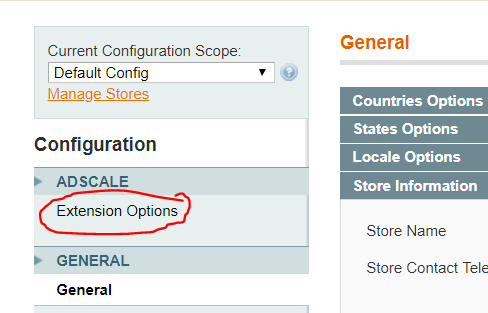
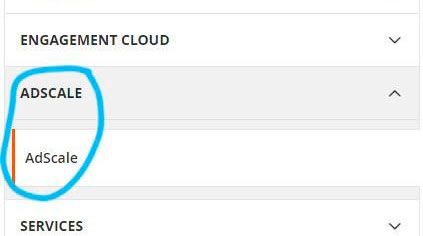
  Magento
  BigCommerce
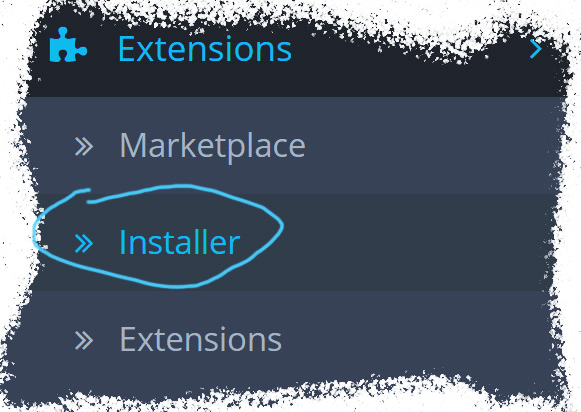
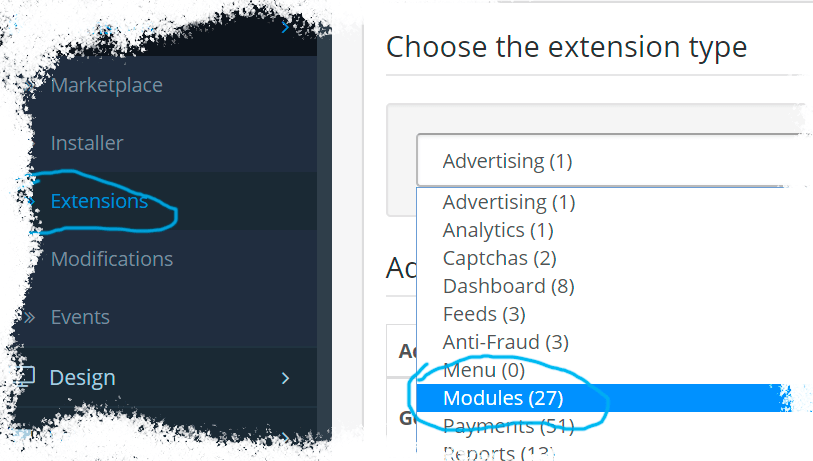
  Opencart
  Wix
Wix 




 ,
,