




On this page
- Key Takeaways
- Why Does Marketing an Online Store Take So Much Time?
- What Is Online Store Marketing Automation?
- 1. How Can Your Store Data Help You Reach the Right Customers?
- 2. How Can You Create Product Ads Without Spending Hours Designing Them?
- 3. How Can AI Help You Create Video Ads Without Becoming an Editor?
- 4. How Can You Reach Customers Without a Big Social Media Following?
- 5. What Happens After Your Ads Go Live?
- Does Automated Advertising Actually Work? A Customer Example
- Which Marketing Tasks Should You Automate and Which Should You Keep?
- How to Spend Less Time Marketing Your Store This Week
- Frequently Asked Questions
- You Started an Online Store, Not a Marketing Agency
Your products are ready. Your website is live. But getting customers to notice your store feels like another full-time job. Here’s how to make marketing more manageable without becoming a content creator.
A store owner recently asked Reddit a question thousands of eCommerce businesses struggle with:
“How do you get people to notice your online store?”
The advice came quickly. Post more. Make videos. Build a following.
Their response? “I’m not really trying to become a full-time content creator, though.”
Fair point.
You opened an online store to sell products. Not to spend your evenings editing Reels, designing ads, and figuring out why yesterday’s campaign stopped working.
The good news? You don’t have to do all that yourself.
You can promote your online store without posting on social media every day by combining targeted Google and Meta advertising with AI tools that handle much of the creative production and campaign management.
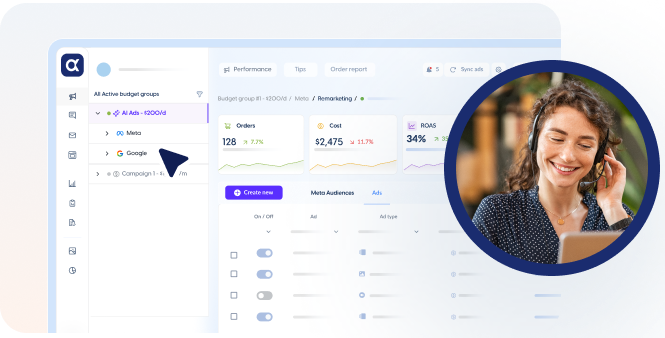
That’s where AdScale comes in. The platform uses first-party eCommerce data to help identify relevant audiences, create ad images and videos, and manage advertising campaigns.
Instead of trying to do more marketing, you can spend less time on the repetitive work behind it.
Key Takeaways#
- You don’t need a large social media following to reach potential customers through paid advertising.
- Your store’s existing customer and purchase data can help guide which products and audiences to prioritize.
- AI can reduce the time involved in creating product ad images, videos, and copy.
- AdScale connects creative generation with Google and Meta advertising management.
- Automation handles repetitive campaign tasks, while you remain responsible for business strategy, budgets, and profitability.
Why Does Marketing an Online Store Take So Much Time?#
Imagine you run a Shopify store selling accessories.
You’ve got a new collection to launch. The products look great, you’ve updated your website, and you’re ready for customers.
Now comes the marketing.
First, you have to decide which products to advertise. Then you need to figure out who might buy them.
You need product images, promotional copy, a few creative variations, and maybe a video for Instagram.
Once those are ready, you have to set up campaigns, choose budgets, and monitor the results.
And if the ads stop performing?
Back to the drawing board.
None of these tasks is unusual. But together, they can eat up hours that should be spent running your business.
The problem isn’t necessarily that you need a bigger marketing budget or more content.
It’s that too much of your marketing depends on you doing everything manually.
This is why online store marketing automation matters.
Rather than treating every product promotion as a new project, you can build a repeatable system that uses your store data, AI-generated creatives, and automated advertising campaigns.
The goal isn’t to remove you from marketing. It’s to stop making you responsible for every step of execution.
What Is Online Store Marketing Automation?#
Online store marketing automation uses software and AI to reduce repetitive tasks involved in promoting products, creating ads, reaching potential customers, and optimizing campaign performance.
For an eCommerce business, that might include analyzing customer purchase behavior, creating advertising images and videos, managing Google and Meta campaigns, and adjusting budgets based on results.
At AdScale, these activities connect through one advertising platform.
Think of it as three jobs:
Decide: Know What to Advertise and Who to Reach#
Use first-party store data to understand which products and customer segments deserve attention.
Create: Turn Products Into Ads#
Generate advertising images, videos, and copy without producing every asset manually.
Run and Improve: Reach Customers and Optimize Performance#
Launch Google and Meta campaigns, then use AI to help manage budgets and performance.
This framework doesn’t eliminate the need for marketing decisions. It helps separate the decisions that need your attention from the production and campaign-management work that can be automated.
1. How Can Your Store Data Help You Reach the Right Customers?#
Before spending money on advertising, you need to answer a basic question.
Who should see your products?
For a store with ten products and a handful of customers, you might have a reasonable idea.
But as your store grows, those decisions become harder.
Which products attract first-time buyers? Which customers purchase repeatedly? Do some shoppers prefer premium products while others respond to promotions?
Your eCommerce store already holds information that can help answer these questions.
First-Party Data: The Marketing Information You Already Own#
First-party data is information your business collects directly through customer interactions, subject to your privacy practices and applicable consent requirements.
For an online store, this can include purchase history, order value, product preferences, and shopping behavior.
AdScale connects to supported eCommerce stores and uses available first-party data to inform customer segmentation and advertising decisions.
Imagine you run an online fashion store.
You might have customers who regularly purchase premium collections, shoppers who buy during seasonal promotions, and returning customers interested in new arrivals.
These groups won’t necessarily respond to the same advertising message.
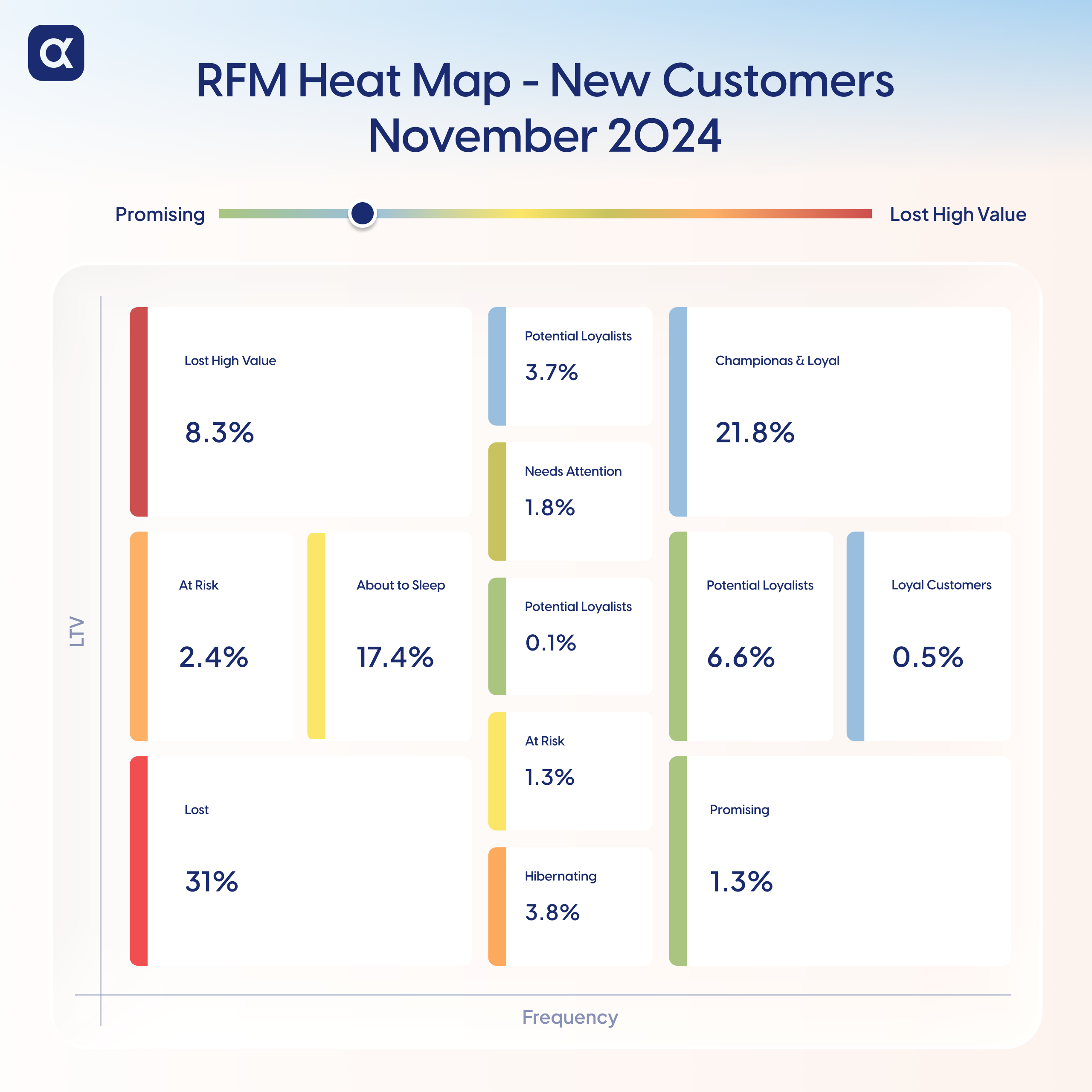
Rather than building every audience from scratch, AdScale helps identify relevant customer segments using store data.
That information can then support your Google and Meta advertising campaigns.
For example, you might decide to promote your premium collection to a relevant high-value customer segment while using a different offer for shoppers interested in seasonal products.
You still decide which products matter most and which offers make sense for your business.
AI helps turn the available data into information you can use.
The time-saving benefit: Less manual customer analysis and less guesswork when choosing audiences.
For a more technical explanation, see how AdScale uses first-party data for eCommerce advertising.
2. How Can You Create Product Ads Without Spending Hours Designing Them?#
You’ve chosen the product. You know which audience you want to reach.
Now you need an ad.
This is where many small eCommerce teams get stuck.
You have product photos, but you need something suitable for Facebook and Instagram advertising.
Whether you’re launching a new collection, highlighting a special offer, or testing a different message, each campaign needs the right creative.
Each one needs a visual.
And unless you have a designer available, that work often lands on your desk.
Turn Existing Products Into AI Ad Images#
AdScale’s Agentic Ad Creatives feature helps merchants generate advertising images directly from their store products.
Instead of opening a blank design and building an ad from scratch, its No-Prompt Wizard starts with three questions:
- Which product?
- What’s the offer?
- What’s the vibe?
Let’s say you sell leather handbags.
You choose a product from your store, enter the promotion you want to highlight, and select a visual direction.
AdScale generates an advertising image using those inputs.
Want a different background? A stronger focus on the product? A seasonal look?
You can refine the result through conversational editing.
The platform supports creative formats such as feeds, Stories, and carousels, helping you prepare assets for different advertising placements.
Why Creating Ads Inside Your Advertising Platform Matters#
A standalone AI image generator can help you create visuals.
But you still have to download those images, upload them into your advertising account, and connect them to a campaign.
AdScale’s creative tools are integrated into its advertising platform.
That means creating and publishing advertising assets can be part of the same workflow rather than separate tasks spread across different tools.
You choose the creative direction. AI helps produce the assets.
The time-saving benefit: Less manual image design, resizing, creative revision, and preparation for campaign publishing.
You can explore the full workflow in AdScale’s Agentic Ad Creatives guide.
3. How Can AI Help You Create Video Ads Without Becoming an Editor?#
Remember the advice the Reddit store owner received?
Make videos. Show your products. Post more content.
It’s not necessarily bad advice.
Video can help customers understand a product in ways that static images can’t.
A photograph shows a handbag. A short video can highlight its compartments and details.
A product image shows a kitchen gadget. A video can demonstrate how it works.
The challenge is producing those videos consistently.
Even a short promotional video can involve selecting footage, adding text, choosing music, editing transitions, and preparing the right dimensions.
And when you want to promote a different product, the process starts again.
Use Product Assets to Generate Video Ads#
AdScale’s AI video creation capabilities help eCommerce businesses produce promotional video creatives using product assets.
Instead of filming and editing every advertisement from scratch, merchants can use AI to assist with video production.
Imagine a home decor store launching a new lighting collection.
The business could create a short product-focused video using its existing assets, with motion and advertising messages designed to draw attention to the collection.
A clothing retailer might use a video to highlight new arrivals or a seasonal offer.
These assets can support campaigns across relevant Meta placements, including Facebook and Instagram feeds, Stories, and Reels.
The store owner still needs to decide what the video should communicate.
But producing the asset doesn’t have to become an entirely separate project.
More Videos Won’t Automatically Mean More Sales#
Here’s where it’s worth being selective.
You don’t need to generate dozens of videos just because AI makes them easier to produce.
Start with a question your customers actually ask.
Does the bag fit a laptop? How does the product work? What makes this item different from similar options?
Make the answer the focus of the creative.
That gives shoppers a reason to pay attention beyond an attractive visual.
The time-saving benefit: Less manual video production and editing, with more flexibility to create product-focused advertising assets.
4. How Can You Reach Customers Without a Big Social Media Following?#
Creating the ads solves only half the problem.
You still need people to see them.
And this brings us back to the original Reddit question.
How do you get customers to discover your store when they don’t know it exists?
One option is to keep posting organically and hope your audience grows.
Another is to use paid advertising to reach potential customers beyond your existing followers.
Google and Meta can help with that in different ways.
Google Ads: Reach People Already Looking for Products#
Someone searching Google for “handmade silver earrings” is showing interest in a particular type of product.
If you sell jewelry, that creates an opportunity to get your products in front of a relevant shopper.
Google Ads can help stores appear in paid search and shopping-related placements.
AdScale helps merchants create and manage Google campaigns using available product and store information.
The advantage is that you don’t have to build and maintain every advertising task manually.
Meta Ads: Introduce Products to New Audiences#
Facebook and Instagram are different.
Someone scrolling Instagram may not be actively shopping for a handbag.
But an interesting product image or video might make them stop and explore.
Meta advertising allows businesses to reach potential customers outside their organic follower base.
AdScale helps build and manage those campaigns using customer insights, audience selection, and advertising creatives.
That means an online store doesn’t need thousands of followers before it can begin testing paid acquisition.
You do need a budget, a relevant offer, and a website that can convert interested visitors into customers.
But you don’t have to rely entirely on daily organic posting.
Why Managing Google and Meta Together Helps#
Managing two advertising platforms separately involves checking different dashboards, comparing results, and deciding where your budget should go.
AdScale brings Google and Meta campaign management into one environment.
It also connects advertising performance with available store information to help inform optimization decisions.
The time-saving benefit: Less manual campaign setup and fewer disconnected advertising workflows.
For a deeper technical guide, read Google and Meta automation for eCommerce.
5. What Happens After Your Ads Go Live?#
Launching a campaign feels like the finish line.
It isn’t.
One product might sell well this week and slow down next week. A different audience might start responding. Advertising costs may rise, or a creative might stop generating the results it once did.
Someone has to monitor those changes.
And if you’re doing everything manually, that means another round of checking dashboards and adjusting campaign settings.
Let AI Handle More of the Repetitive Optimization#
AdScale continuously analyzes campaign performance and helps automate adjustments involving budgets, bids, and other advertising settings.
Its AI uses available store and advertising information to guide optimization.
The retailer still controls the business objectives and needs to evaluate profitability.
But the platform can take over many routine campaign-management tasks.
This is especially useful when you’re advertising multiple products across Google and Meta.
Instead of spending your day reacting to every change in campaign performance, you can focus on the bigger decisions.
Which products should the business prioritize? What offers should you test? Are your acquisition costs sustainable?
Those are the questions worth your attention.
Does Automated Advertising Actually Work? A Customer Example#
Standard & Strange, a retailer specializing in premium menswear and leather boots, wanted to reach more customers and expand its advertising.
One of its challenges was entering Google Ads, a platform the business hadn’t previously used.
AdScale helped create targeted Google and Meta campaigns, using customer insights to identify relevant audience segments.
Its AI also handled ongoing optimization.
According to AdScale’s published customer case study, the system made:
- 102 budget adjustments
- 77 keyword updates
- 213 bid modifications
- 8 new audience additions
In under five months, the retailer reported a 1,300% return on ad spend (13× ROAS) and a 57% reduction in cost per acquisition.
Those figures describe the reported campaign results, not a measured number of staff hours saved. They also don’t establish how much of the performance came from any single feature.
But they illustrate the amount of ongoing campaign activity that an automated platform can manage.
For a small eCommerce team, that’s an important distinction.
The value of automation isn’t that you can ignore advertising.
It’s that you don’t have to make every adjustment yourself.
Read the full Standard & Strange customer case study.
Which Marketing Tasks Should You Automate and Which Should You Keep?#
AI is good at helping with repetitive production, data analysis, and campaign-management tasks.
But it doesn’t know everything about your business.
It doesn’t know your long-term plans, which product you’re most excited to launch, or why customers love a particular collection unless you provide that context.
Here’s a practical way to divide the work.
| Your responsibility | AI can help with |
|---|---|
| Choose products and business priorities | Analyze product and customer data |
| Decide on promotions and offers | Generate advertising image variations |
| Define brand voice and product messaging | Produce video creatives and ad copy |
| Set advertising budgets and goals | Build and manage Google and Meta campaigns |
| Evaluate margins and profitability | Monitor and optimize campaign performance |
| Build customer relationships | Identify relevant audience segments |
The best approach isn’t to automate every decision.
It’s to keep control of the decisions that matter while reducing the repetitive work required to execute them.
How to Spend Less Time Marketing Your Store This Week#
You don’t need to rebuild your entire marketing strategy.
Start with one product or collection and a manageable test.
Step 1: Pick a Product That’s Ready to Advertise#
Choose something with clear customer interest, enough inventory, and margins that can support advertising.
Don’t start by promoting everything in your catalog.
Step 2: Identify the Most Relevant Customers#
Look at available order history, customer segments, and product performance.
If you have limited customer data, use what you know about the product and its intended audience as a starting point.
Step 3: Create a Few Ad Variations#
Start with one clear offer and develop two or three different creative directions.
For example, test a product-focused image, a lifestyle image, and a short video demonstrating the product.
Review AI-generated assets for accuracy and brand consistency before publishing.
Step 4: Choose the Right Advertising Channel#
Google may be more suitable when people actively search for the products you sell.
Meta can help introduce products to potential customers who aren’t already searching.
You don’t have to launch both channels immediately. Start with the one that best matches your business and budget.
Step 5: Automate What Makes Sense#
If you’re ready for paid acquisition, an integrated platform like AdScale can help with campaign creation, creative production, and ongoing optimization.
Set clear spending limits and goals first.
Automation works best when it has a meaningful objective.
Step 6: Review Sales, Not Just Traffic#
Don’t judge an ad simply because it receives lots of clicks.
Review cost per acquisition, orders, attributed revenue, and return on ad spend alongside your actual margins.
A campaign with fewer visitors can be more valuable if it brings in customers at a sustainable cost.
And if your store is very new and hasn’t validated demand, focus on your product and shopping experience before investing heavily in ads.
Frequently Asked Questions#
How can I promote my online store without social media?
You can promote your online store without organic social media posting through Google Ads, free eligible product listings on Google, email marketing, partnerships, and referrals. Paid Facebook and Instagram campaigns are also an option if you want to reach audiences without building a large following or publishing organic posts every day.
Can I market my online store without creating content every day?
Yes. You don’t need to publish organic content every day to market your online store. A smaller set of useful product images, videos, and offers can support paid advertising campaigns. AI creative tools can help produce and refresh these assets, reducing the need for constant manual content creation.
How can AI save time on eCommerce marketing?
AI can reduce repetitive tasks such as analyzing customer segments, generating product advertising images and videos, preparing ad copy, and optimizing campaigns. AdScale combines these capabilities with Google and Meta advertising management. Store owners still make decisions about their products, offers, budgets, and overall business strategy.
Can AdScale create both image and video ads?
AdScale offers AI creative capabilities for generating advertising images and videos from product assets. Its image-creation workflow includes selecting a product, offer, and creative direction. These tools support the wider Google and Meta advertising process, allowing merchants to create promotional assets without handling every production task manually.
Do I need an advertising agency to promote my online store?
Not necessarily. Store owners can manage campaigns themselves, hire an agency, or use advertising platforms that automate parts of the process. The right choice depends on your budget, marketing experience, and campaign complexity. Tools like AdScale can help smaller eCommerce teams manage advertising without hiring specialists for every task.
You Started an Online Store, Not a Marketing Agency#
The store owner on Reddit didn’t want to become a content creator.
They wanted customers to discover their products.
And that’s the point.
Getting noticed is important. But it shouldn’t mean spending every evening making videos, designing ads, or checking campaign dashboards.
You need a way to reach the right people without letting marketing take over the business.
Your store already holds information about the products people buy and the customers who buy them.
AI can help turn that information into advertising decisions, creative assets, and campaigns.
AdScale connects those pieces, from first-party data and AI-generated images and videos to Google and Meta campaign management and ongoing optimization.
You stay in control of what matters most to your business, while AI handles much of the advertising work.
You built your store to sell products, not to spend all day managing ads.
Ready to Spend Less Time Managing Ads?#
AdScale helps eCommerce businesses use first-party data to create ad images and videos, reach potential customers on Google and Meta, and automate ongoing campaign management.
Keep Learning#
- AI Advertising for eCommerce: How AdScale Magic Works
A deeper explanation of how first-party store data connects to advertising decisions. - Agentic Ad Creatives: AI Ad Image Generation
Learn how AdScale creates advertising images from products, offers, and creative directions. - The Full Guide to Google and Meta Automation for eCommerce
Explore the campaign-management and optimization technology behind cross-channel advertising. - Standard & Strange: An AdScale Customer Story
See how the retailer expanded into Google Ads and improved reported acquisition performance.


 Shopify
  WooCommerce
  PrestaShop
  Magento
  BigCommerce
  Opencart
  Wix
Wix 



 ,
,