



On this page
- Key Takeaways
- Shopify Marketing Apps Compared at a Glance
- What Should a Shopify Advertising App Actually Do?
- Which Shopify Marketing Apps Should You Shortlist?
- How Much Should You Budget for a Shopify Marketing App?
- How Do You Choose Without Adding More Complexity?
- Frequently Asked Questions
- Choose the App That Solves Your Next Advertising Problem
- Keep Learning
Compare tools for campaign automation, product feeds, audiences, retargeting, and reporting to find the right fit for your store.
You need to launch a campaign, update the product ads, and decide where next week’s budget should go. Which Shopify marketing app will actually take some of that work off your plate?
For Shopify stores that want AI campaign creation and ongoing Google and Meta optimization together, AdScale is a strong option. For channel setup, start with Google & YouTube and Facebook & Instagram. Madgicx suits Meta-focused advertising teams, Klaviyo connects customer segments to ad audiences, AdRoll supports retargeting, Triple Whale combines measurement with AI actions, and Optmyzr gives hands-on marketers detailed campaign controls.
The right choice depends on the job you need help with. Connecting a product catalog, creating an ad, and deciding how much to spend are different tasks. An app can be excellent at one without covering all three.
This guide compares those jobs so you can build a useful advertising setup without paying for features you already have.
Disclosure: AdScale publishes this guide and is one of the products included. Recommendations reflect documented capabilities and our assessment of their fit for Shopify merchants. This is not a hands-on performance ranking, and no platform can guarantee a particular ROAS.
Key Takeaways#
- Choose Shopify marketing apps by the task they handle: connection, campaign management, audience activation, or measurement.
- AdScale brings AI creatives, store-based audiences, and Google and Meta bid and budget optimization into one workflow.
- Check what “Google Ads support” means: reporting, audience syncing, and campaign management are different capabilities.
- Official channel apps provide useful advertising foundations, including Google Performance Max setup.
- Before adding a subscription, identify the work it will replace and the costs that sit outside the advertised plan.
Shopify Marketing Apps Compared at a Glance#
These are tools to shortlist by need, rather than a ranking from best to worst. Some install through Shopify; others connect to your advertising accounts or customer data.
| App or platform | Main reason to shortlist it | Google and Meta role | What to check before choosing |
|---|---|---|---|
| AdScale | AI advertising built around eCommerce store data | Creates and optimizes Google and Meta campaigns | Plan spend limits, creative credits, and onboarding requirements |
| Google & YouTube | Connect Shopify products to Google | Product sync and Google Performance Max setup | Merchant Center eligibility and product approvals |
| Facebook & Instagram | Connect Shopify to Meta | Catalog sync, pixel, and conversion data sharing | Account permissions and data-sharing settings |
| Madgicx | Meta optimization and creative workflows | Meta campaign tools; Google Ads reporting | Whether you need Google campaign management elsewhere |
| Klaviyo | Use customer segments in advertising | Audience syncing with Meta and Google Ads | Audience matching, account eligibility, and existing plan |
| AdRoll | Product-based retargeting | Retargeting across web and social inventory | Channels, audiences, and campaign features included in the package |
| Triple Whale | Understand performance and act on the data | Cross-channel measurement and supported Moby ad actions | Plan access, supported actions, and approval settings |
| Optmyzr | Detailed control for experienced advertisers | Google PPC tools and Meta workflows through Optmyzr Social | Product coverage, package, and operator time required |
Sources for the capabilities in this table are linked in each review below. Features and commercial terms can change.
What Should a Shopify Advertising App Actually Do?#
A useful way to assess your setup is to separate four jobs:
- Connect. Send product information and conversion events to the platforms where you advertise.
- Create. Build campaigns, ad copy, images, and video.
- Optimize. Adjust campaigns, bids, budgets, or audiences as results come in.
- Measure. Help you understand which activity contributes to sales and what to do next.
One platform may cover several jobs. You may also use complementary tools. The question is whether each tool has a clear responsibility.
For example, suppose your product feed works and your campaigns are live, but you spend every morning checking budgets across two ad accounts. Another feed app is unlikely to solve that problem. Campaign automation deserves a closer look.
If you already have someone managing campaigns but cannot explain why reported revenue differs between dashboards, focus on measurement first.
That is the approach behind this guide: choose the missing capability before choosing the software.
Which Shopify Marketing Apps Should You Shortlist?#
AdScale: For AI Campaigns Across Google and Meta#
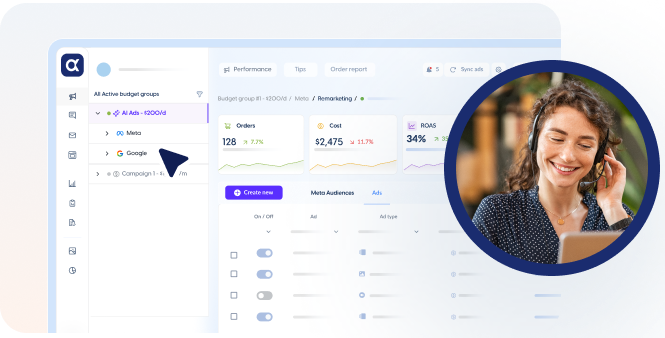
AdScale is built for eCommerce merchants who want store data, ad creation, and ongoing campaign optimization connected in one place.
As explained in AdScale’s platform overview, its AI uses customer and product information to inform audiences and campaigns. AI creative tools support image and video production, while its optimization engine manages bids and budgets across Google and Meta. For a small team, the appeal is having these tasks in a connected workflow.
The AdScale Shopify listing includes Google Search and Performance Max, Facebook and Instagram advertising, AI creatives, audience segments, and continuous optimization.
Choose it when: Your store advertises on both channels and you want less day-to-day campaign work, with AI helping turn store information into advertising decisions.
Check first: Your expected monthly spend, included creative credits, and the support available during setup. AdScale’s Basic plan is listed at $169 per month for up to $1,000 in monthly ad spend. Advertising spend is separate from the software fee.
Our guide to AI campaign builders for Shopify explains how campaign creation fits into a broader store workflow.
Google & YouTube: For Connecting Shopify Products to Google#
Google & YouTube is a practical starting point for merchants who need their Shopify products connected to Google Merchant Center.
It also supports advertising setup. Shopify’s Performance Max guidance explains that merchants can create Performance Max campaigns through the Google & YouTube channel. Those campaigns use Google’s automation across its advertising inventory.
Choose it when: You need a Google product connection and a way to get started with Google advertising.
Check first: Product eligibility, feed errors, Merchant Center requirements, and conversion tracking. A successful installation does not necessarily mean every product is approved to advertise.
The channel is free to install, as shown in its Shopify App Store listing, but paid campaigns still require an advertising budget. Its Google setup role can sit alongside other marketing tools, provided their feed and tracking responsibilities are clear.
Facebook & Instagram: For Meta Catalog and Tracking Setup#
Facebook & Instagram by Meta connects Shopify products to a Meta catalog and supports pixel and conversion data-sharing setup.
Shopify’s channel documentation covers catalog connections, Meta pixel setup, and Conversions API information. These connections help establish the product and event data used in your advertising.
Choose it when: You need to connect your store to Facebook and Instagram and establish the underlying catalog and tracking setup.
Check first: Business account permissions, the correct catalog and pixel, and your chosen data-sharing settings.
If a pixel was previously added manually to your theme, review Shopify’s pixel setup instructions before adding another implementation. Avoid leaving overlapping tracking code in place without checking how events are handled.
Madgicx: For Meta Advertising and Creative Workflows#
Madgicx combines Meta campaign tools, AI creative generation, optimization recommendations, and analytics. It is worth considering when Facebook and Instagram are the main focus of your advertising team.
Its platform overview distinguishes Meta management from Google Ads reporting. Madgicx does not currently offer Google campaign management, but its reporting can include Google Ads and other data sources.
It also connects Shopify data to its Business Dashboard and One-Click Report. That matters if you want store results alongside advertising metrics.
Choose it when: Your main need is a Meta-focused workflow for creatives, campaign analysis, and optimization.
Check first: How Google campaigns will be managed and which tracking, reporting, and creative features are included in your selected package.
For a closer comparison of the workflows, read AdScale vs Madgicx.
Klaviyo: For Turning Customer Segments Into Ad Audiences#
Klaviyo is useful when your store already organizes customers into meaningful groups and you want those groups available in advertising.
Its Meta integration syncs lists and segments to custom audiences. Its Google Ads integration supports audience syncing too.
Imagine an apparel store with a segment of customers who bought running shoes but have not returned. That group could support a campaign for relevant accessories. A recent-purchaser segment could also help shape exclusions where the campaign allows them.
Choose it when: You already use Klaviyo and want customer relationships or purchase behavior to inform advertising audiences.
Check first: Account eligibility, audience sizes, and match rates. The number of people in a Klaviyo segment will not necessarily equal the number an ad platform can match.
Treat audience syncing as one part of the advertising process. You still need a workflow for creating ads and managing campaigns.
AdRoll: For Dynamic Retargeting#
AdRoll is worth evaluating when bringing visitors back to relevant products is a priority.
Its Shopify integration connects product feeds and creates website audiences. These support dynamic ads, which use catalog information to show relevant products.
AdRoll also supports Shopify customer segments for supported audience workflows. Its broader offering covers web and social advertising, so assess the channels in the package you are considering.
Choose it when: Retargeting visitors and cart abandoners is a specific gap in your current setup.
Check first: How its audiences and campaigns overlap with retargeting you already run through Google or Meta. Decide who controls exclusions, frequency, and budget.
A retargeting campaign reaching existing shoppers serves a different purpose from a campaign finding new customers. Compare results with that distinction in mind.
Triple Whale: For Measurement and Data-Informed Ad Actions#
Triple Whale helps eCommerce teams bring performance data together and examine attribution. Its current offering also extends into action through Moby.
Moby Actions supports changes within connected advertising accounts, with approval and guardrail options. Its automation guidance describes recurring workflows that evaluate performance and propose or make supported changes.
Choose it when: Your team needs a clearer measurement workflow and wants to use that information to guide or automate decisions.
Check first: Which Moby capabilities your plan includes, which actions are supported for your channels, and who approves changes.
Before choosing any attribution tool, ask it to explain a real decision you struggle with. For example: “How would this help us assess whether a budget increase brought more new customers?” The answer should connect a report to a decision your team can make.
Optmyzr: For Experienced Marketers Who Want Detailed Controls#
Optmyzr suits marketers and agencies who want to build and manage specific optimization workflows.
Its Shopping tools support retail advertising tasks. Optmyzr Social adds Meta and LinkedIn workflows, including campaign management, monitoring, budget pacing, and rules.
Choose it when: You have someone responsible for paid media who wants detailed controls and automation they can configure around their process.
Check first: Which product or package covers your channels, and how much setup and ongoing oversight your team expects to provide.
For a Shopify merchant, the relevant connection may be through the ad accounts and product campaigns that person manages. Check the exact workflow instead of assuming every tool connects to store data in the same way.
How Much Should You Budget for a Shopify Marketing App?#
Compare the total monthly cost at your expected usage. An entry price is only useful if it covers the work you need.
Ask each provider about:
- Subscription fees and advertising spend limits.
- Creative generation credits and overage costs.
- Tracking, attribution, and reporting add-ons.
- Onboarding, managed services, and account support.
- The cost of moving to the next tier as your store grows.
For a simple illustration, a $200 monthly subscription alongside $1,000 of ad spend adds 20% before any other costs. The same subscription alongside $10,000 adds 2%. These are hypothetical figures, but they show why the fee needs to be considered in the context of your budget.
Also ask what the tool replaces. Does it save regular campaign work, replace another subscription, or help you make a decision you currently cannot make? Give it a specific job and evaluate it against that job.
How Do You Choose Without Adding More Complexity?#
1. Write Down the Task You Want to Fix#
Be specific: “We need fresh product creatives every week” is more useful than “We need better marketing.” Choose one main problem for the first evaluation.
2. Map What Your Existing Apps Already Handle#
List your product feed, tracking, campaign management, audience syncing, and reporting tools. Look for a missing capability or duplicated responsibility before adding another app.
3. Ask for a Demonstration Using Your Workflow#
Use a real product and a realistic campaign objective. Ask what the app does automatically, what requires approval, and where you would still need to work in Google Ads or Meta Ads Manager.
4. Agree on Who Controls Campaign Changes#
If an agency, an app, and someone on your team can all adjust the same campaign, make responsibilities explicit. Decide which system owns budget changes and how you will review what changed.
5. Check Measurement Before Judging Results#
Review tracking and agree on reporting definitions. Shopify explains that marketing reports can differ across platforms. Use consistent dates and attribution settings when comparing results, and track store revenue alongside platform metrics.
6. Evaluate Both Business Results and Work Saved#
Record your starting position before the trial: spend, sales, acquisition costs where available, and time spent on the task. Review those together after enough activity has accumulated to make a useful comparison. A short trial can establish workflow fit without proving a long-term performance improvement.
Frequently Asked Questions#
Which Shopify app can manage both Google and Meta ads?
AdScale supports Google and Meta campaign creation and ongoing AI optimization, using connected store data. It is worth considering if you want both channels in one eCommerce workflow. Before choosing, check campaign coverage, your monthly spending tier, creative allowances, and how much support you need.
Can I run Google and Meta ads without a paid marketing app?
Yes. You can use the advertising platforms’ own tools and connect your store through the relevant Shopify channel apps. Google & YouTube supports Performance Max setup. Paid marketing software adds capabilities such as creative production, coordination, reporting, or automation. You still pay for the advertising itself.
Does Madgicx manage Google Ads for Shopify stores?
Madgicx’s current documentation says it does not offer Google campaign management. It supports Google Ads reporting through One-Click Report and can connect Shopify data for analytics. Its campaign tools focus on Meta, so a merchant using Madgicx should establish a separate workflow for managing Google campaigns.
Can Klaviyo customer segments be used in Google and Meta ads?
Yes. Klaviyo has integrations for syncing customer lists or segments with Meta custom audiences and Google Ads audiences. These can support targeting or exclusions where available. Account eligibility, matching, and audience requirements still apply. Syncing a segment does not mean every profile becomes reachable through an ad.
Should I install several Shopify advertising apps?
Only when each has a clear role. A channel connection, campaign manager, and measurement tool may complement each other. Before adding another app, check overlapping tracking, feeds, audiences, and automated changes. Start with the smallest setup that meets your needs, then expand when you can identify a specific gap.
Choose the App That Solves Your Next Advertising Problem#
Your store does not need every tool in this guide. It needs a reliable way to connect products, reach customers, manage campaigns, and understand the results.
If your priority is using store data and AI to create and optimize campaigns across Google and Meta, explore AdScale for Shopify. If your main challenge is audience syncing, reporting, or hands-on campaign control, start with the tool that addresses that need.
Make the next subscription earn its place in your workflow.
Keep Learning#
- Best AI Campaign Builders for Shopify Stores: Compare campaign creation tools and their role in your store’s marketing.
- AdScale vs Madgicx: Explore the differences between the two advertising workflows.
- AdScale for Shopify: Learn more about connecting store data with Google and Meta advertising.


 Shopify
  WooCommerce
  PrestaShop
  Magento
  BigCommerce
  Opencart
  Wix
Wix 



 ,
,