



AdScale vs StoreYa Traffic Booster (2026): Which One Fits Your eCommerce Store?
AdScale builds and runs Google and Meta campaigns from your store data using AI.
StoreYa Traffic Booster is an ecommerce advertising service where StoreYa’s marketing experts build campaigns that AI then optimizes. Stores wanting a software platform with live store sync fit AdScale; those wanting a done-for-you service with ad budget bundled may prefer StoreYa.
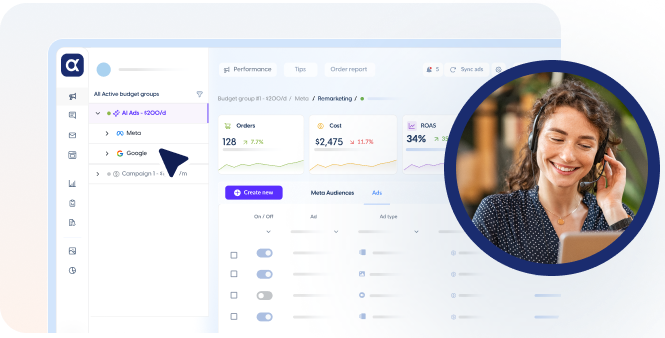
Connects to your store, uses your first-party data, and builds, runs and optimizes Google and Meta campaigns, with AI video and image creation.
- Google (Search, Performance Max, Display) and Meta campaigns
- AI video and image ad creation
- Built from your live store data
- Customer and product segments
- 24/7 AI optimization
- Email, SMS and business analytics in the same platform

An ecommerce advertising service where StoreYa's marketing experts build campaigns that AI then optimizes, with the ads budget included in the plan price.
- Google (Search, Shopping, Performance Max, YouTube, remarketing, Smart Display), Microsoft Ads, Facebook and Instagram
- Experts build personalized campaigns; AI adjusts them in real time (vendor claim of 300+ parameters)
- Dashboard with visitors, orders, revenue and ROAS by channel
- Basic 120, Standard 335 and Pro 1,000 a month, ads budget included
Side by side
Feature-by-feature comparison
Tap any row to see why it matters for a store.
StoreYa
Google AdsBoth
Search, Performance Max, Display
Search, Shopping, Performance Max, YouTube, remarketing, Smart Display
Meta (Facebook and Instagram)Both
Included
Acquisition and retargeting
Microsoft AdsEdge: StoreYa
Not documented
Included
Live store-to-ads sync and product segmentsEdge: AdScale
Included
Not documented
AI video and image adsEdge: AdScale
Included
For Traffic Booster
Cross-channel dashboardBoth
Analytics and dashboards
Visitors, orders, revenue and ROAS by channel
Email and SMS marketingEdge: AdScale
Included
For Traffic Booster
Done-for-you managementBoth
AdScale Plus
Experts build personalized campaigns
Based on public product pages checked on October 15, 2026. Spotted something out of date? Tell us.
Pros & cons
The trade-offs in one view
Pros
- Builds and runs Google and Meta campaigns from live store data
- AI video and image ad creation
- Email, SMS and business analytics in one platform
- 7-day free trial and an optional managed tier (AdScale Plus) with a dedicated account manager
Cons
- Microsoft Ads not supported
- YouTube currently not supported
StoreYaPros
- Done-for-you: experts build personalized campaigns
- Covers Google (incl. Shopping and YouTube), Microsoft Ads, Facebook and Instagram
- Ads budget included in the plan price
- Dashboard with visitors, orders, revenue and ROAS by channel
Cons
- Store-to-ads sync not documented; names no ecommerce platforms
- Free trial or money-back guarantee not found
- YouTube and Facebook ads come with the Pro plan at 1,000 a month
- Ratings around 3.9 to 4.0 from about 20 users on Capterra and GetApp (small sample)
Same task, two approaches
Launching ads for a new product
How the work splits between you and the tool, based on each product's documented features.
- Connect your storeAdScale works with seven store platforms
- AdScale builds Google and Meta campaigns from store dataAutomated campaign creation for Search, Performance Max, Display, Facebook and Instagram
- AI video and image ads are generatedAI creative included in AdScale's plans
- Campaigns are optimized around the clock24/7 AI optimization
- Choose a planBasic 120, Standard 335 or Pro 1,000 a month, ads budget included
- StoreYa's experts build your campaignsPersonalized campaigns across Google, Microsoft, Facebook and Instagram
- AI adjusts campaigns in real timeVendor claim of 300+ parameters
- Track results in the dashboardVisitors, orders, revenue and ROAS by channel
AdScale suits stores that want a software platform building Google and Meta campaigns from live store data, with an optional managed tier. StoreYa suits merchants who want a done-for-you service across Google, Microsoft, Facebook and Instagram with the ads budget included in the plan price.
Source: AdScale, "AdScale vs StoreYa Traffic Booster (2026)", adscale.com/compare/adscale-vs-storeya/
We build AdScale, so this page focuses on where AdScale fits and where the two products differ. It uses each vendor's public product pages, pricing pages, help articles and app-store or review-platform listings, checked on October 15, 2026. Vendor claims are labeled as such, and where a feature was not found we say "not documented" instead of "not offered." Each claim is traced to a source listed at the end of this page.
October 2026: first version, built from public documentation.
FAQ
AdScale vs StoreYa Traffic Booster: FAQ
Is StoreYa Traffic Booster an alternative to AdScale?
Both run paid ads for online stores. StoreYa is positioned as a done-for-you service; AdScale as an AI platform with an optional managed tier.
How much does StoreYa Traffic Booster cost?
Its pricing page showed Basic $120, Standard $335 and Pro $1,000 a month, as checked 2026-10-15, with the ads budget included.
Does StoreYa Traffic Booster have a free trial?
We did not find a free trial or money-back guarantee documented for Traffic Booster. AdScale offers a 7-day free trial.
Does StoreYa Traffic Booster run Facebook ads?
Its pages list Facebook and Instagram ads; its pricing page places Facebook ads in the Pro plan.
What do reviewers say about StoreYa?
A search summary of Capterra and GetApp listings showed ratings around 3.9 to 4.0 from about 20 users; treat as a small sample.




Stop guessing your ROAS target.
Connect your store and AdScale sets break-even and target ROAS per product, then optimizes Google and Meta toward profit.

 Shopify
 WooCommerce
 PrestaShop
 Magento
 BigCommerce
 Opencart
 Wix




 ,
